
Key facts
- Manuals
- 6
- Categories
- 1
- Languages
- ZH · EN
- Last added
- 2012-01-26
Featured DSPPA manuals
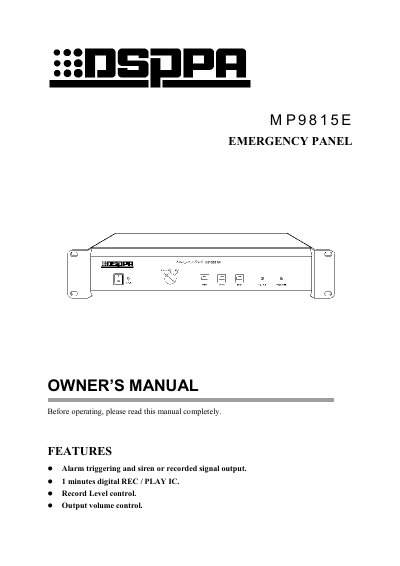
DSPPA MP9815E Emergency Panel User Manual
The MP9815E Emergency Panel provides alarm triggering with a siren or recorded message, a one‑minute internal recording IC, and adjustable volume and recording level controls. The front panel includes power, fire alarm, start/stop, option, and volume controls, while the rear panel offers connections for pre‑amp, deck, and alarm input.
The manual describes two operating modes: Auto mode, where an external alarm signal automatically activates the siren or playback, and Manual mode, where the user presses the FIRE button or START/STOP keys. Recording is performed by selecting REC, setting the REC LEVEL, and using the LINE or MIC inputs; recording stops automatically after one minute or when STOP is pressed. Safety notes warn against water exposure and unauthorized opening of the unit. This manual is written in Chinese.
Covers: Features · Front Panel · Rear Panel & Connections · Operating Modes · Recording Procedure · Specifications
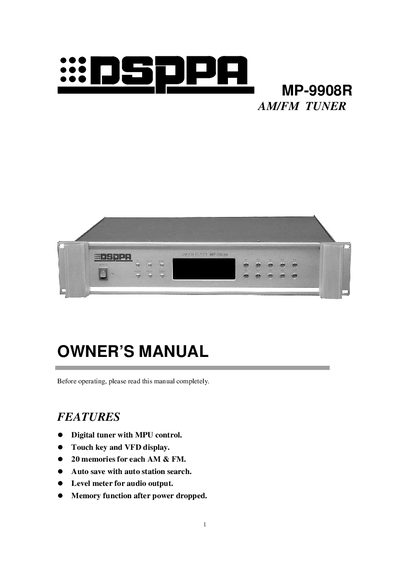
DSPPA MP-9908R AM/FM Tuner User Manual
The MP-9908R is a digital AM/FM tuner with MPU control, touch keys, and a VED display. It offers 20 memories for each band, auto‑save with station search, and a level meter for audio output. The front panel includes power, band, up/down, mono, and memory keys, while the rear panel provides antenna jacks, output, remote input/output, AC fuse and mains connections.
The manual explains how to select, save, and recall stations, switch between mono and stereo modes, and use the remote link with a program manager. Technical specifications such as frequency ranges, sensitivity, signal‑to‑noise ratios, power requirements, dimensions and weight are listed in the specifications section.
Covers: Features · Front Panel · Rear Panel · Connections · Operation · Specifications
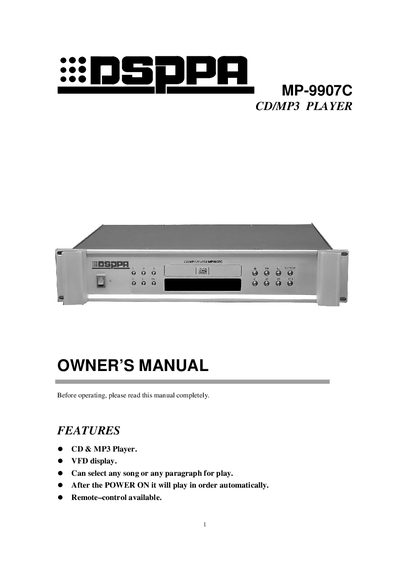
DSPPA MP-9907C CD/MP3 Player Owner's Manual
The manual introduces the MP-9907C CD/MP3 player, highlighting its VFD display, CD & MP3 playback, remote‑control capability, and automatic sequential play after power‑on. Detailed descriptions of the front and rear panels explain the function of each key, including power, track selection, repeat, search, and play/pause controls.
Technical specifications are listed, covering frequency response, signal‑to‑noise ratio, dynamic range, THD, output level, power requirements, dimensions, and weight. Safety cautions advise against opening the cover and recommend service by qualified personnel. This manual is written in Chinese.
Covers: Features · Front Panel · Rear Panel · Operation · Option Play · Play Repeatedly
Latest DSPPA manuals
DSPPA MP9815E Emergency Panel User Manual
User Manual 8 pages · 118 KB · ZHThe DSPPA MP9815E Emergency Panel manual explains features, operation modes, recording, and safety precautions.
DSPPA MP-9908R AM/FM Tuner User Manual
User Manual 12 pages · 234 KB · ENThe DSPPA MP-9908R AM/FM tuner user manual provides operating instructions, features, specifications, and connection details.
DSPPA MP-9910P Paging Selector Manual
DSPPA MP-9907C CD/MP3 Player Owner's Manual
User Manual 8 pages · 218 KB · ZHThe DSPPA MP-9907C CD/MP3 Player Owner's Manual provides operation instructions, features, specifications, and safety information.
DSPPA MP1600/2100/2600 Manual
DSPPA MP9807C user manual
Which document do I need?
User Manual
Day-to-day operation, settings and troubleshooting. Start here if the product is already set up.
Questions answered in DSPPA manuals
How do I trigger the alarm automatically?
Set the OPTION switch to SIREN (or PLAY for a recorded message) and connect the alarm signal to the ALARM port; the panel will output the siren or playback until the alarm signal is removed.
How can I record a message on the panel?
Select REC on the OPTION switch, set the REC LEVEL knob to the middle position, turn the POWER switch on, and press START while speaking into the LINE or MIC input; recording stops when STOP is pressed or after one minute.
How many memory stations does the MP-9908R support?
The tuner provides 20 memories for each AM and FM band.
How do I save a station automatically?
Press the AUTO key (flashing “AUTO”) and then use the UP or DOWN key to start a search; found stations are saved sequentially into memories M1‑M20.
How do I load or unload a disc?
Press the key next to the disc door to open the CD deck, insert or remove the disc, then press the key again to close the deck.
How does the repeat function work?
Press REPEAT once to repeat the current track, press it a second time to repeat the whole disc, and press it a third time to cancel repeat mode.