
Key facts
- Manuals
- 14
- Models
- 1
- Languages
- JA
- Last added
- 2012-02-03
Corega models by category
Featured Corega manuals
corega BAR SW-4P WL User Manual
This manual introduces the corega BAR SW-4P WL wireless broadband access router, covering safety precautions such as avoiding water, high temperatures, and disassembly, and explains the required operating environment. It also lists the contents of the package and provides guidance on proper handling and cleaning.
The guide walks through installation, quick setup, and advanced configuration steps, including LAN/WAN settings, DHCP, firewall, wireless access point features, and troubleshooting. Warranty terms, support contacts, and legal notices are included at the end of the document. This manual is written in Japanese.
Covers: Safety Precautions · Product Overview · Client Computer Setup · Installation · Quick Setup · Advanced Settings
Corega FEther PCI‑TXL User Manual
This manual provides step‑by‑step instructions for installing the Corega FEther PCI‑TXL LAN adapter on compatible AT‑compatible PCs and NEC PC98‑NX systems. It includes hardware setup, driver installation for various Windows versions, and network configuration details.
Safety precautions, LED indicator explanations, auto‑negotiation features, and warranty information are also covered to ensure proper and reliable operation of the adapter. This manual is written in Japanese.
Covers: Introduction · Overview · Hardware Setup · Driver Installation · Network Configuration · Troubleshooting
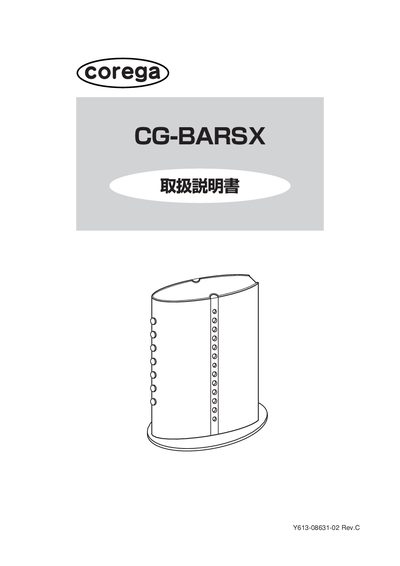
Corega CG-BARSX Operating Instructions
This manual explains how to read the document and provides detailed information on the CG‑BARSX router's settings screen, symbols, and terminology. It covers basic navigation of the web interface, including WAN, LAN, security, and detailed settings.
The guide walks users through common configuration scenarios such as enabling UPnP for online gaming, using DMZ for non‑UPnP games, setting up virtual servers, dynamic DNS, and publishing network cameras. It also describes how to view logs, check MAC addresses, and update firmware. This manual is written in Japanese.
Covers: How to read this manual · Viewing the settings screen · Configuration for specific scenarios · Enabling UPnP · Using DMZ · Virtual server setup
Corega WLUSB-11 Key User Manual
This manual guides you through the safe installation and configuration of the Corega WLUSB-11 Key wireless LAN adapter. It covers preparation, driver installation, USB connection, and network settings, with clear step‑by‑step instructions.
Additional sections describe the utility software for advanced settings, troubleshooting procedures, maintenance, and warranty information. Safety warnings, especially regarding electromagnetic interference with medical devices, are highlighted throughout. This manual is written in Japanese.
Covers: はじめに · 作業の流れ · 本製品をパソコンに取り付けよう · 無線LAN の設定をしよう · トラブルや疑問があったら · ユーティリティーを見てみよう
Latest Corega manuals
corega BAR SW-4P WL User Manual
User Manual 68 pages · 1.7 MB · JAThe corega BAR SW-4P WL user manual provides setup, safety, configuration and warranty information for the wireless broadband access router.
Corega FEther PCI‑TXL User Manual
User Manual 112 pages · 1.7 MB · JAUser manual for the Corega FEther PCI‑TXL Fast Ethernet LAN adapter, covering installation, configuration and warranty.
Corega CG-BARSX Operating Instructions
User Manual 62 pages · 2 MB · JAThe Corega CG-BARSX operating instructions guide users through setup, network configuration, and feature usage for this router.
Corega WLUSB-11 Key User Manual
User Manual 67 pages · 1.2 MB · JAThe Corega WLUSB-11 Key User Manual provides setup, safety, and troubleshooting instructions for connecting the USB wireless LAN adapter to a PC.
corega USBFPServer Manual
corega WLUSB-11 mini2 Manual
corega FastEther CB-TX Manual
corega FastEtherII CB-TX Manual
corega CG-FPSU2 Operating Instructions
corega CG-FPSUBD Operating Instructions
corega CG-WLBARGSF Manual
corega PCI-TXB Operating Instructions
corega FEther PCI-TXM Operating Instructions
corega FEther PCI-BLK Operating Instructions
Which document do I need?
User Manual
Day-to-day operation, settings and troubleshooting. Start here if the product is already set up.
Questions answered in Corega manuals
How many client devices can be connected to the router at the same time?
The router can support up to 253 client devices simultaneously.
Which wireless standard does the BAR SW-4P WL use and what is its maximum data rate?
It complies with IEEE 802.11b and provides a maximum wireless data rate of 11 Mbps.
Which computer models are compatible with the FEther PCI‑TXL?
The adapter works with AT‑compatible PCs and NEC PC98‑NX computers.
What should I do to use DMZ for a game that does not support UPnP?
Select Detailed Settings → DMZ, choose the host PC, and enable the DMZ function.
Where can I find the router’s MAC address?
The MAC address is printed on the bottom of the unit and can also be viewed in the Status screen.
How do I install the Corega WLUSB-11 Key?
Insert the device into a PC USB port; the driver will install automatically.