
Key facts
- Manuals
- 4
- Categories
- 1
- Languages
- EN · ZH
- Last added
- 2012-07-10
Featured AVERY manuals
Avery Weigh‑Tronix E1205 Technical Specification
The E1205 advanced multi‑function weight indicator can operate stand‑alone or be integrated into larger systems via serial, FieldBus and Ethernet interfaces. It supports up to 12 load cells (16 with a second scale) and offers configurable I/O, calibration, and recipe/filling functions for a wide range of weighing applications.
The document provides full electrical and mechanical specifications, including display type, resolution, power requirements, environmental ratings, and optional interface kits. Approvals, mounting options, and accessory part numbers are also listed.
Covers: Description · Configurable Features · Applications · Electrical Specification · Load Cell Input · Communications
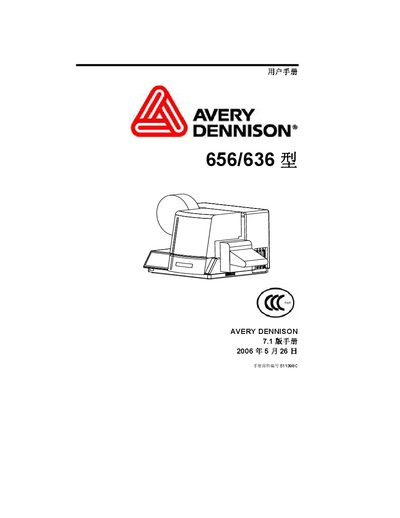
Avery Dennison 656/636 Printer User Manual
This manual guides users through unpacking, installing, and configuring the Avery Dennison 656/636 thermal label printer. It includes step‑by‑step instructions for loading label paper, adjusting feed rollers, operating the print head, and using the control panel.
Additional sections cover safety warnings, recommended placement, troubleshooting, electrical diagrams, and a detailed parts list. Warranty terms and service contact information are also provided for owners in the United States. This manual is written in Chinese.
Covers: Introduction · Safety Warnings · Installation · Loading Label Paper · Print Head Operation · Control Panel Operation
Latest AVERY manuals
Avery Weigh-Tronix T301 technology data
This document describes the technical specifications and features of Avery Berkel T301 load cell. The load cell is resistant to dirt and moisture, immune to electrical disturbance, and has various applications. It is approved by OIML and constructed with 100% stainless steel. The load cell has surge arresters for lightning protection and communicates via RS485.
Avery Weigh‑Tronix E1205 Technical Specification
Datasheet 8 pages · 1.3 MB · ENThe Avery Weigh‑Tronix E1205 is an advanced multi‑function weight indicator with configurable features, multiple interfaces, and detailed technical…
Avery Dennison 656/636 Printer User Manual
User Manual 121 pages · 2 MB · ZHThe Avery Dennison 656/636 printer user manual provides setup, operation, maintenance and warranty information.
AVERY DENNISON SNAP 500 Printer user manual
This manual describes the installation, operation, and maintenance of the SNAP™ 500 printer.
Which document do I need?
Datasheet
Ratings, dimensions and ordering codes, for selection and design work.
User Manual
Day-to-day operation, settings and troubleshooting. Start here if the product is already set up.
Questions answered in AVERY manuals
How many load cells can be connected to the E1205?
Up to 12 load cells can be connected on a single scale, and up to 16 when a second analogue input is fitted.
What is the operating temperature range of the E1205?
The indicator operates from –10 °C to +40 °C.
What is the warranty period for the Avery Dennison 656/636 printer?
The printer is covered by a six‑month limited warranty that provides free replacement of defective parts.
What are the recommended placement guidelines for the printer?
Place the printer on a stable workbench with enough clearance for height, space, and noise considerations, and keep the top cover closed during operation.