
Key facts
- Manuals
- 3
- Languages
- EN · ZH
- Last added
- 2026-09-29
Featured Aputure manuals
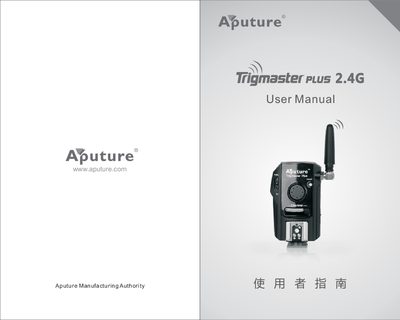
Aputure Trigmaster Plus 2.4G User Manual
The Trigmaster Plus 2.4G is a pocket‑sized 2.4 GHz wireless system that combines a transmitter and receiver to control cameras and flashes. It supports up to six independent channels, a 120 m range, and a sync speed of 1/250 s, allowing multiple photographers to work together without interference.
This manual explains how to install the AAA batteries, set channels and function modes (TX/RX or RX), operate wired and wireless shutter control, use the flash‑trigger and wake‑up features, and provides technical specifications, safety precautions, and troubleshooting tips.
Covers: Foreword · Product Features · Components · Operation · Technical Parameters · Common Questions
Aputure LS 60d Product Manual
This manual covers the Aputure Light Storm LS 60d LED light, describing its optical design, weather‑resistant version (LS 60d/x), and the accessories that can be attached such as Bowens mount adapters, barn doors, and battery cases. It begins with important safety precautions and FCC compliance information before moving to a checklist of items included in the box.
Subsequent sections explain how to install each accessory, connect power (single or dual battery, AC input), and provide technical specifications like operating voltage, current, and maximum power. The document also contains illumination distribution data, warranty terms, and contact information for service and support.
Covers: Safety Instructions · FCC Compliance · Unboxing Checklist · Product Details · Accessory Installation · Power Supply Options
Aputure Amaran 100d LED Photography Light User Manual
This manual explains how to install and set up the Amaran 100d LED photography light, including attaching the protection cover, mounting the 55° reflector, and securing the lamp body on a tripod. It also covers manual brightness adjustment, wireless Bluetooth control via the Sidus Link app, and OTA firmware updates.
Safety guidelines are detailed, such as removing the protective cover before powering on, avoiding contact with the hot LED source, and using only original Aputure accessories. Warranty information, FCC compliance statements, and a checklist of items included in the package are also provided. This manual is written in Chinese.
Covers: Product Details · Installation · Setting up the Light · Manual Control · Wireless Mode Adjustment · Bluetooth Reset
Latest Aputure manuals
Aputure Trigmaster Plus 2.4G User Manual
User Manual 12 pages · 6 MB · ENThe Aputure Trigmaster Plus 2.4G User Manual provides setup, operation, specifications, and troubleshooting for the wireless flash and shutter trigger.
Aputure LS 60d Product Manual
User Manual 40 pages · 8.9 MB · ENThe Aputure LS 60d product manual provides safety instructions, installation steps, component details, and usage guidelines for the Light Storm LED fixture.
Aputure Amaran 100d LED Photography Light User Manual
User Manual 2 pages · 12 MB · ZHThe Aputure Amaran 100d LED photography light user manual provides setup, operation, safety instructions, Bluetooth control, and specifications.
Which document do I need?
User Manual
Day-to-day operation, settings and troubleshooting. Start here if the product is already set up.
Questions answered in Aputure manuals
Why can't the flash or camera shutter be triggered?
Make sure the battery is installed, the receiver power switch is on, both units are set to the same channel, and the function switch is correctly set to TX/RX or RX.
What should I do if the camera only shoots but does not focus?
Set the lens focus mode to AF (auto‑focus) instead of MF (manual focus).
How do I install the Bowens Mount Adapter?
Push the pick to the front of the claw, lift the claw above the lamp cap, rotate it 90°, align the Bowens Mount Adapter with the three slots on the lamp cap, insert it from top to bottom, then rotate the socket forward.
What battery voltage should be used for single‑battery operation?
Use a battery with a voltage between 6 V and 8.4 V, and a continuous discharge rating of at least 6.6 A.
How can I update the firmware of the Amaran 100d?
Use the Sidus Link app to perform OTA (over‑the‑air) updates; the app downloads and installs the new firmware wirelessly.