
Key facts
- Brand
- Wavecom
- Model
- M1306B
- Industry
- Electronics
- Documents
- 2
- Languages
- ES · EN
- Last added
- 2026-10-03
Start here
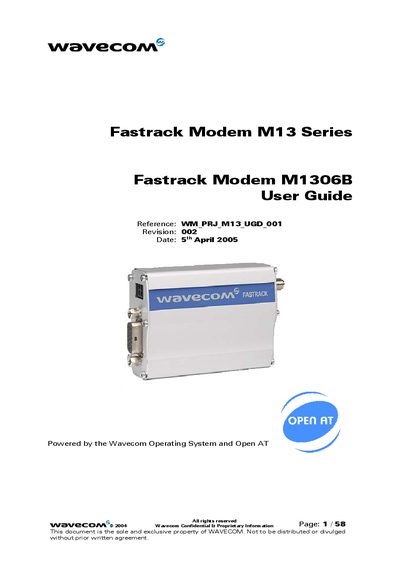
Wavecom Fastrack M1306B User Guide
The Fastrack M1306B is a rugged cellular modem that provides dual‑band GSM/GPRS connectivity for machine‑to‑machine applications. It runs on the Wavecom Operating System with Open AT and includes two general‑purpose I/O pins.
The guide details the modem’s hardware interfaces, power‑supply recommendations, basic AT commands, and troubleshooting steps, and lists recommended accessories such as antennas and power adapters.
Wavecom M1306B specifications
| Default operating band | 1900 MHz |
|---|---|
| Default serial baud rate | 115200 bps |
| Maximum stored SMS messages | 20 messages |
| Supported GSM bands | 850, 900, 1800, 1900 MHz |
| Serial connector type | DB15 |
Source: Wavecom M1306B Modem Configuration and Preliminary Tests Guide
All Wavecom M1306B documents by type
Day-to-day operation, settings and troubleshooting. Start here if the product is already set up.
Questions answered in these manuals
How do I install the SIM card in the Wavecom M1306B?
Press the small yellow button, remove the black plastic container, place the SIM card inside, and re‑insert the container.
From: Wavecom M1306B Modem Configuration and Preliminary Tests Guide
How can I make a voice call with the modem?
Use `atdt<phone_number>` to dial and `ath` to hang up; the modem will indicate call status with the text “RING”.
From: Wavecom M1306B Modem Configuration and Preliminary Tests Guide
What frequency bands does the Fastrack M1306B support?
It operates on dual‑band GSM at 900 MHz and 1800 MHz.
How many GPIO pins are available on the modem?
The modem provides two general‑purpose input/output pins.