
Key facts
- Brand
- Syris
- Model
- SY210NT Series
- Category
- Automation control Equipment
- Industry
- Industrial
- Documents
- 4
- Languages
- EN · ZH
- Last added
- 2026-09-28
Start here
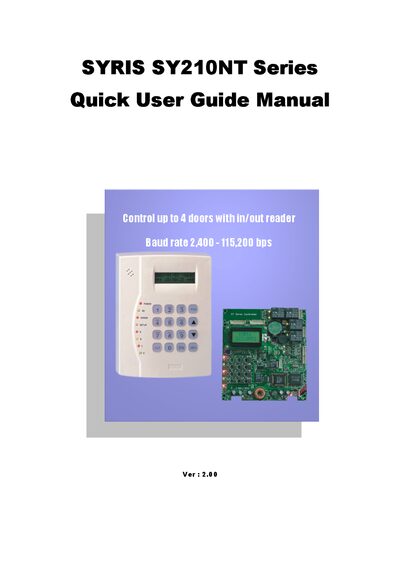
SYRIS SY210NT Series Serial Controller Quick User Guide
The SYRIS SY210NT Series serial controller manages up to four doors with in/out readers and supports baud rates from 2,400 to 115,200 bps. It provides functions such as login/logout, module setup, card and fingerprint handling, and controller ID configuration.
The manual walks the user through initial installation, login steps, setting up reader IDs, adding or editing cards, configuring controller IDs for multiple units, and defining procedure controls like opening doors via button presses. Each section includes menu navigation details and screen prompts to help users operate the controller efficiently.
SYRIS SY210NT Series specifications
| Maximum doors controlled | 4 |
|---|---|
| Supported baud rate | 2,400 - 115,200 bps |
| Controller ID range | 1‑99 |
Source: SYRIS SY210NT Series Serial Controller Quick User Guide
All SYRIS SY210NT Series documents by type
The shortest path to a working setup, usually only a few pages.
Day-to-day operation, settings and troubleshooting. Start here if the product is already set up.
Questions answered in these manuals
How many doors can the SY210NT controller control?
It can control up to four doors with in/out readers.
From: SYRIS SY210NT Series Serial Controller Quick User Guide
How do I log in to the SY210NT controller?
Press the Enter key, then enter the password 1+2+3+4+EN and press EN to log in.
From: SYRIS SY210NT Series Serial Controller Quick User Guide
How many controllers can be connected to one management computer?
A single management computer can connect up to 99 controllers in a parallel (bus) configuration.
What is the default password for the initial login?
The default password for the first login is 1234.
How do I reset the controller after first power‑on?
When the LCD shows (1:Clear), press the 1 key to perform a system reset.
How can I set a unique controller ID for multiple controllers?
Enter the menu System → APBLevel Setting → Control ID and input a number between 1 and 99.