
Key facts
Start here
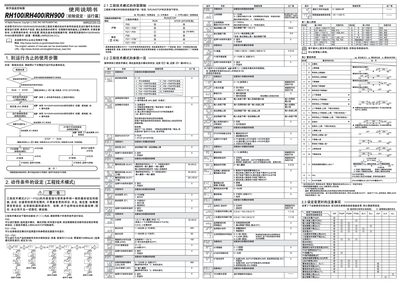
RKC RH100/RH400/RH900 Digital Temperature Controller User Manual
This manual provides detailed instructions for the RKC RH100, RH400, and RH900 digital temperature controllers. It covers initial configuration, wiring, and the use of engineering mode settings.
Key functional sections include RUN/STOP switching, automatic calculation (AT), start‑up calculation (ST), POST calculation, and how to disable the linking function. Safety notes, parameter limits, and environmental compliance information are also included. This manual is written in Chinese.
All RKC RH100 documents by type
Day-to-day operation, settings and troubleshooting. Start here if the product is already set up.
Questions answered in these manuals
How do I switch between RUN and STOP modes?
You can switch using the front panel button or by setting the RUN/STOP state in engineering mode.
From: RKC RH100/RH400/RH900 Digital Temperature Controller User Manual
What is the purpose of the Automatic Calculation (AT) function?
AT automatically calculates and sets PID constants based on the set temperature, useful for PID control.
From: RKC RH100/RH400/RH900 Digital Temperature Controller User Manual
How is the automatic calculation (AT) started and stopped?
AT is started by selecting the AT function; it stops automatically when certain conditions are met, such as reaching temperature limits or after a timeout.
What is the purpose of the start‑up calculation (ST)?
ST calculates and sets PID constants automatically when power is applied or when switching from STOP to RUN, helping the controller respond quickly.