
Key facts
- Brand
- RKC
- Model
- RD500
- Category
- Automation control Equipment
- Documents
- 4
- Languages
- ZH
- Last added
- 2012-03-15
Start here
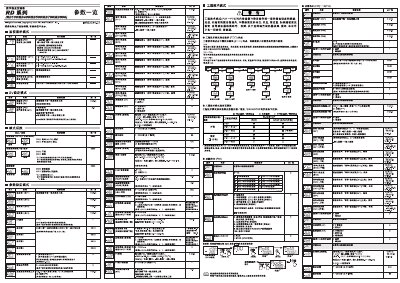
digital temperature controller RD series RD100/RD400/RD500/RD700/RD900 Manual(3)
The document describes the functions and configuration of the RD series digital temperature controllers, including engineering‑technology mode, event settings, and PID control. It explains how to monitor input values, set output limits, and use the AUTO and MAN modes.
Detailed instructions cover input range selection, current detector configuration, timing functions, lock levels, and safety interlock settings. Users are guided on how to adjust parameters such as temperature set‑points, proportion‑integral‑derivative limits, and event‑driven actions. This manual is written in Chinese.
RKC RD500 specifications
| Input monitoring range | 0.0–100.0 A (CTL‑12‑S56‑10L‑N) |
|---|---|
| Current detector CT2 range | 0.0–30.0 A (CTL‑6‑P‑N) |
| PID output limit range | -5.0 % to 105.0 % |
Source: digital temperature controller RD series RD100/RD400/RD500/RD700/RD900 Manual(3)
All RKC RD500 documents by type
Day-to-day operation, settings and troubleshooting. Start here if the product is already set up.
Questions answered in these manuals
How can I view the input monitoring values?
The controller displays input values in the range 0.0–100.0 A using the input monitoring function.
From: digital temperature controller RD series RD100/RD400/RD500/RD700/RD900 Manual(3)
What does the AUTO mode indicate?
When the controller is in AUTO mode, the indicator lamp lights to show automatic operation.
From: digital temperature controller RD series RD100/RD400/RD500/RD700/RD900 Manual(3)
How do I apply new communication settings?
After setting all communication parameters, turn the power off and on again for the new settings to become effective.
From: RKC RD Series RD100/RD400/RD500/RD700/RD900 User Manual
What is the maximum number of controllers that can be connected on the same bus?
Up to 31 controllers can be connected simultaneously.
From: RKC RD Series RD100/RD400/RD500/RD700/RD900 User Manual
How do I switch between RUN and STOP modes?
Use the RUN/STOP switch on the controller or set the RUN/STOP mode in the engineering‑technology mode; both methods change the controller state accordingly.
What is the purpose of the automatic calculation (AT) mode?
AT mode automatically calculates and applies PID constants based on the set parameters, allowing the controller to regulate temperature without manual tuning.