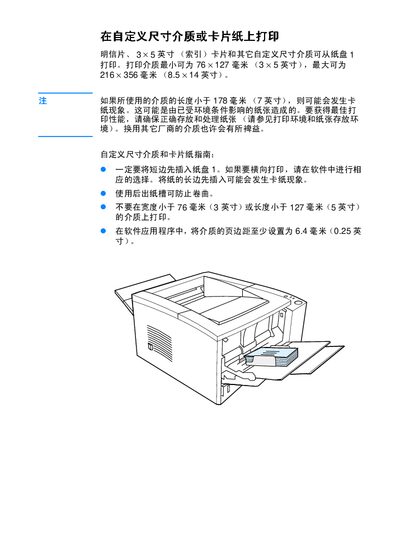
Instructions for printing on custom‑size media or card stock with a printer, covering size limits, loading direction, margins and paper handling.
About this manual
This guide explains how to print on custom‑size media such as postcards, 3 × 5‑inch index cards, and other non‑standard sizes using the printer's paper tray 1. It lists the minimum (76 × 127 mm) and maximum (216 × 356 mm) printable dimensions.
Key recommendations include inserting the short edge first, setting software margins to at least 6.4 mm (0.25 in), using the rear paper exit to prevent curl, and avoiding media narrower than 76 mm or shorter than 127 mm to reduce paper‑jam risk. This manual is written in Chinese.
What's inside
- Supported Media Sizes
- Paper Loading Guidelines
- Preventing Paper Jams
- Margin Settings
- Paper Storage and Handling
Specifications
| Minimum printable size | 76 × 127 mm (3 × 5 in) |
|---|
| Maximum printable size | 216 × 356 mm (8.5 × 14 in) |
|---|
| Recommended software margin | ≥ 6.4 mm (0.25 in) |
|---|
Frequently asked questions
What is the minimum media size that can be printed?
The minimum printable size is 76 × 127 mm (3 × 5 in).
What margin should be set in the software when printing custom media?
Set the media margins to at least 6.4 mm (0.25 in).
How should the paper be loaded to avoid jams?
Insert the short edge of the media first into paper tray 1; loading the long edge first may cause jams.
What width and length limits should be observed to prevent paper jams?
Do not print on media narrower than 76 mm or shorter than 127 mm.