
Key facts
- Manuals
- 67
- Models
- 2
- Categories
- 1
- Languages
- ZH · EN
- Last added
- 2026-09-29
RAINBIRD models by category
Featured RAINBIRD manuals
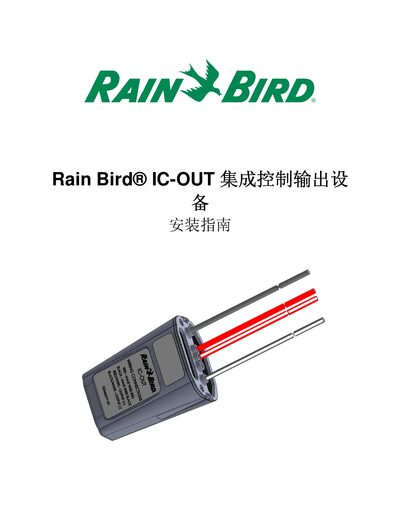
Rain Bird IC-OUT Integrated Control Output Device Installation Guide
This guide provides detailed instructions for installing the Rain Bird IC-OUT integrated control output device. It includes important safety notices, required tools, and compliance with applicable electrical standards.
The document walks through the installation checklist, connection of the IC-OUT output, field wiring to the IC System, and configuration of Rain Bird central control software. It also lists the device specifications such as operating temperature, humidity limits, and field wiring voltage. This manual is written in Chinese.
Covers: Important Notice · Applicable Standards · Installation Checklist · Latch Relay Basics · Compatibility Verification · Installation Location Selection
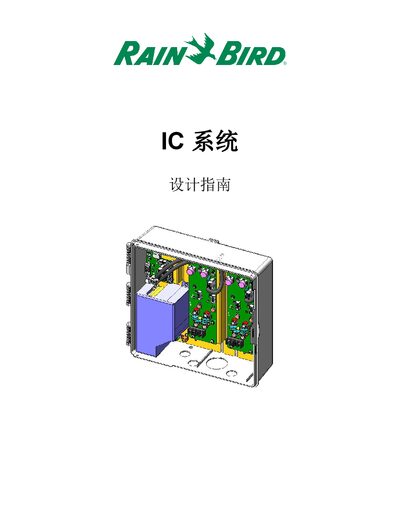
Rain Bird IC System Design Guide
This guide provides a detailed overview of the Rain Bird IC System, including product definitions, central control software options, and the Integrated Control Interface (ICI) components. It describes how the system operates, the communication between the CPU board, control board, and field ICM modules, and the role of surge protection devices.
Design data such as maximum ICM heads per line, control board capacities, and overall system capacity are presented, along with flexible design recommendations and wiring guidelines. Specification tables for cable sizing and grounding requirements are also included to assist engineers in planning and installing irrigation networks. This manual is written in Chinese.
Covers: Product Definition · Central Control Software · Integrated Control Interface (ICI) · Integrated Control Module (ICM) · System Operation · Basic Design Data

Rain Bird Irrigation Manual
This document provides basic information about Rain Bird irrigation products, including support phone numbers and a link to a step‑by‑step video that walks you through installing an automatic sprinkler system. It covers topics such as trenching, connecting water sources, installing shut‑off valves, PVC piping, valve manifolds, wiring, sprinklers, and system flushing.
The page also lists Rain Bird technical service phone numbers for homeowners and professionals, directing users to the Rain Bird Support Center for additional manuals, literature, and videos on both current and discontinued products.
Covers: Support Contact Information · Installation Video Overview · Rain Bird Support Center Resources
Rain Bird HP Series Installation and Operating Manual
The Rain Bird HP Series is a hybrid irrigation controller that combines solid‑state electronics with mechanical knobs for easy programming. It supports 6, 8, or 12 stations, dual A/B programs, water budgeting, and a rechargeable 9‑volt NiCad battery backup.
This manual covers an introduction to the controller, detailed programming and operating instructions, step‑by‑step installation guidance, transformer wiring for both 117 V and international 220‑260 V models, lightning surge protection information, and watering tips for efficient irrigation.
Covers: Introduction · HP Series Features · Programming and Operating Instructions · Installation Instructions · 50 Hz Transformer Connection (International Models) · Lightning/Electrical Surge Information
Latest RAINBIRD manuals
Rain Bird IC-OUT Integrated Control Output Device Installation Guide
Installation Guide 33 pages · 3.5 MB · ZHInstallation guide for the Rain Bird IC-OUT integrated control output device, covering setup steps, wiring, safety, and specifications.
Rain Bird IC System Design Guide
Application Note 16 pages · 8.2 MB · ZHThe Rain Bird IC System Design Guide explains system components, wiring, capacity and design data for irrigation control.
Rain Bird Irrigation Manual
Installation Guide 1 pages · 67 KB · ENA brief guide with contact info and a video overview for installing a Rain Bird irrigation system.
RAIN BIRD WINTERIZATION Manual
This manual provides instructions on how to winterize a Rain Bird sprinkler system.
RAIN BIRD Irrigation Troubleshooting Manual
This manual introduces how to troubleshoot Rain Bird irrigation system problems
RAIN BIRD Maxi-Paw Impact Sprinkler Manual
This file provides instructions for installing Maxi-Paw® Impact Sprinkler.
RAIN BIRD IMPACT SPRINKLER TROUBLESHOOTING Manual
This manual describes the use and operation of Rain Bird sprinklers, including the functions of the various control devices on the sprinklers.
RAIN BIRD R-50 Series Rotor installation Manual
The document explains the operation and features of the R-50 sprinkler, which can be manually adjusted for full circle or part circle irrigation needs.
RAIN BIRD 3500 Series Rotors Featuring Rain Curtain Nozzle Technology
3500 series rotors featuring rain curtain ™ nozzle technology.
RAIN BIRD 5000 5000 Plus Series Rotors Installation Instructions
This manual provides installation instructions for the 5000 Series and 5000 Plus Series Rotors (including PRS models).
RAIN BIRD 52SA Premium Stainless Steel Rotor
The 52SA rotor features Rain Curtain™ nozzles that evenly distribute water, a stainless steel shaft for longer life, a maximum throw distance of 50 feet (15.2 m), and simple adjust features that save time and reduce overspray.
RAIN BIRD 42SA+ Simple Adjust Rotor
RAIN BIRD 32SA POP-UP GEAR DRIVEN ROTOR
The 32SA POP-UP GEAR DRIVEN ROTOR is a sprinkler produced by Rain Bird Corporation. It can spray 19-32 feet and adjust the spray angle. It is equipped with Rain Curtain™ Nozzle Technology nozzles for even water distribution.
RAIN BIRD UNI-Sprays VAN Nozzles
UNI-Sprays and VAN Nozzles ensure the diverse needs of your landscape, including oddly shaped corners, will be evenly watered, leaving you with a beautiful lawn and garden.
RAIN BIRD spray heads
Which document do I need?
Installation Guide
Mounting, wiring and first power-up. Read it before the hardware goes in.
Application Note
How to use the product for one specific task, with worked examples.
User Manual
Day-to-day operation, settings and troubleshooting. Start here if the product is already set up.
Questions answered in RAINBIRD manuals
What Rain Bird software version is required for compatibility with the IC-OUT device?
The central control software (Cirrus, Nimbus II, Stratus II or Stratus LT) must be version 8.1.0 or higher; older versions may cause unexpected operation.
From: Rain Bird IC-OUT Integrated Control Output Device Installation Guide
How many control boards can an ICI contain?
An ICI can contain up to two control boards.
What is the recommended spacing for surge protection devices?
Place an ICSD surge protector every 15 ICMs or every 150 m, whichever is smaller.
How can I get technical assistance for my Rain Bird irrigation system?
You can call Rain Bird Technical Services at 1‑800‑RAINBIRD (1‑800‑724‑6247) or (866) GSP‑XPRT (477‑9778) Monday through Friday, 5 AM‑5 PM Pacific Time.
Where can I find a step‑by‑step video for installing a Rain Bird irrigation system?
The document references a video guide that shows the complete installation process, including trenching, pipe work, valve installation, wiring, and flushing the system.
How do I set the current time on the HP controller?
Press the “Hr./Min.” button, use the arrow button to set the hour, press “Hr./Min.” again, then use the arrow button to set the minutes.