
Key facts
- Manuals
- 5
- Languages
- ZH · EN
- Last added
- 2012-07-10
Featured DATCENT manuals
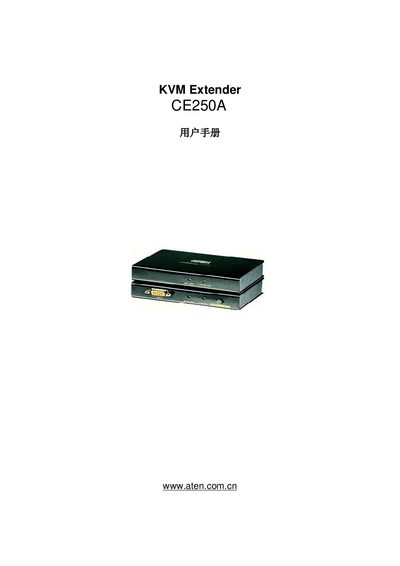
ATEN CE250A KVM Extender User Manual
This manual covers the CE250A KVM Extender, describing its features, hardware installation steps, and basic operation procedures. It includes safety guidelines, grounding information, and warranty terms.
Additional sections provide product specifications, troubleshooting tips, and contact details for technical support across international, North American, and Chinese regions. This manual is written in Chinese.
Covers: Introduction · Hardware Installation · Operation · Safety Information · Grounding · Product Specifications
ATEN CS78A KVM Switch User Manual
The manual introduces the ATEN CS78A KVM Switch, a device that lets a single keyboard, mouse, and monitor control up to eight computers. It describes the hardware layout, front and rear panels, and the 1U rack‑mount form factor.
It covers step‑by‑step hardware installation, basic operation, OSD navigation, hot‑key functions, power requirements, detailed product specifications, troubleshooting tips, and warranty information.
Covers: Introduction · Hardware Installation · Basic Operation · OSD Operation · Safety Information · Product Specifications
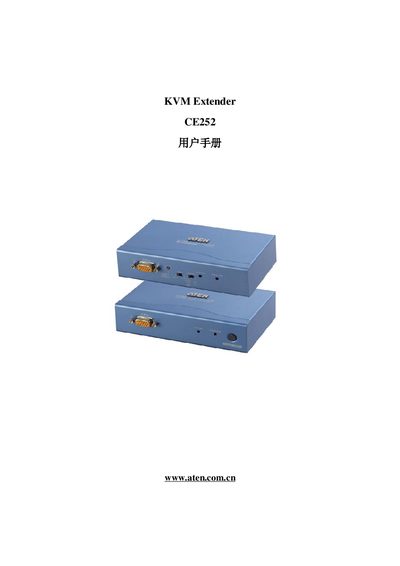
ATEN CE252 KVM Extender User Manual
This manual covers the ATEN CE252 KVM Extender, a device that extends keyboard, video, and mouse signals over long distances. It includes information on product features, safety notices, and required accessories.
The guide explains how to install the extender, connect the KVM units, configure settings, and perform basic troubleshooting. Contact information and support URLs are also provided for further assistance.
Covers: User Manual · Specifications · Contact Information
OETech OA22U KVM Switch User Manual
This manual describes how to install the OA22U KVM Switch, including connecting the control unit, host computers, and monitors using PS/2, VGA/HD-15, and USB interfaces. It also lists the package contents and required system specifications.
The operation section explains the functions of indicator lights, two switching methods (keyboard hot‑key and mouse hot‑key), the auto‑scan mode, and provides troubleshooting steps for common issues such as unresponsive indicator lights or USB hub problems. This manual is written in Chinese.
Covers: Package Contents · Installation · Operation · Indicator Light Functions · Switching Methods · Auto Scan Mode
Latest DATCENT manuals
KVM-Switch DC-VU125 technology data
The CIM dataCat vu125 is a VGA/USB 2.0 dual access KVM extender that supports a maximum distance of 125 meters. It connects the transmitter and receiver using Cat. 5 / 5x / 6 cables. It supports USB 2.0 transmission (up to 100 Mbit/s) between the transmitter and receiver, making it suitable for all USB devices such as keyboards, mice, storage devices, scanners, printers, data acquisition devices (DAQ), webcams, etc. It features plug and play installation and is compatible with CRT, TFT, and USB touchscreen monitors. It supports all types of USB mice, including their special functions, and all types of USB keyboards, including their special functions. The remote unit has a 4-port USB hub, and all USB devices can be connected to the receiver (up to 4 devices). It supports various USB devices such as scanners, printers, card readers, USB hard drives, USB CD drives, etc. The video adjustment is adjustable, and there is a local monitor connection on the local unit. The wiring is done using Cat. 5 / 5x / 6 installation cables, either shielded or unshielded solid cables. The devices are extremely compact. It comes with a PC connection cable and two power adapters. No software installation is required. It comes with a 24-month warranty.
ATEN CE250A KVM Extender User Manual
User Manual 31 pages · 353 KB · ZHThe ATEN CE250A KVM Extender User Manual provides installation, setup, operation, safety, and support information for the device.
ATEN CS78A KVM Switch User Manual
User Manual 41 pages · 372 KB · ENThe ATEN CS78A KVM Switch User Manual provides installation, setup, operation, OSD navigation, and specifications for controlling up to 8 computers.
ATEN CE252 KVM Extender User Manual
User Manual 32 pages · 364 KB · ENThe ATEN CE252 KVM Extender User Manual provides setup, operation, and troubleshooting instructions for the CE252 device.
OETech OA22U KVM Switch User Manual
User Manual 2 pages · 244 KB · ZHThe OETech OA22U KVM Switch User Manual provides setup, operation, and troubleshooting instructions for connecting multiple computers via PS/2 and USB.
Which document do I need?
User Manual
Day-to-day operation, settings and troubleshooting. Start here if the product is already set up.
Questions answered in DATCENT manuals
How can I register the CE250A online?
You can register the product at the ATEN support website for your region, e.g., http://Support.aten.com for international users.
What phone numbers are available for technical support?
International support: 886‑2‑8692‑6969; North America: 1‑888‑999‑????; China: 86‑010‑5160‑1602.
How many computers can the CS78A control?
The CS78A can control up to eight computers from a single keyboard, mouse, and monitor.
What is the power consumption of the CS78A?
The device consumes up to 1.98 W at 9 V DC.
What is the model number of the KVM Extender?
The model number is CE252.
Where can I find support for the ATEN CE252?
Support is available at http://support.aten.com and the ATEN website.