
Key facts
- Manuals
- 3
- Languages
- ZH
- Last added
- 2012-03-17
Featured FasTrack manuals
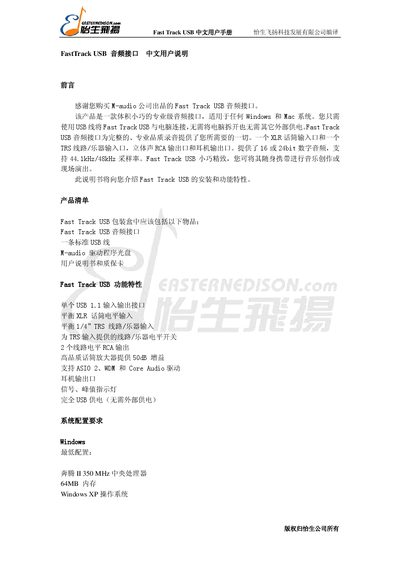
M‑audio Fast Track USB User Manual
The Fast Track USB is a compact USB audio interface that works with Windows and Mac computers. It offers a balanced XLR input, a 1/4" TRS input, stereo RCA inputs and outputs, a headphone output, and supports 16‑24‑bit audio at 44.1 kHz or 48 kHz. The device includes front‑panel indicators for peak and signal levels and a back‑panel with a Kensington lock, USB, and various audio connectors.
Installation is performed by inserting the supplied CD, connecting the USB cable, and following the on‑screen prompts on Windows XP or Mac OS X. After installation, the M‑audio Fast Track USB control panel allows users to adjust gain, monitor levels, select input sources, and configure ASIO or WDM drivers for low‑latency operation. This manual is written in Chinese.
Covers: Introduction · Package Contents · Features · System Requirements · Installation · Control Panel
Promise TX4650 RAID Card User Manual
The manual introduces the FastTrack TX4650 RAID controller, a cost‑effective PCI card with four independent data channels that supports up to four Serial ATA drives and RAID 0, 1, 5, 10, and JBOD configurations. It outlines the card’s key features, hardware specifications, and the WebPAM web‑based management software.
It then guides users through hardware installation, RAID creation with the FastBuild utility, WebPAM installation on Windows and Linux, driver CD usage, and supported operating system installation procedures (Windows 2000/XP/2003, Red Hat Enterprise Linux 4.0, SuSE ES 9.0). The appendix provides technical support contact information. This manual is written in Chinese.
Covers: Introduction · Installation and Configuration · WebPAM Management Software · Driver CD Usage · Operating System Installation Guide · Technical Support Information
Latest FasTrack manuals
FastTrack USB audio Interface Reference Manual
FastTrack USB is a compact professional audio interface for Windows and Mac. You just need to connect Fast Track USB with your computer via USB, no need to open the computer and no need for other external power. Fast Track USB audio interface provides everything you need for complete, professional quality recordings. An XLR microphone input and a TRS line/instrument input, stereo RCA outputs and headphone output. 16 or 24 bit digital audio, supports 44.1kHz/48kHz sample rate. Fast Track USB is compact and exquisite, and you can carry it with you for music creation or live performances.
M‑audio Fast Track USB User Manual
User Manual 6 pages · 168 KB · ZHThe M‑audio Fast Track USB user manual provides installation steps, feature overview, and specifications for the USB audio interface.
Promise TX4650 RAID Card User Manual
User Manual 55 pages · 4.5 MB · ZHThe Promise TX4650 RAID Card User Manual provides installation, configuration, and management instructions for the FastTrack RAID controller.
Which document do I need?
User Manual
Day-to-day operation, settings and troubleshooting. Start here if the product is already set up.
Questions answered in FasTrack manuals
Does the Fast Track USB support ASIO drivers?
Yes, on Windows XP the Fast Track USB includes Steinberg ASIO drivers for low‑latency operation with compatible audio software.
How do you create a RAID logical drive on the TX4650?
Enter the FastBuild menu with Ctrl‑F, select the logical drive definition option, choose the RAID level, assign physical drives, and save the configuration.
Which operating systems are supported by the FastTrack TX4650?
The card supports Windows 2000, Windows XP, Windows 2003, Red Hat Enterprise Linux 4.0, and SuSE ES 9.0.