
Key facts
- Manuals
- 3
- Models
- 1
- Languages
- EN
- Last added
- 2026-10-01
Norac models by category
Featured Norac manuals
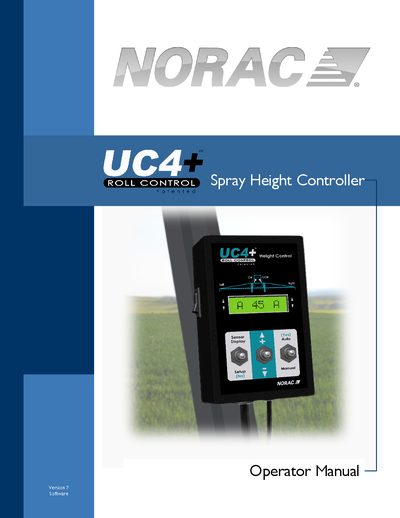
NORAC UC4+ Spray Height Controller Operator Manual
This operator manual introduces the NORAC UC4+ Spray Height Control System, outlines safety precautions, and describes key features such as non‑contact ultrasonic height sensing and automatic software setup. It details the system layout, including height and roll sensors, the control panel, and how the system integrates with various sprayer models.
The guide explains basic operation, menu navigation, and how to switch between automatic and manual modes. It also covers system setup procedures, optional kits, configurable options, routine maintenance, troubleshooting steps, and the limited warranty terms.
Covers: Introduction · Safety Precautions · Key Features · System Description · Operation · Setup
NORAC Low Profile ONBOARD Installation Manual
This manual provides step‑by‑step instructions for installing the NORAC Low Profile ONBOARD weighing system on a truck. It includes guidance on selecting suitable vehicles and containers, hydraulic pump requirements, scale positioning, and wiring of the control box.
The document also details the weight‑and‑balance calculations, calibration procedures, and final inspection checklist, ensuring the system meets legal‑for‑trade and NTEP standards. Warranty information and part numbers for replacement components are included at the end.
Covers: Introduction · Overview · Important Installation Notes · Vehicle and Container Selection · Hydraulic Requirements · Scale Selection
NORAC UC4 Total Control Quick Start Guide
This quick guide provides operators with essential information to run the UC4 Total Control automatic boom height control system safely and efficiently. It is intended to be used together with the full Technical Manual and Installation Manual, and assumes familiarity with the control panel menu.
Key sections include operator safety procedures, basic operation steps, troubleshooting common symptoms, interpreting error messages, and detailed sensor‑and‑rod alignment instructions. A quick‑reference table at the end helps locate solutions rapidly during field use.
Covers: Introduction · Operator Safety · Basic UC4 Operation · Common Symptoms and Solutions · UC4 Error Messages · Sensor and Rod Alignment
Latest Norac manuals
NORAC UC4+ Spray Height Controller Operator Manual
User Manual 51 pages · 1.3 MB · ENThe NORAC UC4+ Spray Height Controller Operator Manual provides setup, operation, safety, maintenance, and troubleshooting instructions for the UC4+ system.
NORAC Low Profile ONBOARD Installation Manual
Installation Guide 43 pages · 854 KB · ENInstallation manual for the NORAC Low Profile ONBOARD weighing system, covering vehicle selection, hydraulic assembly, electrical setup, and calibration.
NORAC UC4 Total Control Quick Start Guide
Quick Start Guide 40 pages · 545 KB · ENA concise on‑site reference for operating the NORAC UC4 Total Control automatic boom height control system, covering basic operation, safety, error messages…
Which document do I need?
User Manual
Day-to-day operation, settings and troubleshooting. Start here if the product is already set up.
Installation Guide
Mounting, wiring and first power-up. Read it before the hardware goes in.
Quick Start Guide
The shortest path to a working setup, usually only a few pages.
Questions answered in Norac manuals
How many height sensors does the UC4+ system use?
Normally three height sensors are used, but the system can be configured with up to six sensors.
What clearance is required around the scale during installation?
A minimum clearance of 2 inches must be allowed between any part of the scale and any non‑scale component.
What is the maximum hydraulic pressure the system requires?
The hydraulic pump must be capable of a maximum pressure of 3000 psi.
How do I switch between Automatic and Manual mode?
Toggle the "AUTO" switch on the control panel; in Manual mode you can use the boom control switches, and in Automatic mode the system controls boom height automatically.
How can I adjust the target boom height?
Use the +/- switch while in AUTO mode, or momentarily press the sprayer’s main lift control switch; each press changes the target height by one inch.