
Key facts
- Manuals
- 10
- Categories
- 4
- Languages
- ZH · EN
- Last added
- 2012-03-29
Featured Meizu manuals
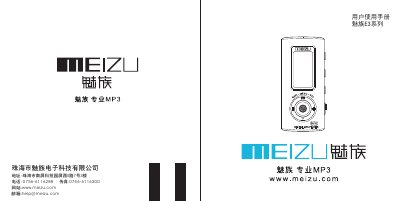
Meizu E3 seriesMP3 Manual(1)
This manual covers everything you need to get started with the Meizu E3 series music player, including safety precautions, battery installation, and basic navigation of the OLED screen. Detailed sections explain how to connect the player to a computer, install the provided software, and manage music files.
Additional chapters describe quick functions such as FM radio, lyric sync, and recording, as well as firmware upgrade procedures, registration for VIP services, and a comprehensive troubleshooting guide for common issues. This manual is written in Chinese.
Covers: Getting Started · Basic Operations · Quick Functions · Menu · Firmware · Other
Meizu M030 Mobile Phone User Manual
This manual introduces the Meizu M030 mobile phone, covering basic operations such as power on/off, touchscreen use, and text input, as well as advanced features like firmware upgrades, network connection, and multimedia functions. It also lists the included accessories, describes each component, and provides safety warnings for battery handling and radio‑frequency exposure.
Additional sections address troubleshooting, regulatory compliance (SAR limit, temperature range), and environmental information about hazardous substances in the device. The guide is intended for end users in mainland China and references the official Meizu website for the latest updates. This manual is written in Chinese.
Covers: Important Tips · Basic Operations · Quick Functions · Accessories List · Component Description · Battery Usage
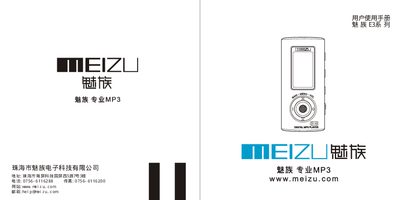
Meizu E3 seriesMP3 Manual
This manual explains how to set up the Meizu E3 MP3 player, connect it to a computer via USB, insert and replace the battery, and use the basic and advanced playback functions. It also includes safety precautions, component descriptions, and troubleshooting tips.
Key specifications such as storage options, display type, battery life, audio output power, supported audio formats, and operating temperature are listed, helping users understand the device’s capabilities and performance limits. This manual is written in Chinese.
Covers: Safety Precautions · Basic Operation · Quick Functions · Playback Features · Mode Switching · Component Overview
Meizu X3 Series MP3 Player User Manual
This manual introduces the Meizu X3 series MP3 player, covering safety precautions, component description, and basic usage such as powering on, navigating menus, and playing music. It also explains how to install the AAA battery, connect the player to a computer via USB, and use the built‑in FM radio and recording functions.
Additional sections cover quick functions like EQ modes, firmware upgrades, and detailed troubleshooting tips for common issues such as no sound, FM reception problems, and battery replacement. Product specifications are listed at the end of the document. This manual is written in Chinese.
Covers: Start Using · Basic Operations · Quick Functions · Menu · Firmware · Other
Latest Meizu manuals
Meizu MX user makeuse
This document introduces the features of the xxx model of the xxx brand.
Meizu M9 Manual
This document introduces the characteristics of Huawei p40 phone, including photography, performance, battery life, screen, etc.
Meizu E3C series MP3 Manual
This document introduces a new design method for hybrid electric vehicle battery management systems that are designed to operate in harsh environments. The method uses simulation technology to predict the performance of the battery pack under various environmental conditions and to identify the optimal design parameters. The method can also be used to optimize the design of the battery pack to meet specific performance requirements.
Meizu E3 seriesMP3 Manual(1)
User Manual 37 pages · 3.6 MB · ZHThe Meizu E3 series music player user manual provides setup, operation, and troubleshooting instructions for the device.
Meizu M030 Mobile Phone User Manual
User Manual 80 pages · 1.3 MB · ZHThe Meizu M030 user manual provides setup, operation, safety, and troubleshooting guidance for the mobile internet phone.
Meizu E3 seriesMP3 Manual
User Manual 37 pages · 3.8 MB · ZHThe Meizu E3 MP3 Player User Manual provides setup instructions, operation guide, and specifications for the E3 series portable music player.
Meizu X3 Series MP3 Player User Manual
User Manual 36 pages · 3.1 MB · ZHThe Meizu X3 series MP3 player user manual provides setup, operation, and troubleshooting instructions for the device.
Meizu Mini Player User Manual
User Manual 72 pages · 3.4 MB · ZHThe Meizu Mini Player User Manual provides setup instructions, basic operation, feature guides, specifications and safety information.
Meizu Music Card Portable Media Player User Manual
User Manual 39 pages · 2.5 MB · ZHThe Meizu Music Card User Manual provides setup, operation, and maintenance instructions for the portable media player.
Meizu M8 User Manual
User Manual 72 pages · 5 MB · ENThe Meizu M8 User Manual provides operating instructions, safety information, and specifications for the smartphone.
Which document do I need?
User Manual
Day-to-day operation, settings and troubleshooting. Start here if the product is already set up.
Questions answered in Meizu manuals
How can I upgrade the firmware?
Insert the provided Meizu CD, install the Meizu Toolbox software, and use the firmware upgrade tool to download and apply the latest version.
What storage capacities are available in the E3 series?
The E3 series is offered with internal flash memory of 128 MB, 256 MB, 512 MB, or 1 GB.
What type of battery does the Meizu M030 use?
The device uses a polymer lithium‑ion battery.
What is the allowed temperature range for using the phone?
The phone can be used in environments from –10 °C to 55 °C.
What audio formats can the Meizu E3 play?
The player supports MP3, WMA and VAV audio files.
How long does the Meizu E3 play music on a full charge?
It can play music for up to 12 hours on a full charge (approximately 900 mAh battery).