
Key facts
- Manuals
- 8
- Categories
- 1
- Languages
- ZH
- Last added
- 2011-09-22
Featured Hisense manuals
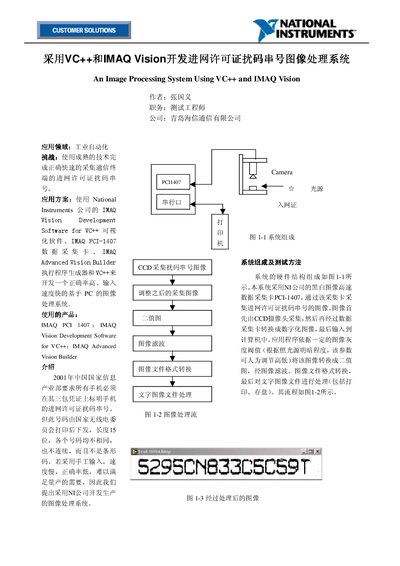
Hisense Image Processing System for Network License Code User Manual
The document describes an image‑processing system developed by Hisense to automatically capture and decode the 15‑digit network‑license code printed on mobile‑phone warranty certificates. The system combines a CCD camera, a NI PCI‑1407 high‑speed data‑acquisition card, a FOSTEC adjustable light source, and NI IMAQ Vision software running under VC++.
Key procedures include turning on the light source and camera, using Measurement & Automation tools to set image size and position, adjusting a gray‑level threshold to obtain a clear binary image, and finally printing or storing the decoded text. The manual also covers handling variations in license‑code printing by adjusting the threshold parameter. This manual is written in Chinese.
Covers: System Composition and Test Method · System Lighting · Image Capture Position Adjustment · Binary Image Processing · Adjustment for Production Line Variations · Pre‑Operation Procedure
Hisense LED55T28GPN(1100) Television Service Manual
This service manual provides detailed technical information for the Hisense LED55T28GPN(1100) LCD television. It includes a product introduction, solution overview, principle explanation, power distribution diagrams, exploded view with parts list, main board and power board schematics, and a step‑by‑step software upgrade procedure.
Technicians can use the document to understand the TV’s multi‑core CPU architecture, voltage characteristics, and supported multimedia formats. The manual also outlines safety notes, required USB flash drive specifications, and troubleshooting steps for firmware upgrade failures. This manual is written in Chinese.
Covers: Product Introduction · Solution Overview · Principle Explanation · Power Distribution · Exploded View and Parts List · Main Board and Power Board Diagrams
Hisense LED40T28PKV(1001) Television Service Manual
This service manual provides detailed information for the Hisense LED40T28PKV(1001) LCD television, including product introduction, specifications, and differences from related models. It contains extensive circuit block diagrams, power distribution tables, and explanations of the main board circuitry.
The document also describes the software upgrade procedure using a USB flash drive, lists all external interfaces (HDMI, VGA, AV, etc.), and provides part numbers for key components such as the MSD6I48 core and power regulators. This manual is written in Chinese.
Covers: Product Introduction · Product Appearance · Product Specifications and Features · Product Differences · Scheme Overview · Circuit Block Diagram
Hisense LED55XT39G3D / LED46XT39G3D / LED42XT39G3D Television Service Manual
This service manual provides detailed information for three Hisense LCD TV models (LED55XT39G3D, LED46XT39G3D, LED42XT39G3D). It includes product overview, appearance, functional specifications, differences between models, and the overall hardware scheme.
The document describes the circuit block diagram, power distribution, motherboard circuitry, interface definitions (HDMI, USB, VGA, AV, etc.), and step‑by‑step software upgrade procedures using USB or PC tools. It also contains instructions for key‑mapping, flash programming, and driver installation for the MSTAR tool. This manual is written in Chinese.
Covers: Product Introduction · Product Appearance · Functional Specifications · Model Differences · Scheme Overview · Circuit Block Diagram
Latest Hisense manuals
Hisense Image Processing System for Network License Code User Manual
User Manual 2 pages · 161 KB · ZHThis manual explains the hardware, software setup and image‑processing steps for Hisense's system that reads network license code strings using VC++ and…
Hisense LED55T28GPN(1100) Television Service Manual
Service Manual 32 pages · 2.2 MB · ZHTechnical service manual with product overview, schematics, power details and firmware upgrade instructions for the Hisense LED55T28GPN(1100) LCD TV.
Hisense LED40T28PKV(1001) Television Service Manual
Service Manual 34 pages · 3.1 MB · ZHService manual for Hisense LED40T28PKV(1001) 40‑inch LCD TV, covering product overview, circuit diagrams, power distribution, and firmware upgrade steps.
Hisense LED55XT39G3D / LED46XT39G3D / LED42XT39G3D Television Service Manual
Service Manual 59 pages · 6.3 MB · ZHService manual for Hisense LED55XT39G3D, LED46XT39G3D and LED42XT39G3D LCD TVs covering hardware, power, interfaces and software upgrade.
Hisense LED32K16 Television Service Manual
Service Manual 30 pages · 3.6 MB · ZHThe Hisense LED32K16 TV Service Manual provides detailed service information, circuit diagrams, power distribution, and software upgrade procedures.
Hisense TLM4628LF/TLM4028LF/TLM3728LF/TLM3228LF Television Service Manual
Service Manual 44 pages · 4 MB · ZHService manual with specs, wiring diagrams, troubleshooting and upgrade instructions for Hisense TLM4628LF, TLM4028LF, TLM3728LF and TLM3228LF LCD TVs.
Hisense LED37K16 Television Service Manual
Service Manual 31 pages · 2.9 MB · ZHThe Hisense LED37K16 Service Manual provides product overview, specifications, circuit diagrams, and firmware upgrade instructions for this LCD TV.
Hisense LED42K11P Television Service Manual
Service Manual 35 pages · 4 MB · ZHThe Hisense LED42K11P Television Service Manual provides detailed product overview, circuit diagrams, power distribution, and repair procedures for technicians.
Which document do I need?
User Manual
Day-to-day operation, settings and troubleshooting. Start here if the product is already set up.
Service Manual
Disassembly, diagnostics and part numbers, for repair.
Questions answered in Hisense manuals
How is the binary‑image threshold set for optimal image clarity?
The software lets the user set the gray‑level threshold to the midpoint of the gray‑level histogram, which yields the clearest binary image.
From: Hisense Image Processing System for Network License Code User Manual
What steps must be performed before starting data acquisition?
First turn on the light source, camera, computer and printer; then run the Measurement & Automation tool; finally adjust the camera focus on the license before launching the application.
From: Hisense Image Processing System for Network License Code User Manual
What voltage supplies the standby circuit?
The standby circuit uses a 3.3 V supply (3.3Vstb) derived from the 5 V standby rail.
How do I upgrade the TV firmware?
Copy the “Target” folder from the upgrade package to a USB flash drive (≥256 MB), insert the drive while the TV is powered on, and follow the on‑screen prompts; do not power off or remove the USB during the process.
What voltage is required for the MSD6I48 core?
The core needs about 1.3 V (design value 1.26 V, actual after DC‑DC conversion 1.27‑1.28 V).
How can the TV firmware be upgraded?
The manual provides USB and PC upgrade steps under the “USB 升级步骤及说明” and “PC 升级步骤及说明” sections.
From: Hisense LED55XT39G3D / LED46XT39G3D / LED42XT39G3D Television Service Manual