
Key facts
- Manuals
- 38
- Models
- 1
- Categories
- 5
- Languages
- ZH
- Last added
- 2023-03-13
Changhong models by category
Featured Changhong manuals
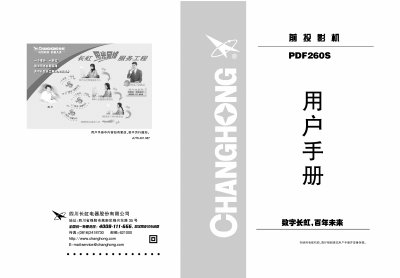
Changhong PDF260S Projector User Manual
This manual provides safety warnings, maintenance tips, and operating instructions for the Changhong PDF260S projector. It explains the control panel layout, remote functions, and how to connect video sources such as VGA, composite, and S‑video.
Installation guidance includes wiring diagrams, ceiling‑mount procedures, and recommended clearances. The service guide outlines warranty terms, registration, and troubleshooting steps. This manual is written in Chinese.
Covers: Safety and Maintenance · Product Overview · Control Panel · Remote Control · Installation · Ceiling Mount Installation
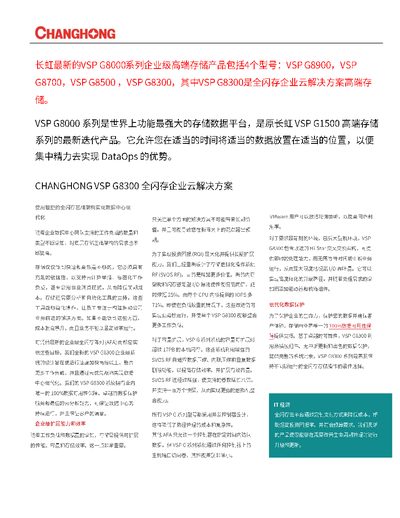
Changhong VSP G8300 Enterprise Storage Product Package
The VSP G8300 series provides a high‑performance, all‑flash infrastructure designed for modern data‑center workloads, including cloud, container, and utility‑scale environments. It combines agile flash storage with AI‑driven analytics and automation tools to simplify operations and improve efficiency.
Key capabilities include up to 17 PB native flash capacity, support for up to one million snapshots, advanced RAID options, hot‑swap components, and non‑disruptive updates. Integrated software such as Hi‑Track remote monitoring, Infrastructure Analytics Advisor (IAA), and Automation Director (AD) enable predictive analysis, workload automation, and seamless multi‑site replication. This manual is written in Chinese.
Covers: Product Overview · Performance and Capacity · Data Protection Features · AI‑Optimized Operations · Remote Monitoring (Hi‑Track) · Automation Director Integration
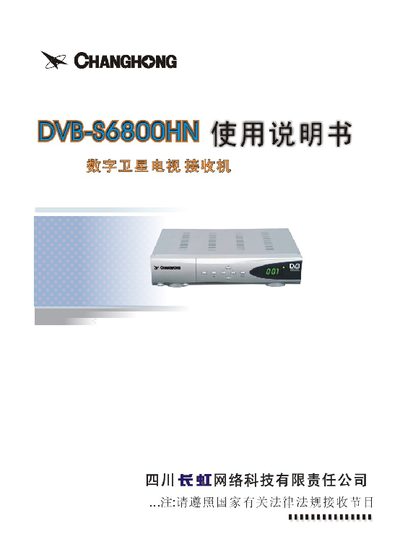
Changhong DVB‑S6800HN Digital Satellite Television Receiver User Manual
This manual begins with safety precautions, warning users about proper handling, power connection, and environmental restrictions. It then details the front‑panel connectors, including SAT In, VIDEO, AUDIO and the required AC 220 V/50 Hz power source.
Subsequent sections describe the remote‑control layout, menu navigation, channel‑list management, and parameter settings such as LNB configuration. The document ends with contact information for Changhong’s Sichuan office. This manual is written in Chinese.
Covers: Safety Precautions · Front Panel Diagram · Remote Control Buttons · Power and Signal Connections · Menu Navigation · Channel List Management
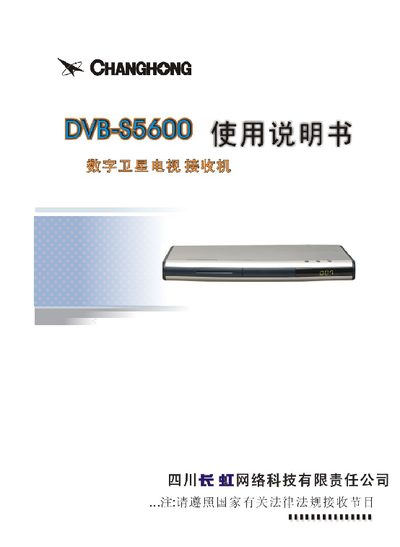
Changhong DVB-S5600 Digital Satellite Television Receiver User Manual
This manual begins with safety precautions and power‑connection guidelines, reminding users to handle the AC plug firmly, keep the device away from moisture and heat, and disconnect power before any maintenance. It also describes the front‑panel layout, remote‑control keys, and the required connections to the TV, antenna and power source.
Subsequent sections cover menu navigation, satellite configuration, program editing, and other functions such as audio channel switching and program deletion. Detailed step‑by‑step instructions show how to add, modify, or delete satellites and programs, as well as how to use the built‑in preview and signal‑strength display features. This manual is written in Chinese.
Covers: Safety Precautions · Accessories Description · Front Panel Diagram · Connection Diagram · Menu Basic Operation · Satellite Settings
Latest Changhong manuals
Changhong PDF260S Projector User Manual
User Manual 27 pages · 9.8 MB · ZHUser manual for the Changhong PDF260S projector covering safety, installation, operation, and service information.
Changhong VSP G8300 Enterprise Storage Product Package
Product Leaflet 2 pages · 675 KB · ZHThe Changhong VSP G8300 is an enterprise‑grade all‑flash storage system offering up to 17 PB capacity, high performance, and advanced data protection features.
CHANGHONG m18 user manual(1)
This document introduces the features and characteristics of xxx product. The product has xxx features and is suitable for xxx scenarios
CHANGHONG A399 user manual
CHANGHONG m18 user manual
This document introduces a smart phone product of a certain brand and model. The product supports voice recognition function, which can control the phone's functions through voice control, which is very convenient and quick.
CHANGHONG Z1 user manual
This document is a user manual for the Philips 246E9Q monitor
CHANGHONG W1 user manual
This document is a product user manual, which details the product's usage methods, precautions and maintenance methods.
Changhong DVB‑S6800HN Digital Satellite Television Receiver User Manual
User Manual 14 pages · 2.6 MB · ZHThe Changhong DVB‑S6800HN manual provides safety guidelines, panel descriptions, remote‑control functions and setup steps for the digital satellite TV receiver.
Changhong DVB-S5600 Digital Satellite Television Receiver User Manual
User Manual 14 pages · 2.6 MB · ZHThe Changhong DVB-S5600 user manual provides safety instructions, installation steps, and operation guidance for the digital satellite TV receiver.
CHANGHONG color TelevisionCHD2917DV user manual
User Manual 27 pages · 5.9 MB · ZHThe Changhong CHD2917DV color TV user manual provides setup, operation, safety, and maintenance instructions.
CHANGHONG color TelevisionHD25933 HD29933 user manual
User Manual 20 pages · 2.4 MB · ZHThe Changhong HD25933/HD29933 color TV user manual provides safety guidelines, operation instructions, and technical specifications.
CHANGHONG color TelevisionHD29988 HD34988 user manual
User Manual 20 pages · 3 MB · ZHUser manual for Changhong HD29988 and HD34988 color televisions covering safety, installation, operation, and specifications.
Changhong CHD29100C/CHD34100C Color TV User Manual
User Manual 24 pages · 5.7 MB · ZHThe Changhong CHD29100C and CHD34100C color TV user manual provides safety guidelines, operation instructions, and technical specifications.
Changhong CHD25158 / CHD29158 Television User Manual
User Manual 24 pages · 6.5 MB · ZHThis user manual provides safety instructions, setup, operation, and troubleshooting for Changhong CHD25158 and CHD29158 high‑definition color TVs.
Changhong CHD29156 / CHD34156 Television User Manual
User Manual 22 pages · 5.4 MB · ZHThe Changhong CHD29156 and CHD34156 TV user manual provides safety guidelines, installation steps, remote control instructions and feature overviews.
- 1
- 2
Which document do I need?
User Manual
Day-to-day operation, settings and troubleshooting. Start here if the product is already set up.
Service Manual
Disassembly, diagnostics and part numbers, for repair.
Questions answered in Changhong manuals
How do I turn on the projector?
Press the Power/Standby button on the control panel; the power LED will turn green.
How should I replace the lamp?
Wait for the projector to cool, then follow the lamp‑replacement steps shown in the manual, ensuring the lamp module is reset in the menu after installation.
What is the maximum native storage capacity of the VSP G8300?
The system can be expanded to more than 17 PB of native flash storage.
From: Changhong VSP G8300 Enterprise Storage Product Package
Which CPUs are used in each controller of the VSP G8300?
Each controller is equipped with two Intel Xeon 6‑core CPUs.
From: Changhong VSP G8300 Enterprise Storage Product Package
How should I safely connect the power cord?
Insert or remove the AC plug firmly, never use wet hands, keep the cord away from heat sources, and disconnect the plug before servicing.
From: Changhong DVB-S5600 Digital Satellite Television Receiver User Manual
How do I switch the audio channel during playback?
Press the “伴音” (audio) key; each press cycles the function of the program‑plus/minus keys between volume control and menu navigation.
From: Changhong DVB-S5600 Digital Satellite Television Receiver User Manual