
Key facts
- Manuals
- 3
- Categories
- 1
- Languages
- ZH
- Last added
- 2012-04-01
Featured 朗驰 manuals
Launch Digital LC9300 Series Network Video Server User Manual
The LC9300 series network video server from Launch Digital provides high‑performance video compression, PTZ control, alarm I/O, and two‑way audio. It supports multiple resolutions, H.264/MJPEG encoding, and optional 3G/Wi‑Fi connectivity for remote monitoring.
The manual details safe installation, network setup, client software usage, and troubleshooting. It includes default network parameters, factory‑reset procedures, and explanations of technical terms such as dual‑stream and transparent channels. This manual is written in Chinese.
Covers: Product Introduction · Appearance and Description · Equipment and Installation · IE Client · FAQ · Appendix
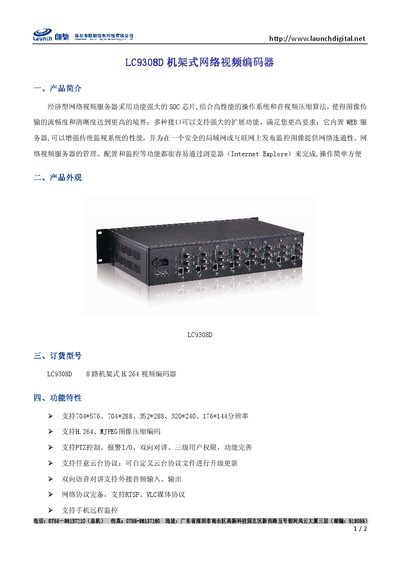
Launch LC9308D Network Video Encoder Manual
The LC9308D is a rack‑mounted network video encoder that combines a powerful SOC with advanced video compression algorithms to deliver smooth, high‑quality video streams. It includes a built‑in web server for easy configuration via a browser.
The manual details the encoder’s features such as H.264/MJPEG compression, multiple video resolutions, PTZ control, Wi‑Fi support, and a full set of network protocols. Technical specifications, connector types, power requirements, and environmental limits are also listed. This manual is written in Chinese.
Covers: Product Introduction · Product Appearance · Order Model · Features · Specifications and Parameters
Latest 朗驰 manuals
launch LC8808R 8
LC8808R Network Video Decoder User Manual, introduces the features of the product, such as supporting 8-way D1 video decoding, flexible output screen split mode setting, main and auxiliary output mode, supporting loop monitoring, supporting 485-way keyboard use, etc.
Launch Digital LC9300 Series Network Video Server User Manual
User Manual 36 pages · 3.3 MB · ZHUser manual for Launch Digital LC9300 series network video server covering installation, configuration, and operation.
Launch LC9308D Network Video Encoder Manual
User Manual 2 pages · 472 KB · ZHThe Launch LC9308D network video encoder manual provides an overview, specifications, and setup instructions for the rack‑mounted device.
Which document do I need?
User Manual
Day-to-day operation, settings and troubleshooting. Start here if the product is already set up.
Questions answered in 朗驰 manuals
How do I reset the LC9300 series server to factory settings?
Power off the unit, press and hold the reset button, then power it on. When the status light stays on and the relay clicks, release the button; the device will reset to factory defaults.
From: Launch Digital LC9300 Series Network Video Server User Manual
What is the default IP address of the server?
The default IP address is 192.168.1.19 with subnet mask 255.255.255.0.
From: Launch Digital LC9300 Series Network Video Server User Manual
What video compression formats does the LC9308D support?
It supports H.264 and MJPEG image compression.
Which network protocols are supported by the encoder?
It supports PPPoE, DHCP, TCP/IP, HTTP, UDP, RTP/RTCP, RTSP, UPNP, SMTP, FTP, SIP, DDNS, and DNS.