
Key facts
- Manuals
- 6
- Languages
- ZH
- Last added
- 2012-03-15
Featured 数字温度控制器 manuals
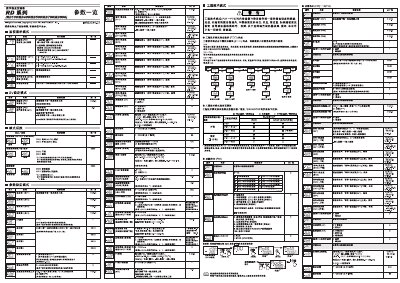
digital temperature controller RD series RD100/RD400/RD500/RD700/RD900 Manual(3)
The document describes the functions and configuration of the RD series digital temperature controllers, including engineering‑technology mode, event settings, and PID control. It explains how to monitor input values, set output limits, and use the AUTO and MAN modes.
Detailed instructions cover input range selection, current detector configuration, timing functions, lock levels, and safety interlock settings. Users are guided on how to adjust parameters such as temperature set‑points, proportion‑integral‑derivative limits, and event‑driven actions. This manual is written in Chinese.
Covers: Engineering Technology Mode · Event Settings (EV1‑EV4) · Input Value Monitoring · Output Limit Settings · PID Control · Timer Functions
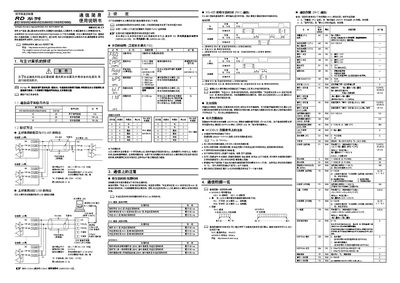
RKC RD Series RD100/RD400/RD500/RD700/RD900 User Manual
The manual provides instructions for using the RKC digital temperature controllers of the RD series. It covers the connection methods to a host computer, required communication settings, and the meaning of each parameter in both normal and engineering modes.
Key sections describe device address configuration, communication speed selection, RS‑485 and USB interface wiring, termination resistor requirements, and timing rules for data exchange. The document also lists the data registers, their ranges, and default values for monitoring and control functions. This manual is written in Chinese.
Covers: 设定 · 参数的说明 · 通信端子和信号内容 · RS‑485 接口 · USB 通信 · 通信上的注意
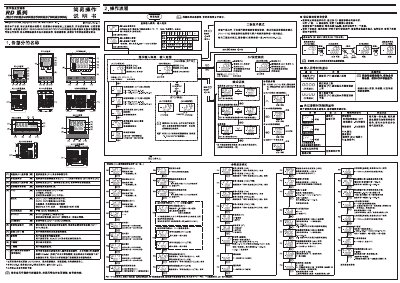
RKC RD100/RD400/RD500/RD700/RD900 User Manual
This manual describes the operation flow and key functions of the RKC RD series digital temperature controllers, including how to set parameters, switch between RUN and STOP modes, and use engineering‑technology mode for advanced configuration. It also covers safety precautions, input‑range settings, and output‑limit adjustments.
Detailed sections explain the handling of input line faults, automatic (AT) and start‑up (ST) calculations, event configuration, and lock‑out features, allowing users to correctly install, configure, and maintain the controllers for reliable temperature control. This manual is written in Chinese.
Covers: 操作流程 · 參數設定模式 · RUN/STOP 切換 · 自動演算 (AT) · 起動演算 (ST) · 事件設定
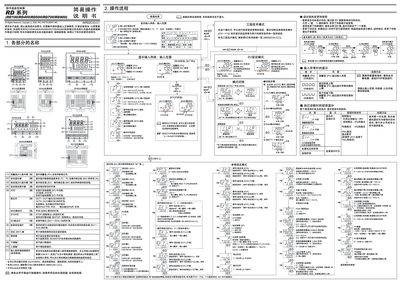
RKC RD100/RD400/RD500/RD700/RD900 User Manual
The RD series is a digital temperature controller designed for industrial heating and cooling applications. It supports multiple input types and offers automatic, manual, and programmable control modes.
This manual describes the operation flow, parameter configuration, run/stop switching, automatic (AT) and start‑up (ST) calculations, event handling, output limiting, data‑lock functions, and installation steps. It also includes safety notes and troubleshooting guidance. This manual is written in Chinese.
Covers: Operation Process · Parameter Settings · Run/Stop Switching · Automatic Calculation (AT) · Start‑up Calculation (ST) · Event Settings
Latest 数字温度控制器 manuals
digital temperature controller RD series RD100/RD400/RD500/RD700/RD900 Manual(3)
User Manual 2 pages · 9 MB · ZHThis manual provides setup, operation, and parameter settings for RKC RD series digital temperature controllers (RD100, RD400, RD500, RD700, RD900).
RKC RD Series RD100/RD400/RD500/RD700/RD900 User Manual
User Manual 2 pages · 535 KB · ZHThis RKC RD series user manual explains setup, communication parameters, and operation for models RD100, RD400, RD500, RD700, and RD900.
RKC RD100/RD400/RD500/RD700/RD900 User Manual
User Manual 2 pages · 7.7 MB · ZHThe RKC RD series digital temperature controller manual provides operating instructions, parameter settings, and troubleshooting for models RD100, RD400…
RKC RD100/RD400/RD500/RD700/RD900 User Manual
User Manual 2 pages · 7.7 MB · ZHThe RKC RD series digital temperature controller manual provides operation procedures, parameter settings, and troubleshooting for models RD100, RD400…
RKC RH100/RH400/RH900 Digital Temperature Controller User Manual
User Manual 2 pages · 7.8 MB · ZHThe RKC RH100/RH400/RH900 digital temperature controller user manual explains setup, operation, and troubleshooting.
RKC RH100/RH400/RH900 User Manual
User Manual 2 pages · 7.8 MB · ZHUser manual for RKC RH100, RH400 and RH900 digital temperature controllers covering operation, settings and safety.
Which document do I need?
User Manual
Day-to-day operation, settings and troubleshooting. Start here if the product is already set up.
Questions answered in 数字温度控制器 manuals
How can I view the input monitoring values?
The controller displays input values in the range 0.0–100.0 A using the input monitoring function.
From: digital temperature controller RD series RD100/RD400/RD500/RD700/RD900 Manual(3)
What does the AUTO mode indicate?
When the controller is in AUTO mode, the indicator lamp lights to show automatic operation.
From: digital temperature controller RD series RD100/RD400/RD500/RD700/RD900 Manual(3)
How do I apply new communication settings?
After setting all communication parameters, turn the power off and on again for the new settings to become effective.
From: RKC RD Series RD100/RD400/RD500/RD700/RD900 User Manual
What is the maximum number of controllers that can be connected on the same bus?
Up to 31 controllers can be connected simultaneously.
From: RKC RD Series RD100/RD400/RD500/RD700/RD900 User Manual
How do I switch between RUN and STOP modes?
Use the RUN/STOP switch on the controller or set the RUN/STOP mode in the engineering‑technology mode; both methods change the controller state accordingly.
What is the purpose of the automatic calculation (AT) mode?
AT mode automatically calculates and applies PID constants based on the set parameters, allowing the controller to regulate temperature without manual tuning.