
Key facts
- Manuals
- 3
- Categories
- 2
- Languages
- ZH · JA
- Last added
- 2026-10-03
Featured 富士通 manuals
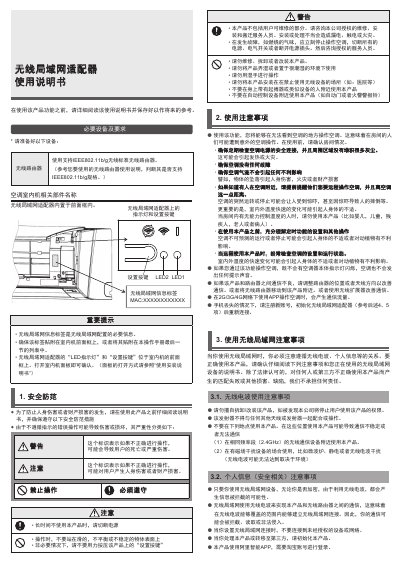
Fujitsu AP-**** Smart Air Conditioner User Manual
This manual explains how to safely install and operate the Fujitsu Smart Air Conditioner. It covers required equipment, safety warnings, and component identification, including the built‑in wireless LAN adapter and its indicator LEDs.
Detailed instructions are provided for configuring the IEEE802.11b/g Wi‑Fi connection, pairing the unit with the Alibaba Smart app via a QR code, initializing or resetting the device, and troubleshooting common issues such as pairing failures or loss of connectivity. This manual is written in Chinese.
Covers: Safety Precautions · Wireless LAN Usage · Mobile App Pairing · Initialization and Reset · Communication Specifications · Troubleshooting
Fujitsu Campusmate/Portal V2 User Manual
This manual covers the basic operations of the Campusmate/Portal V2 system, including logging in via the web address, using the sidebar menus, and accessing personal and public portals. It describes the layout of the portal screen, such as the sidebar, content area, and plug‑in menus.
Further sections detail how to view and comment on received messages, create and send new messages, manage To‑Do items and schedules, search for students or staff, and export academic information as CSV files. A glossary of portal terminology is provided at the end. This manual is written in Japanese.
Covers: Logging in to the portal · Exiting the portal · Screen composition · Viewing received messages · Registering comments · Sending messages
Latest 富士通 manuals
Fujitsu AP-**** Smart Air Conditioner User Manual
User Manual 3 pages · 717 KB · ZHThe Fujitsu AP-**** Smart Air Conditioner User Manual provides setup, safety, Wi‑Fi configuration, app pairing, and troubleshooting instructions.
FUJI Tong Microelectronics F MC-8FX 8 Micro controller Manual
Fujitsu Campusmate/Portal V2 User Manual
User Manual 23 pages · 984 KB · JAThe Fujitsu Campusmate/Portal V2 User Manual explains how to log in, navigate screens, send messages, manage schedules, and download academic data.
Which document do I need?
User Manual
Day-to-day operation, settings and troubleshooting. Start here if the product is already set up.
Questions answered in 富士通 manuals
Which Wi‑Fi standards are supported by the air conditioner?
The built‑in wireless LAN adapter supports IEEE802.11b/g on the 2.4 GHz band.
How can I reset the air conditioner to factory settings?
Press and hold the setup button for at least 10 seconds until the LEDs flash, then follow the initialization steps in the manual.
How do I download academic information as a CSV file?
From the sidebar choose 教務情報ダウンロード, set the search conditions, press 検索, check the items to export, then press ファイル作成 and download the generated CSV.