
Key facts
- Manuals
- 2
- Languages
- ZH
- Last added
- 2012-03-12
Featured YOOPAN manuals
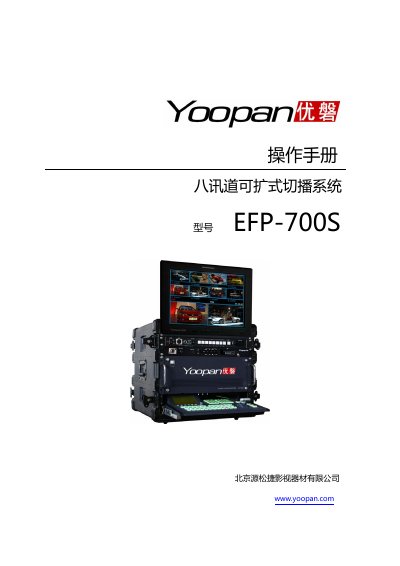
Yoopan EFP-700S User Manual
This manual covers safety warnings and installation precautions for the Yoopan EFP-700S, including handling, ventilation, and protection against liquids and fire. It also details the proper use of the unit, such as avoiding short circuits and over‑loading the power input.
The document lists the technical specifications of the device, describing its video and audio interfaces, supported formats, storage capacity, dimensions, weight, and power requirements. Contact information for Yoopan’s support and service network is provided at the end. This manual is written in Chinese.
Covers: Installation Precautions · Operation Precautions · Safety Warnings · Technical Specifications · Interface Connections · Accessories
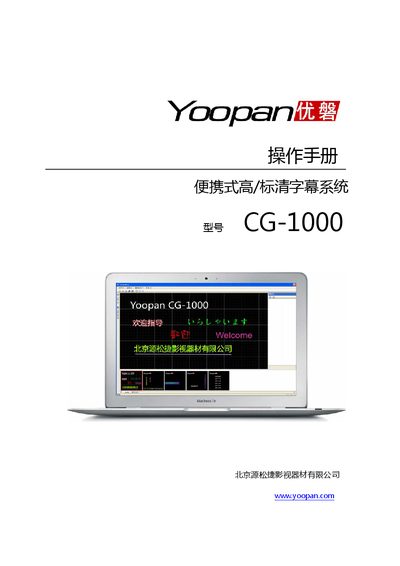
Yoopan CG-1000 Portable High/Standard Definition Subtitle System User Manual
This manual covers the installation and configuration of the Yoopan CG-1000 subtitle software on Windows PCs, including required operating system, CPU, memory, disk space, and graphics card specifications. It also describes how to connect the PC to a DVI‑enabled video switcher for dual‑screen subtitle output.
Detailed usage instructions are provided for creating and editing subtitles, applying effects such as fade, scroll, and karaoke, and managing layers, preview, and playback. The final section lists product support contact information. This manual is written in Chinese.
Covers: Software Installation · System Configuration Requirements · Function Description · Software Interface Overview · Connecting to an EFP Switcher · Subtitle Creation and Editing
Latest YOOPAN manuals
Yoopan EFP-700S User Manual
User Manual 15 pages · 1.8 MB · ZHThe Yoopan EFP-700S user manual provides safety instructions, operation guidelines, and technical specifications for the video switcher.
Yoopan CG-1000 Portable High/Standard Definition Subtitle System User Manual
User Manual 16 pages · 1.6 MB · ZHThe Yoopan CG-1000 manual explains software installation, configuration, subtitle creation, and system connection for the portable high/standard‑definition…
Which document do I need?
User Manual
Day-to-day operation, settings and troubleshooting. Start here if the product is already set up.
Questions answered in YOOPAN manuals
What safety precautions should be taken before using the Yoopan EFP-700S?
Do not use liquids or corrosive cleaners, keep the unit away from fire, heat sources, and water, and do not block the ventilation holes.
What power sources can be used with the EFP-700S?
It can be powered from AC 220 V or DC 12 V.