
Key facts
- Manuals
- 15
- Languages
- ZH · EN
- Last added
- 2012-06-01
Featured Windows manuals
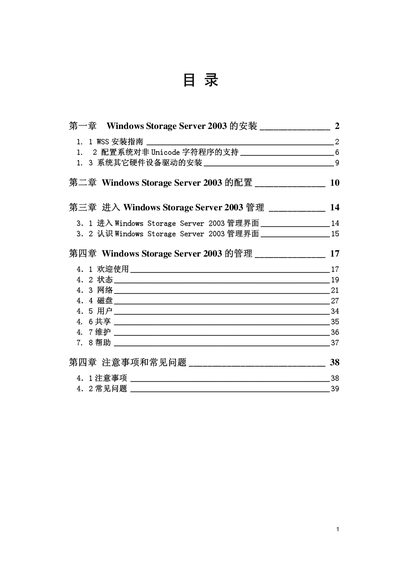
Microsoft Windows Storage Server 2003 User Manual
This manual provides step‑by‑step instructions for installing Windows Storage Server 2003, including pre‑installation checks, media preparation, and partitioning. It also covers basic configuration, management interface navigation, and common troubleshooting topics.
Additional sections describe how to add SCSI or RAID devices, configure Unicode support, and perform routine management tasks after the system is up and running. This manual is written in Chinese.
Covers: Installation · Pre‑installation Preparation · Partitioning and Formatting · Configuration · Management Interface · RAID / SCSI Setup
Kodak Personal Picture Maker User Guide for Windows 98/Me
This guide covers the initial setup of the Kodak Personal Picture Maker, including power connection, language selection, and cartridge installation. It also provides step‑by‑step instructions for configuring the printer with Windows 98, Windows Me, and other operating systems.
Further sections describe printing photos, using an external Zip drive, adjusting print quality, caring for cartridges, and troubleshooting common issues such as paper jams and color problems.
Covers: Getting Started · Understanding Your Printer · Printing Photos Without a Computer · Using an External Zip Drive · Using Your Printer with a PC · Printing Beyond the Basics

Microsoft Windows SteadyState User Manual
This manual covers the installation, configuration, and usage of Windows SteadyState, a Microsoft tool for managing shared‑computer environments. It includes sections on Active Directory integration, Internet Explorer settings, and system cleanup utilities.
The document also lists supported operating systems, hardware requirements, and provides troubleshooting tips for common issues. Index entries at the end reference topics such as Windows Update, User Profile Hive Cleanup Service, and Shared Computer Toolkit.
Covers: Active Directory · Internet Explorer · Windows Update · Shared Computer Toolkit · User Profile Hive Cleanup Service · SCTSettings.adm
Microsoft System Center Data Protection Manager 2007 Operations Guide
The Operations Guide provides detailed instructions for administering a System Center Data Protection Manager (DPM) 2007 server. It covers routine server maintenance, use of Windows maintenance tools, applying OS updates, running antivirus, and managing the DPM database and storage.
Additional sections describe how to monitor DPM servers, configure backup schedules, manage protected file servers, Exchange, SQL Server, SharePoint and virtual servers, and perform disaster recovery and tape library administration. This manual is written in Chinese.
Covers: Manage DPM Server · General DPM Server Maintenance · Using Windows Maintenance Tools on DPM Server · Apply OS Updates to DPM Server · Run Antivirus on DPM Server · Manage DPM Storage Area
Latest Windows manuals
Windows Mobile FireID Phone User Guide
FireID Phone User Guide for Windows Mobile Version 2.6.9 is a FireID official user manual, guiding users to install the FireID mobile application on Windows Mobile phones.
Windows CE 6.0 For BCT RE1 User Guide
This manual introduces how to develop applications under Windows CE 6.0 platform, including Windows CE 6.0 boot process, peripheral support, tool installation, application development, hardware API function usage, etc.
Windows Mobile Smartphone User Manual(4)
Windows Mobile Smartphone User Manual(3)
This is a user manual for Windows Mobile™ Smartphone, which introduces the basic usage methods and precautions of the phone.
Windows Mobile Smartphone User Manual(2)
This manual describes the main functions of the Windows Mobile™ smartphone.
Windows Mobile Smartphone User Manual(1)
This manual introduces the use of Windows Mobile™ Smartphone
Windows Mobile Smartphone User Manual
This document is a user manual for a smartphone
Windows Mobile Smartphone 2003 User Manual
This is a user manual for a Windows Mobile™ Smartphone 2003 phone
Microsoft Windows Storage Server 2003 User Manual
User Manual 47 pages · 3.6 MB · ZHInstallation and configuration guide for Microsoft Windows Storage Server 2003.
Kodak Personal Picture Maker User Guide for Windows 98/Me
User Manual 88 pages · 1.1 MB · ENThe Kodak Personal Picture Maker User Guide explains how to set up, operate, and maintain the ink‑jet printer on Windows 98/Me.
Microsoft Windows SteadyState User Manual
User Manual 69 pages · 972 KB · ENThe Microsoft Windows SteadyState User Manual provides instructions and reference information for using the software.
windows XP Professional installation Plate user manual
Microsoft System Center Data Protection Manager 2007 Operations Guide
User Manual 150 pages · 1.2 MB · ZHThis guide explains how to monitor, manage and maintain DPM servers, storage, tape libraries and protected servers, plus disaster recovery procedures.
Microsoft Windows Operating System Skill Manual
User Manual 75 pages · 688 KB · ZHA Chinese guide covering Windows history, installation, configuration, and usage tips.
Zhiyun Electronics MagicARM2410 Windows CE.net 5.0 User Manual
User Manual 27 pages · 953 KB · ZHThis user manual explains how to operate Windows CE.net 5.0 on the MagicARM2410 development platform, covering startup, peripherals, and communication features.
Which document do I need?
User Manual
Day-to-day operation, settings and troubleshooting. Start here if the product is already set up.
Questions answered in Windows manuals
How do I install Windows Storage Server 2003?
The manual explains the installation steps, starting with preparing the installation media, booting from it, and following the on‑screen prompts to set up partitions and complete the setup.
What must be done before installing Windows Storage Server 2003?
Before installing, ensure the hardware platform is ready, copy the required installation files to a 3.5" floppy, and verify that the system meets the prerequisites.
How do I select the language on the printer?
Press the A or W button on the operator panel to scroll through the languages, then press Select when the desired language appears.
From: Kodak Personal Picture Maker User Guide for Windows 98/Me
How should I install a new print cartridge?
Remove the sticker and transparent tape from the bottom of the cartridge, then install the cartridge one at a time, avoiding contact with the gold contacts.
From: Kodak Personal Picture Maker User Guide for Windows 98/Me
Which Windows versions does Windows SteadyState support?
It supports Windows XP Professional, Windows XP Home Edition, Windows XP Tablet PC Edition, and Windows Vista.
Where can I download Windows SteadyState?
The download link is http://go.microsoft.com/fwlink/?LinkId=77957.