
Key facts
- Manuals
- 2
- Models
- 1
- Languages
- ZH
- Last added
- 2012-02-03
wePresent models by category
Featured wePresent manuals
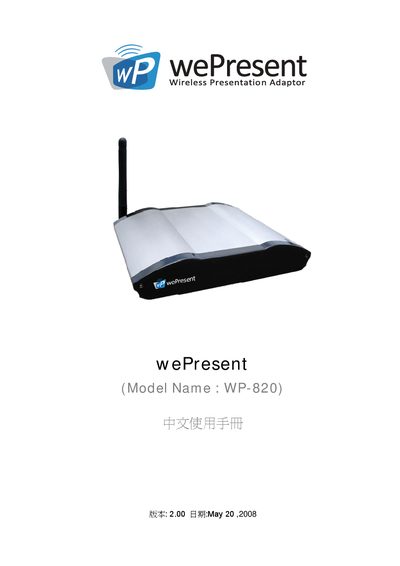
wePresent WP-820 Wireless Presentation Adaptor User Manual
The wePresent WP-820 is a wireless presentation adaptor that enables wireless projection from PCs, laptops, PDA and Mac devices. It supports plug‑and‑show operation, four‑display split‑screen projection, magnifier and video playback functions, and includes security features such as login codes and encrypted connections.
The manual covers safety and regulatory warnings, installation steps, wireless network configuration, web‑based control interface, usage of the four‑display mode, PDA and Mac wireless presentation, and procedures for system updates, restart, and logout. It also lists supported operating systems and default login credentials. This manual is written in Chinese.
Covers: Product Overview · Safety and Regulatory Warnings · Installation and Plug‑and‑Show Setup · Wireless Network Configuration (802.11b/g/a) · Web Interface Control · Four‑Display Split‑Screen Projection
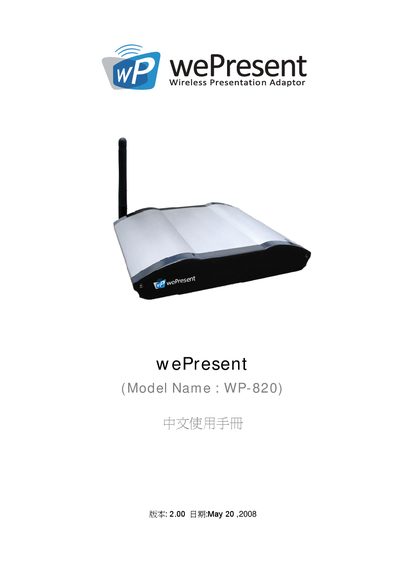
wePresent WP-820 Wireless Presentation Adapter User Manual
The WP-820 is a wireless presentation adaptor that connects to a projector via VGA and allows multiple devices—including PCs, laptops, and Windows Mobile PDAs—to project content without cables. It supports plug‑and‑show operation, four‑split screen projection, and a built‑in magnifier for video playback.
The manual covers safety warnings, regulatory compliance (FCC, CE Class B), wireless standards (802.11b/g, 802.11a), installation steps, web‑based management interface, login credentials, and procedures for restarting or logging out of the device. This manual is written in Chinese.
Covers: 產品簡介 · 快速開始指南 · 四分割投影功能 · PDA 無線投影 · 系統管理介面 · 重新啟動與登出
Latest wePresent manuals
wePresent WP-820 Wireless Presentation Adaptor User Manual
User Manual 32 pages · 2.3 MB · ZHThe wePresent WP-820 wireless presentation adaptor user manual provides setup, operation, safety warnings, and troubleshooting instructions.
wePresent WP-820 Wireless Presentation Adapter User Manual
User Manual 32 pages · 2.3 MB · ZHThe wePresent WP-820 manual explains installation, wireless operation, and management features for the wireless presentation adapter.
Which document do I need?
User Manual
Day-to-day operation, settings and troubleshooting. Start here if the product is already set up.
Questions answered in wePresent manuals
What is the default login code for the device?
The default login code is 1234.
From: wePresent WP-820 Wireless Presentation Adaptor User Manual
Which wireless standards does the WP‑820 support?
It supports 802.11b, 802.11g, and 802.11a.
From: wePresent WP-820 Wireless Presentation Adaptor User Manual
What is the default login code for the device?
The default login code is 1234.
From: wePresent WP-820 Wireless Presentation Adapter User Manual
How can I access the web management interface?
Enter the default IP address 192.168.100.10 in a web browser.
From: wePresent WP-820 Wireless Presentation Adapter User Manual