
Key facts
- Manuals
- 7
- Languages
- EN · ZH
- Last added
- 2012-06-11
Featured Ultra manuals
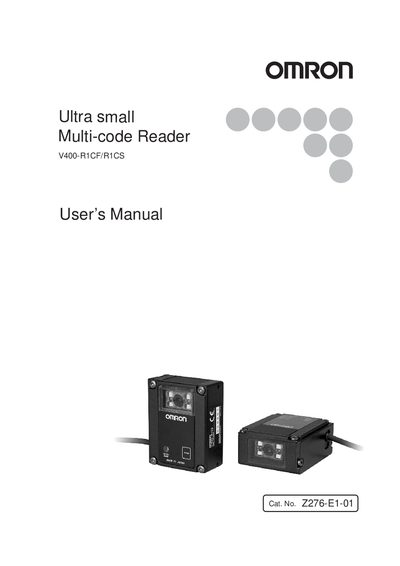
Omron V400-R1CF/R1CS Multi-code Reader User Manual
This manual describes the functions, performance, and application methods of the Omron V400-R1CF/R1CS ultra‑small multi‑code reader. It is intended for personnel with knowledge of electrical systems and should be kept for quick reference.
The document covers safety precautions, installation environment, power‑supply requirements, wiring guidelines, communication setup, and regulatory compliance. Warranty, liability, and usage restrictions are also detailed to ensure proper and safe operation.
Covers: Introduction · Warranty · Safety Precautions · Regulations and Standards · Precautions for Safe Use · Installation Environment
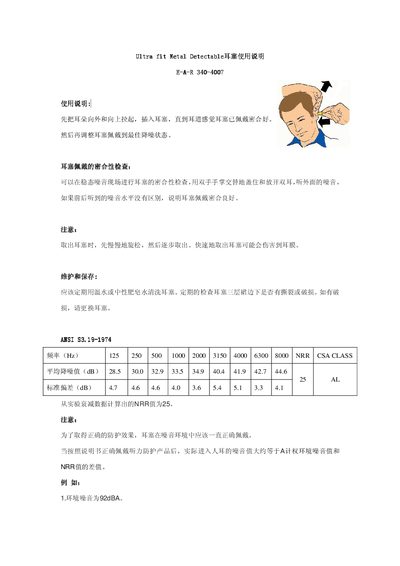
Ultra fit E-A-R 340-4007 Metal Detectable Earplug User Manual
This manual explains how to correctly insert, fit, and verify the seal of the Ultra fit metal‑detectable earplug. It describes the proper insertion technique, how to perform a seal check by covering both ears with the palms, and the steps for safe removal to avoid ear‑drum injury.
The guide also covers routine cleaning with warm water or neutral soap, inspection for wear or damage, and provides the product’s acoustic performance data, including frequency‑specific attenuation values and an NRR of 25 dB. It notes the appropriate use of A‑ or C‑weighted noise levels for evaluating protection in different environments. This manual is written in Chinese.
Covers: Instructions · Fit Check Procedure · Maintenance and Storage · Noise Reduction Rating · Frequency Attenuation Data
ESI UGM96 Ultra Mobile Guitar Microphone 24-bit USB Audio Adapter User Manual
This manual describes the Ultra Mobile Guitar microphone (model UGM96) made by ESI. It covers hardware connections, front‑ and rear‑panel functions, and how to use the device with Windows or Mac audio software.
The document includes installation steps, control‑panel settings, latency and ASIO configuration, supported operating systems, technical specifications, and regulatory information. This manual is written in Chinese.
Covers: Introduction · UGM96 Features · Front Panel · Rear Panel · Minimum System Requirements · Windows Installation
Gigabyte U60 Mobile PC User Manual
This manual covers everything you need to know before using the Gigabyte U60 Mobile PC, including safety precautions, a checklist of supplied accessories, and detailed descriptions of the system's LED indicators, control switches, function keys, and ports. It also explains how to calibrate the touch screen and adjust power settings.
Later sections describe battery handling, charging, power‑saving tips, BIOS configuration, recovery to factory settings, and a list of global service centers for support. This manual is written in Chinese.
Covers: Before Use Precautions · Battery · Computer Dock (Optional Accessory) · BAY Module Connector · BIOS Setup Utility · Troubleshooting
Latest Ultra manuals
Ultra Bright 10mm LED Lamps
This is an information manual for marktech optoelectronics ultra bright 10mm led lamps
ULTRA ATA/133 IDE RAID CONTROLLER CARD USER MANUAL
This is a Ultra ATA/133 IDE RAID controller card that provides two IDE connectors and supports Ultra ATA/133 protocols and optional RAID functions 0, 1, and 0+1.
Ultra Bright LED Strip Systems Manual
This LED strip system features self-adhesive, ultra high output and more, ideal for many applications including display, decorative, sign, under-shelf, and emergency lighting. Flexible strips can be applied to curved edges such as pillars and tubes. Frequent cut points are allowed anywhere along the length of the strip, power is then provided at the adjacent connection point. Different colors can be combined, with solder points every 50mm. 60 LEDs per 1m length with 15mm separation between each LED. Product has IP54 rating. LED Strip Kits comprise of 2m length of LED Strip lighting and a 10W 12V LED driver. If exceeding 4m length of LED strip or if exceeding the power supplied by the original driver, additional LED drivers will be required.
Omron V400-R1CF/R1CS Multi-code Reader User Manual
User Manual 120 pages · 1.7 MB · ENThe Omron V400-R1CF/R1CS Multi-code Reader User Manual provides safety, installation, and operation instructions for the device.
Ultra fit E-A-R 340-4007 Metal Detectable Earplug User Manual
User Manual 2 pages · 63 KB · ZHThe Ultra fit E-A-R 340-4007 metal‑detectable earplug user manual provides instructions for fitting, maintenance, and noise‑reduction specifications.
ESI UGM96 Ultra Mobile Guitar Microphone 24-bit USB Audio Adapter User Manual
User Manual 19 pages · 3.4 MB · ZHThe ESI UGM96 Ultra Mobile Guitar Microphone 24‑bit USB Audio Adapter user manual explains setup, operation, and specifications for Windows and Mac.
Gigabyte U60 Mobile PC User Manual
User Manual 48 pages · ZHThe Gigabyte U60 Mobile PC User Manual provides setup, battery, LED indicators, controls, and troubleshooting instructions.
Which document do I need?
User Manual
Day-to-day operation, settings and troubleshooting. Start here if the product is already set up.
Questions answered in Ultra manuals
How can I check if the earplug is properly fitted?
Cover both ears with your palms and compare the external noise; if there is no difference, the earplug is sealed correctly.
From: Ultra fit E-A-R 340-4007 Metal Detectable Earplug User Manual
How should the earplugs be cleaned?
Clean them regularly with warm water or neutral soap water and inspect for any wear or damage.
From: Ultra fit E-A-R 340-4007 Metal Detectable Earplug User Manual
What latency buffer sizes are recommended?
Typical buffer sizes are 128 samples or 288 samples; 256 samples is also commonly used.
From: ESI UGM96 Ultra Mobile Guitar Microphone 24-bit USB Audio Adapter User Manual
What is the maximum USB power draw of the device?
The adapter draws up to 500 mA from the USB port.
From: ESI UGM96 Ultra Mobile Guitar Microphone 24-bit USB Audio Adapter User Manual
How many system LED indicators does the U60 have?
The U60 has five system LED indicators.
What should I do before using the Ultra Mobile PC?
Read the "Before Use Precautions" chapter and check that all accessories listed in the manual are present.