
Key facts
- Manuals
- 5
- Categories
- 1
- Languages
- EN · ZH
- Last added
- 2026-10-01
Featured TEL manuals
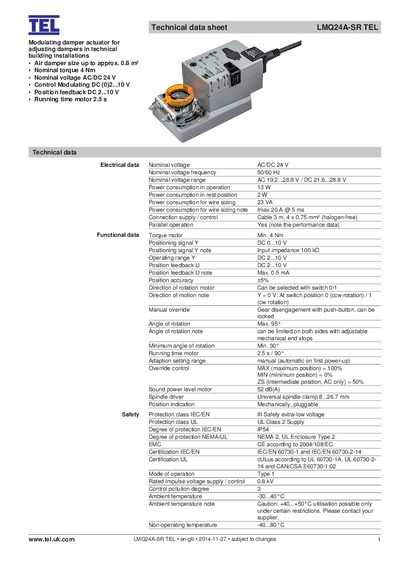
TEL LMQ24A‑SR Modulating Damper Actuator Datasheet
The TEL LMQ24A‑SR is a modulating damper actuator designed for technical building installations. It provides a nominal torque of 4 Nm, operates from an AC/DC 24 V supply, and accepts a modulating control signal of 0‑10 V DC. Position feedback is also supplied as a 2‑10 V DC signal, and the actuator can rotate up to 95° with a minimum angle of 30°.
The device includes safety features such as overload protection, a manual override push‑button, and an IEC/EN III safety class with IP54 protection. Wiring diagrams, cable sizing tables, and installation notes are provided to aid integration, and parallel operation of multiple actuators is supported.
Covers: Technical data · Electrical data · Functional data · Safety and maintenance · Product features · Installation notes
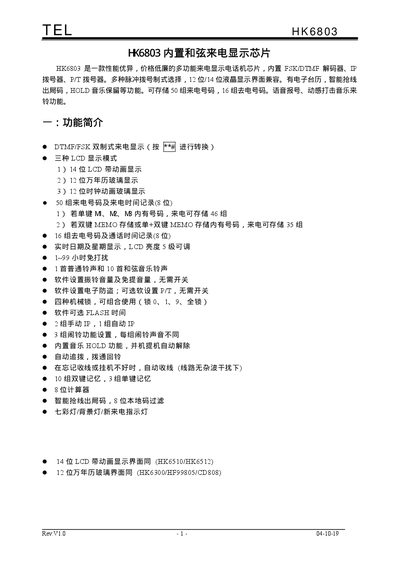
TEL HK6803 Built-in Chord Caller ID Display Chip Manual
The HK6803 is a multifunction caller‑ID chip with built‑in FSK/DTMF decoder, multiple dialing modes, and LCD display options (12‑bit or 14‑bit). It supports storage of incoming and outgoing numbers, ringtone selection, LCD brightness control, and various lock and alarm functions.
The document details menu navigation, setting procedures, pin assignments, LCD logic diagrams, and built‑in chord music tracks. It also describes hang‑up and off‑hook operations, mechanical lock usage, and calculator functions available on the chip. This manual is written in Chinese.
Covers: Feature Overview · Keyboard Diagram · Settings Function List · Detailed Function Descriptions · Menu Settings · Hang‑up Operations
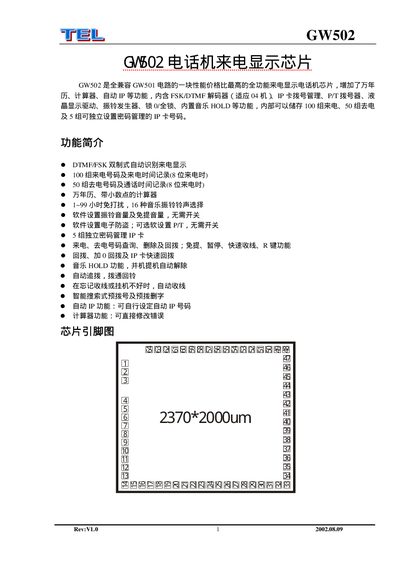
GW502 Telephone Caller ID Display Chip Manual
The GW502 is a fully compatible, high‑performance telephone caller ID display chip that adds calendar, calculator, auto‑dial and other functions. It includes an FSK/DTMF decoder, LCD driver, ring generator, lock functions, music HOLD and can store up to 100 incoming and 50 outgoing numbers.
The document provides a detailed pin‑function table, explains how to configure passwords, IP‑card management, do‑not‑disturb periods, ringtone selection, time and calendar settings, as well as smart pre‑dialing and automatic hang‑up features. This manual is written in Chinese.
Covers: Feature Overview · Pin Function Table · Incoming/Outgoing Number Storage · Password and IP‑Card Management · Do‑Not‑Disturb Settings · Ringtone Selection
Latest TEL manuals
TEL LMQ24A‑SR Modulating Damper Actuator Datasheet
Datasheet 6 pages · 849 KB · ENTechnical data sheet for the TEL LMQ24A‑SR modulating damper actuator, detailing torque, voltage, control signals and installation information.
TEL HK6803 Built-in Chord Caller ID Display Chip Manual
User Manual 13 pages · 823 KB · ZHThe TEL HK6803 manual provides specifications, settings, and operation instructions for the built‑in chord caller ID display chip.
TEL HK6200D telephone caller ID display chip Manual
GW502 Telephone Caller ID Display Chip Manual
User Manual 6 pages · 135 KB · ZHThe GW502 manual describes features, pin functions, and operation settings for the telephone caller ID display chip.
TEL HK6512B telephone caller ID display chip Manual
Which document do I need?
Datasheet
Ratings, dimensions and ordering codes, for selection and design work.
User Manual
Day-to-day operation, settings and troubleshooting. Start here if the product is already set up.
Questions answered in TEL manuals
What is the nominal torque of the LMQ24A‑SR actuator?
The actuator provides a nominal torque of 4 Nm.
What supply voltage does the LMQ24A‑SR require?
It operates from a 24 V AC or DC supply.
How many incoming numbers can be stored?
The chip can store up to 50 incoming numbers.
From: TEL HK6803 Built-in Chord Caller ID Display Chip Manual
How many outgoing numbers can be stored?
It can store up to 16 outgoing numbers.
From: TEL HK6803 Built-in Chord Caller ID Display Chip Manual
How many incoming numbers can be stored?
The chip can store up to 100 incoming numbers with timestamps.
How do I set the Do‑Not‑Disturb period?
In idle state, enter a two‑digit value (1‑99) to set the Do‑Not‑Disturb time in hours.