
Key facts
- Manuals
- 4
- Categories
- 1
- Languages
- ZH
- Last added
- 2026-09-29
Featured Sokkia manuals

Sokkia NET1005 3D Total Station User Manual
This manual covers safety operation warnings, laser safety information, and detailed product overview for the NET1005 3D total station. It explains basic operation, battery handling, and how to connect external devices such as Bluetooth, RS‑232, and USB.
Further sections describe instrument setup, focusing, angle and distance measurement, coordinate and resection methods, stakeout, eccentric and edge measurements, area calculation, parameter settings, error messages, calibration procedures, power and prism systems, optional accessories, and technical specifications. This manual is written in Chinese.
Covers: Safety Operation · Laser Safety Information · Product Overview · Basic Operation · Battery Usage · Connecting External Devices
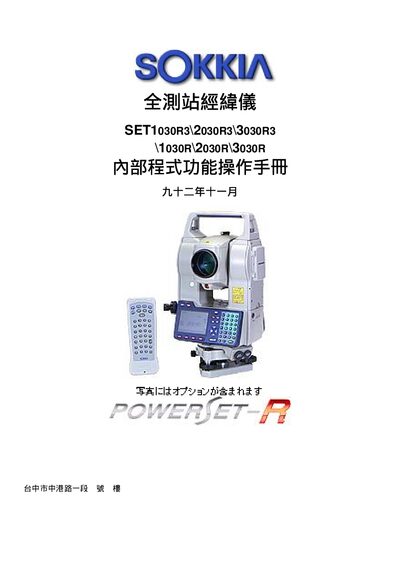
Sokkia SET1030R3/2030R3/3030R3 Internal Program Operation Manual
The Sokkia SET1030R3/2030R3/3030R3 total station is a full‑range surveying instrument. This internal program operation manual explains the instrument’s components, panel controls, and menu functions.
It covers basic recognition, display symbols, menu navigation, option configuration, basic measurement procedures such as angle, distance, and height, and advanced functions including coordinate measurement, set‑out, and area calculation. This manual is written in Chinese.
Covers: Basic Recognition · Instrument Components · Operation Panel · Display Symbol Explanation · Menu Structure · Instrument Option Settings
Sokkia GSR2700 IS/ISX Operation Manual
This manual provides step‑by‑step instructions for using the Sokkia GSR2700 IS/ISX RTK surveying instrument. It covers the three basic actions required in the field – connecting the base station, connecting the rover and performing measurements – and details the required GPRS communication settings.
The guide also includes configuration screens for antenna height, elevation mask, mountpoint, IP address and other parameters, as well as tables for satellite status monitoring and data logging procedures. This manual is written in Chinese.
Covers: Introduction · MRS Base Station Setup · GPRS Configuration · Antenna Settings · Satellite Status Monitoring · RTK Base Settings
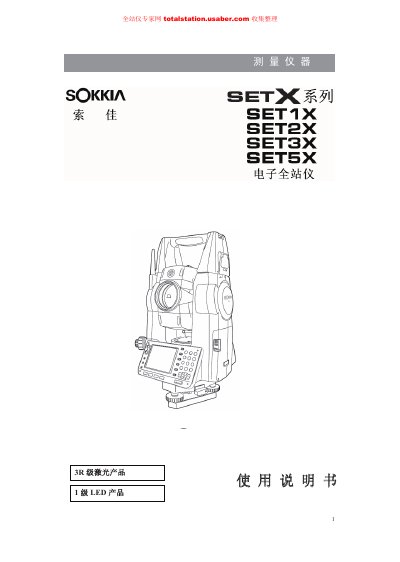
Sokkia SET1X/SET2X/SET3X/SET5X Electronic Total Station User Manual
This manual covers the complete operation of the SETX series electronic total stations, including safety precautions, basic operation, measurement methods, data handling, and instrument calibration. It also describes the hardware components, connectivity options, and power system of the devices.
The document includes detailed instructions for Bluetooth, USB, and RS‑232C communications, as well as procedures for atmospheric correction, error handling, and maintenance. Users can refer to the specification tables and calibration sections for precise setup and performance tuning. This manual is written in Chinese.
Covers: Safety Precautions · Product Overview · Basic Operation · Measurement Procedures · Instrument Calibration · Data Management
Latest Sokkia manuals
Sokkia NET1005 3D Total Station User Manual
User Manual 160 pages · 3.8 MB · ZHThe Sokkia NET1005 3D total station user manual provides safety guidelines, operation steps, and technical specifications.
Sokkia SET1030R3/2030R3/3030R3 Internal Program Operation Manual
User Manual 16 pages · 399 KB · ZHOperating instructions and measurement procedures for the Sokkia SET1030R3/2030R3/3030R3 total station.
Sokkia GSR2700 IS/ISX Operation Manual
User Manual 22 pages · 655 KB · ZHThe Sokkia GSR2700 IS/ISX operation manual explains setup, GPRS configuration, antenna settings and RTK workflow for field surveying.
Sokkia SET1X/SET2X/SET3X/SET5X Electronic Total Station User Manual
User Manual 228 pages · 5.9 MB · ZHThe Sokkia SET1X/SET2X/SET3X/SET5X electronic total station user manual provides safety guidelines, setup, measurement procedures, and instrument…
Which document do I need?
User Manual
Day-to-day operation, settings and troubleshooting. Start here if the product is already set up.
Questions answered in Sokkia manuals
How do I measure the angle between two points?
Select the first point, set the horizontal angle to 0°, rotate to the second point, and read the displayed horizontal angle as the angle between the points.
From: Sokkia SET1030R3/2030R3/3030R3 Internal Program Operation Manual
How can I set atmospheric correction for pressure and temperature?
Enter MEAS mode page 3, press ppm, choose Press/Temp mode, and input the pressure and temperature values.
From: Sokkia SET1030R3/2030R3/3030R3 Internal Program Operation Manual
What is the default IP address for the base station?
The default IP address is 220.130.63.246.