
Key facts
- Manuals
- 2
- Languages
- ZH
- Last added
- 2012-04-12
Featured Smart-UPS manuals
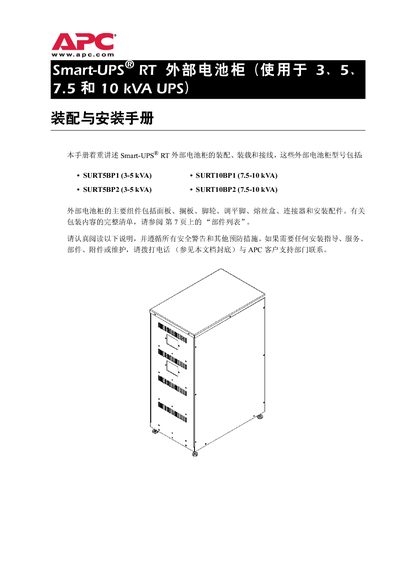
APC Smart-UPS RT External Battery Cabinet Installation Guide
This guide provides step‑by‑step instructions for assembling, installing and wiring APC Smart‑UPS RT external battery cabinets. It includes safety warnings, required tools, torque specifications and detailed diagrams for both small and large battery configurations.
The document also covers transport, acceptance procedures, placement guidelines, grounding, and the APC battery warranty terms. It lists parts, dimensions, weight, and model‑specific specifications for the SURTSBP1, SURTSBP2, SURT10BP1 and SURT10BP2 cabinets. This manual is written in Chinese.
Covers: Safety Warnings · Specifications · Product Options · Weight and Dimensions · Transport and Acceptance · Installation Location and Conditions
Latest Smart-UPS manuals
Smart-UPS ISX Input Breaker Kit Manual
This document provides details on the installation of the Smart-UPS® ISX Input Breaker Kit, including inspection, label information, specified temperature range, and manufacturer contact details.
APC Smart-UPS RT External Battery Cabinet Installation Guide
Installation Guide 36 pages · 2.2 MB · ZHInstallation guide with safety, assembly, wiring and warranty information for APC Smart-UPS RT external battery cabinets.
Which document do I need?
Installation Guide
Mounting, wiring and first power-up. Read it before the hardware goes in.
Questions answered in Smart-UPS manuals
Who is allowed to install the external battery cabinet?
Only qualified electricians may perform the installation.
From: APC Smart-UPS RT External Battery Cabinet Installation Guide
What must be done before connecting or disconnecting battery terminals?
The power source must be disconnected before any battery terminal work.
From: APC Smart-UPS RT External Battery Cabinet Installation Guide