
Key facts
- Manuals
- 4
- Categories
- 1
- Languages
- ZH · JA
- Last added
- 2000-01-01
Featured seasoon manuals
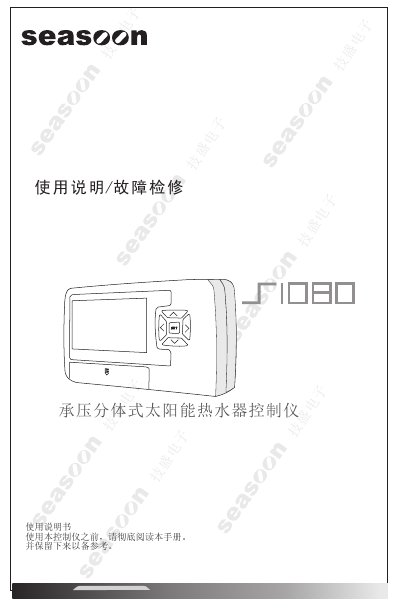
Seasoon Solar Water Heater Controller User Manual
The document begins with safety precautions, including the need for a 10 A‑rated socket, proper grounding, and lightning protection. It then describes the controller’s hardware, such as the LCD display, function keys, and wiring terminals.
Subsequent sections cover installation of the mounting bracket, wiring diagrams, sensor placement, and detailed explanations of operation modes, temperature settings, and automatic protection features. The final part lists fault codes and step‑by‑step troubleshooting procedures. This manual is written in Chinese.
Covers: Safety Precautions · Component Names and Functions · Technical Parameters · Function Applications · Wiring and Installation · Key Functions
SeaSoon S1070 Solar Water Heater Controller User Manual
This manual covers safety precautions, parts identification, technical parameters, and functional descriptions for the SeaSoon S1070 solar water heater controller. It explains how to install and wire the unit, use the control keys, and select operation modes.
Additional sections provide detailed specifications, a troubleshooting guide, and warranty information, helping users maintain safe and efficient operation of the solar water heating system. This manual is written in Japanese.
Covers: Safety Precautions · Parts and Functions · Technical Parameters · Functional Description · Installation and Wiring · Key Functions
Seasoon SET Solar Water Heater Controller User Manual
This manual explains how to safely install the Seasoon SET controller for a solar water heater, including mounting, wiring, and required lightning protection. It also lists the functions of each button and the LCD display.
The guide details how to set temperature, water‑level, timing and heating modes, and includes a troubleshooting section with fault codes and repair steps. This manual is written in Chinese.
Covers: Precautions · Component Functions · Technical Parameters · Functional Applications · Wiring and Installation · Button Functions
Latest seasoon manuals
Seasoon Solar Water Heater Controller User Manual
User Manual 20 pages · 1017 KB · ZHThis manual provides usage instructions, installation steps, button functions, operation modes, and troubleshooting for the Seasoon solar water heater…
SeaSoon S1070 Solar Water Heater Controller User Manual
User Manual 19 pages · 979 KB · JAThe SeaSoon S1070 solar water heater controller user manual provides installation, operation, safety, specifications, and troubleshooting instructions.
seasoon Whole Machine solar water heater controller User Manual/ Troubleshooting (1)(1)
Seasoon SET Solar Water Heater Controller User Manual
User Manual 16 pages · 886 KB · ZHThe Seasoon SET solar water heater controller user manual provides installation, operation, and troubleshooting instructions.
Which document do I need?
User Manual
Day-to-day operation, settings and troubleshooting. Start here if the product is already set up.
Questions answered in seasoon manuals
How does the controller retain settings after a power outage?
The controller contains a rechargeable memory battery that keeps the current settings and parameters when power is lost.
What does the controller display when a fault occurs?
If a fault is detected, the controller shows the corresponding fault code on the LCD screen to aid repair.
How are the temperature sensors T2 and T3 connected?
Connect the sensors to the dedicated quick‑connect terminals, which provide fast and secure wiring while maintaining waterproof protection.
From: SeaSoon S1070 Solar Water Heater Controller User Manual
What temperature range can the controller measure?
The controller can measure temperatures from 0 °C to 99 °C.
From: SeaSoon S1070 Solar Water Heater Controller User Manual
How do I set the water‑level on the controller?
Press the SET key to enter the water‑level adjustment menu and use the arrow keys to select the desired level.
What should I check if the controller does not supply water?
Verify that the solenoid valve output port has DC 12 V and that the water‑level sensor is correctly installed.