
Key facts
- Manuals
- 3
- Languages
- ZH
- Last added
- 2012-03-09
Featured RS232 manuals
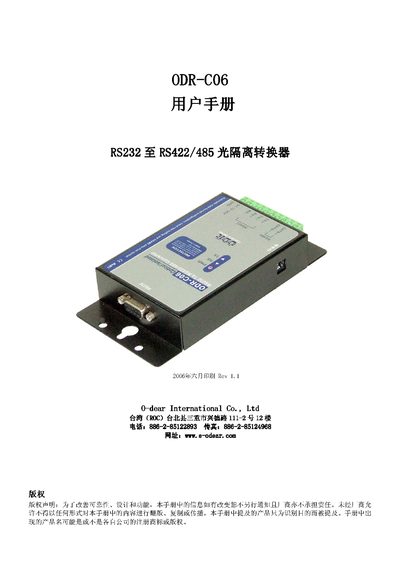
Odear ODR-C06 RS232 to RS422/485 Isolation Converter User Manual
The ODR-C06 provides bidirectional conversion of RS232 to RS422 or RS485, featuring automatic data‑format detection and baud‑rate switching from 1.2 Kbps to 115.2 Kbps. Optical isolation of 3000 VDC protects connected equipment from ground loops and voltage spikes.
Installation is done via a DIN‑rail, and the unit accepts a wide power range (DC +10 V to +30 V) through either an external DC jack or screw‑terminal input (only one source at a time). LED indicators show power, TX and RX status, and the device supports standard D‑Sub 9‑pin female connectors for host connections. This manual is written in Chinese.
Covers: Introduction · Features · Technical Specifications · Panel Settings · Hardware Structure · Installation
EC66 RS232/TTL Converter User Manual
The EC66 RS232/TTL converter provides level conversion between PC serial ports and peripheral devices, and can be used for microcontroller debugging. It is fully IC‑based, meets RS232 and TTL standards, and draws power internally without an external supply.
The manual explains the three‑wire connector pinout, how to customize the cable or add an external power source, and how to achieve optimal power‑stealing performance by measuring the TTL output voltage and configuring DTR/RTS signals. This manual is written in Chinese.
Covers: Product Overview · Connector Pinout · DIY Cable Modification · Power‑Stealing Optimization
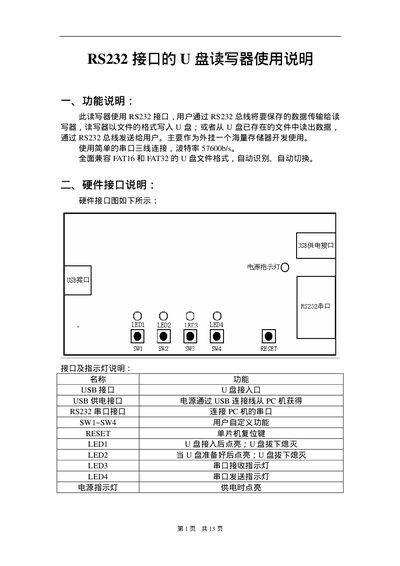
RS232 interface U Plate Readandwrite Implement User Manual
The U Plate is a USB flash drive reader/writer that connects to a host PC via an RS232 serial interface. Data is transferred over the RS232 bus at a baud rate of 57600 bps, and the device writes files to the flash drive in FAT16 or FAT32 format.
The manual describes the hardware connections (USB power, RS232 port, LEDs, reset key), the command protocol (command codes, data lengths, response format), and procedures for file operations such as opening, reading, writing, creating, and deleting files or directories. This manual is written in Chinese.
Covers: Function Description · Hardware Interface · Software Interface · Command List · Command Response List · File Operations
Latest RS232 manuals
Odear ODR-C06 RS232 to RS422/485 Isolation Converter User Manual
User Manual 6 pages · 408 KB · ZHThe Odear ODR-C06 converts RS232 signals to RS422/485 with 3000 VDC isolation, auto baud‑rate detection and DIN‑rail mounting.
EC66 RS232/TTL Converter User Manual
User Manual 4 pages · 41 KB · ZHUser manual for the EC66 RS232/TTL converter, covering connection, DIY modifications, and power‑optimisation tips.
RS232 interface U Plate Readandwrite Implement User Manual
User Manual 13 pages · 64 KB · ZHUser manual for the U Plate RS232 interface USB flash drive reader/writer.
Which document do I need?
User Manual
Day-to-day operation, settings and troubleshooting. Start here if the product is already set up.
Questions answered in RS232 manuals
How is the ODR‑C06 powered?
It can be powered from either an external DC jack or the screw‑terminal input, with a voltage range of +10 V to +30 V, but only one power source may be used at a time.
From: Odear ODR-C06 RS232 to RS422/485 Isolation Converter User Manual
What is the maximum isolation voltage of the converter?
The device provides 3000 V DC optical isolation.
From: Odear ODR-C06 RS232 to RS422/485 Isolation Converter User Manual
What baud rate does the U Plate use for RS232 communication?
The device communicates at a baud rate of 57600 bps.
From: RS232 interface U Plate Readandwrite Implement User Manual
How many bytes can be written to a file in a single write command?
A single write command can transfer up to 2048 bytes of data.
From: RS232 interface U Plate Readandwrite Implement User Manual