
Key facts
- Manuals
- 4
- Languages
- EN
- Last added
- 2012-05-02
Featured RAID manuals
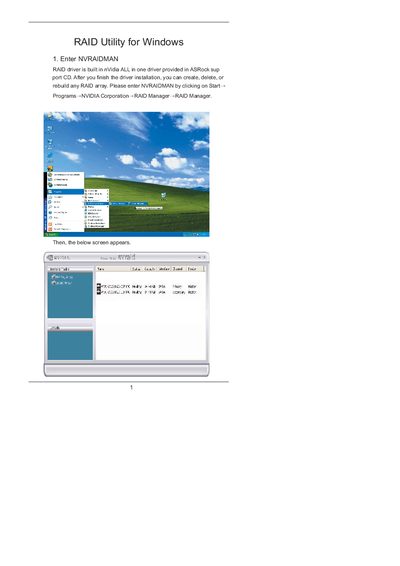
NVIDIA NVRAIDMAN RAID Utility for Windows User Manual
This manual explains how to use the NVIDIA NVRAIDMAN utility that is included on the ASRock support CD. It covers creating RAID 0 (striping) and RAID 1 (mirroring) arrays, as well as rebuilding degraded RAID 1 arrays.
Step‑by‑step instructions show how to enable RAID in the BIOS, launch the NVRAIDMAN application, select disks, choose RAID mode, and complete the wizard. Additional information on background rebuilding and supported array types is also provided.
Covers: Enter NVRAIDMAN · Creating RAID Arrays · Creating RAID 0 (Striping) · Creating RAID 1 (Mirroring) · Rebuilding RAID Arrays · RAID Mode Selection
Latest RAID manuals
RAID Utility for Windows Manual
RAID Software
VT8237 SATA RAID Software is a Windows-based software utility with graphical user interface and provides user an easy-operation tool to configure and manage disk drives or disk arrays connected to VT8237 SATA controller.
RAID user manual
RAID User's Manual introduces the main features and advantages of Promise RAID controllers, and how to install, configure and use the product.
NVIDIA NVRAIDMAN RAID Utility for Windows User Manual
User Manual 20 pages · 735 KB · ENGuide for using NVIDIA NVRAIDMAN to create, manage, and rebuild RAID arrays in Windows.
Which document do I need?
User Manual
Day-to-day operation, settings and troubleshooting. Start here if the product is already set up.
Questions answered in RAID manuals
How do I create a RAID 1 mirrored array?
Enable RAID in the BIOS, boot to Windows, launch NVRAIDMAN, click Create Array, select Mirroring as the RAID mode, choose two disks, and complete the wizard.
Can I rebuild a degraded RAID 1 array with NVRAIDMAN?
Yes. From the popup menu choose Rebuild Array, select the drive to rebuild, and follow the wizard; rebuilding occurs in the background.