
Key facts
- Manuals
- 41
- Categories
- 1
- Languages
- EN · ZH
- Last added
- 2012-08-02
Featured Projector manuals
Projector User Manual
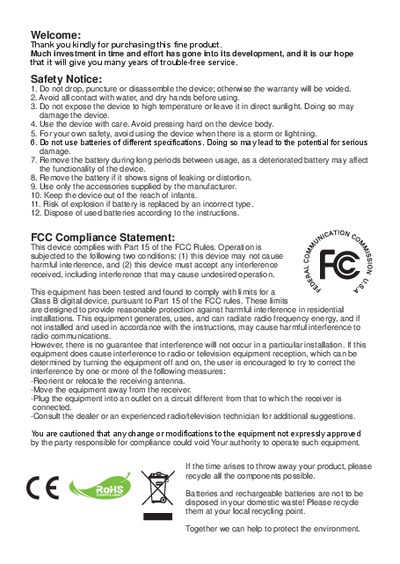
The guide begins with safety notices, battery handling, and FCC compliance information. It explains how to install and charge the Li‑ion battery, how to insert and remove a memory card, and how to use the LED indicators for power and charging status.
The manual then covers the projector’s menu system, language settings, and functions such as video, photo, and music playback. It describes how to check internal memory, select files, adjust focus, and control volume, as well as troubleshooting tips for interference and device warm‑up during continuous use.
Covers: Getting Started · Projector Parts · LED Indicators · Battery Installation and Charging · Memory Card Insertion · Power On/Off
Projector User Manual
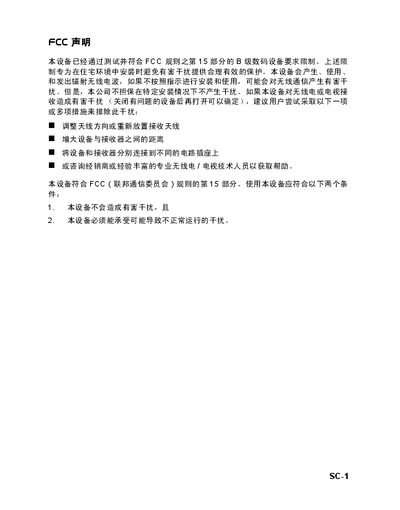
The guide begins with FCC compliance and safety instructions, covering topics such as proper ventilation, handling, cleaning, and the prohibition of unauthorized repairs. It also lists the items included in the packaging and describes the physical layout of the projector, including the control panel, lens cover, and ventilation ports.
Subsequent sections explain how to operate the projector, use the remote control, select input sources, adjust the image, and navigate the on‑screen menu. The manual includes detailed specifications, compatible video modes, LED indicator meanings, and a troubleshooting chapter that addresses common power, image and remote‑control issues. This manual is written in Chinese.
Covers: Safety Instructions · Package Contents · Projector Overview · Control Panel Functions · Connecting Video Sources · Remote Control Operation
CP-S335/X340/X345 Projector User Manual
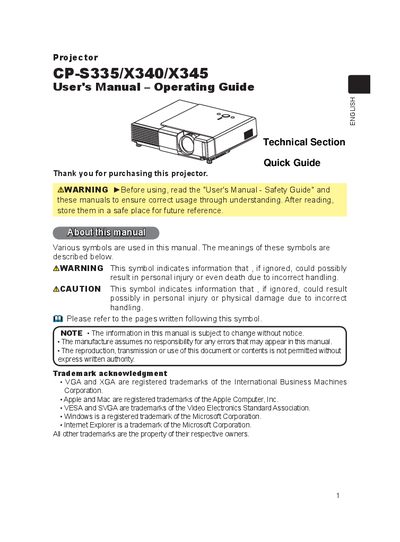
This user manual covers safety warnings, installation steps, and basic operation of the CP‑S335/X340/X345 projector. It explains how to position the unit, connect video and audio sources, and use the remote control and on‑board buttons for functions such as power, volume, keystone correction, and magnification.
Additional sections describe routine maintenance, including lamp replacement, air‑filter cleaning, and troubleshooting common issues. The document also contains a specifications table and warranty information.
Covers: Safety Information · Setup and Installation · Remote Control Overview · Operating Controls · Projection Geometry · Maintenance Procedures
Bihec XD-3015 Projector Product Leaflet
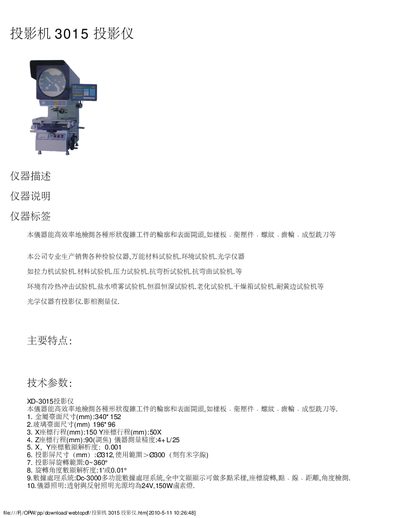
The XD-3015 projector is designed for high‑precision measurement of various workpiece shapes and surfaces, supporting metal parts, plates, threads, gears, and molding tools. It offers a compact metal profile (340 × 152 mm) and a glass surface area of 196 × 96 mm, with X/Y/Z travel ranges of 150 mm, 50 mm and 90 mm respectively, and a measurement accuracy of 4+U25.
Key technical data include a projection size up to 312 mm, rotation capability of 0‑360°, illumination via a 24 V/150 W halogen lamp, and a power supply of 110 V/220 V AC at 400 W. The unit measures 770 × 550 × 1100 mm and weighs 130 kg, and it is cooled by forced air using three axial fans. This manual is written in Chinese.
Covers: Main Features · Dimensions · Travel Ranges · Measurement Accuracy · Projection Size and Rotation · Illumination
Latest Projector manuals
projector MultiSync MT840E/MT1040E/MT1045E LCD Projector User Manual
This manual is a user manual for NEC MultiSync MT840/MT1040/MT1045 projector, which mainly introduces the use of projector, precautions and other contents.
projector MultiSync MT840/MT1040/MT1045 LCD Projector User Guide
This manual provides instructions for using the NEC MultiSync MT840/MT1040/MT1045 projector. Please read this manual carefully before using the projector
Projector MT1065/MT1060/MT860 User Manual
This document is the user manual of NEC MT1065/MT1060/MT860 projector, which mainly introduces the product's usage methods and precautions.
Projector MultiSync MT1055/MT1050/MT850 LCD Projector User Manual(1)
This is the user manual for NEC MultiSync MT1055/MT1050/MT850 LCD Projector
Projector MultiSync MT1055/MT1050/MT850 LCD Projector User Manual
This manual introduces the use of NEC MultiSync MT1055/MT1050/MT850 LCD Projector
projector MultiSync MT840E/MT1040E/MT1045E LCD Projector User Manual(1)
This is a NEC MultiSync MT840E/MT1040E/MT1045E LCD projector user manual, which details the use of the projector and precautions
Projector MultiSync MT840/MT1040/MT1045 LCD Projector User Manual(1)
This manual is for NEC MultiSync MT840/MT1040/MT1045 projector. It provides detailed instructions on how to use the projector and precautions.
projector MultiSync MT840E/MT1040E/MT1045E LCD Projector User Manual(2)
This manual is the user manual for NEC MultiSync MT840/MT1040/MT1045 projectors, which provides detailed instructions on how to use the products.
Projector MultiSync MT840/MT1040/MT1045 LCD Projector User Manual
This manual is the user's manual of NEC MultiSync MT840/MT1040/MT1045 LCD projector, which introduces the features and characteristics of the product.
Projector MultiSync LT150/LT85 Micro-Portable Projector User Manual(1)
This manual is the user manual of NEC MultiSync LT150/LT85 Micro-Portable Projector, which introduces the features of the product.
Projector MultiSync LT84/LT140 Ultra-Portable Projector User Manual(1)
This document is provided by Projector.com as a free service, providing the user manual for the NEC MultiSync LT84/LT140 Ultra-Portable Projector. The manual includes precautions and important information about the product, as well as an introduction to Projector.com and its website resources.
Projector Micro-Portable Projector LT75Z User Manual
Introduces the features and usage methods of the NEC LT75Z Micro-Portable Projector.
Projector MultiSync LT156/LT155/LT154 LCD Projector User Manual(2)
This document is provided by Projector.com as a free service, providing reviews and buying guides for DLP and LCD video projectors. The document includes connection diagrams and usage instructions for the projector.
Projector MultiSync LT156/LT155/LT154 LCD Projector User Manual(1)
This is a user manual for a projector
Projector MultiSync LT156/LT155/LT154 LCD Projector User Manual
Which document do I need?
User Manual
Day-to-day operation, settings and troubleshooting. Start here if the product is already set up.
Questions answered in Projector manuals
How do I turn the projector on?
Press and hold the Power button for 4 seconds to turn the projector on.
From: Projector User Manual
How do I insert a memory card?
Open the SD card cover, gently push the card until it reaches the bottom of the slot, then close the cover.
From: Projector User Manual
What should I do if the image is flickering or unstable?
Press the Resync key on the control panel or the remote control to re‑synchronize the input signal.
From: Projector User Manual
How do I replace the lamp?
When the lamp‑replace indicator appears, turn the projector off, unplug it, let the lamp cool for at least 45 minutes, remove the lamp cover, loosen the two screws, replace the lamp, re‑tighten the screws, re‑attach the cover and reset the lamp timer in the OPTION menu.
How do I clean or replace the air filter?
When the air‑filter‑clean indicator appears, turn the projector off, unplug it, let it cool, remove the filter cover, pull out the filter, vacuum the filter and vent, then reinstall the filter and reset the filter timer in the OPTION menu.
What are the power supply requirements for the XD-3015 projector?
It operates on 110 V or 220 V AC, 50/60 Hz, with a line power of 400 W.