
Key facts
- Manuals
- 4
- Languages
- ZH
- Last added
- 2026-10-03
Featured NOVA manuals
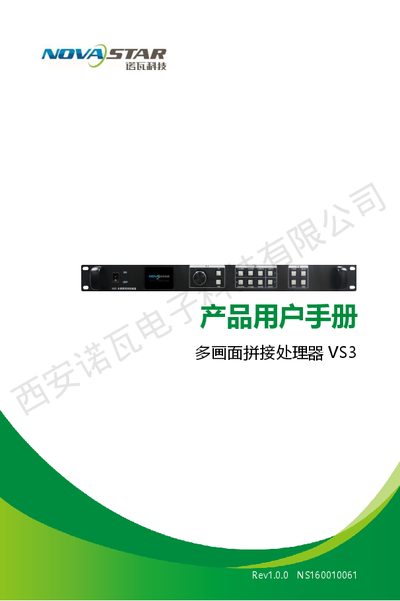
Nova VS3 Rev1.0.0 Multi-screen Splicing Processor User Manual
The Nova VS3 Rev1.0.0 is a multi‑screen splicing processor designed for video wall applications. This manual provides an overview of the front and rear panel, electrical parameters, and supported input/output interfaces.
It explains how to connect signals, navigate the menu system, configure screen layouts, and use the accompanying control software. Safety warnings, network settings, and a troubleshooting guide are also included. This manual is written in Chinese.
Covers: Function Overview · Signal Connection · Menu Operation · Control Software · Troubleshooting
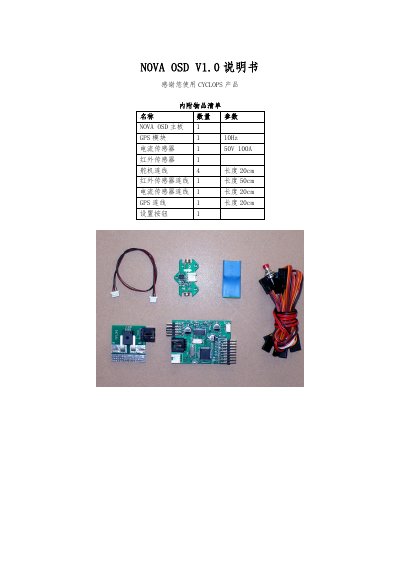
CYCLOPS NOVA OSD V1.0 User Manual
This manual lists the included items such as the NOVA OSD board, GPS module, current sensor, infrared sensor and wiring lengths, and explains the power jumper settings for using a 12 V battery or an external 12 V supply. Detailed wiring diagrams show connections for the current sensor, infrared sensor, GPS and servo cables.
Operating instructions cover power‑on behavior, menu navigation, infrared sensor calibration, servo direction and ELEVON configuration, GPS signal handling, unit switching, flight‑mode selection, reset procedures, and display options. Additional features include automatic video mode detection (PAL/NTSC) and RSSI voltage display with a measurement range of 0.1‑3.3 V. This manual is written in Chinese.
Covers: Included Items · Wiring Diagram · Power Jumper Settings · Operation Instructions · Settings Menu · Servo Direction
NOVA SP 500 User Manual
This manual provides operating instructions for the NOVA SP 500 series controller used in industrial control applications. It explains how to start and stop programs, configure setpoints, and monitor system status through the display.
Detailed sections describe parameter configuration, alarm types, input and output settings, communication options, and PID auto‑calculation. Step‑by‑step procedures guide users through program creation, waiting functions, execution, interruption, and troubleshooting. This manual is written in Chinese.
Covers: Program Execution · Parameter Settings · Alarm Types · Program Setup · Waiting Function · Program Execution
Latest NOVA manuals
Nova VS3 Rev1.0.0 Multi-screen Splicing Processor User Manual
User Manual 15 pages · 1.1 MB · ZHUser manual for the Nova VS3 Rev1.0.0 multi-screen splicing processor, covering features, connections, menu operation and troubleshooting.
nova walk independence Manual
This is a lightweight and compact four-wheeled walker that can help people with walking difficulties maintain their independence.
CYCLOPS NOVA OSD V1.0 User Manual
User Manual 6 pages · 568 KB · ZHThe CYCLOPS NOVA OSD V1.0 User Manual provides setup, wiring, calibration, and operation instructions for the OSD board used in UAVs.
NOVA SP 500 User Manual
User Manual 12 pages · 605 KB · ZHChinese user manual for the NOVA SP 500 series industrial controller, covering program execution, settings, alarms, and operation procedures.
Which document do I need?
User Manual
Day-to-day operation, settings and troubleshooting. Start here if the product is already set up.
Questions answered in NOVA manuals
What voltage range does the processor accept?
It operates on an AC input voltage of 100‑240 V, 50/60 Hz.
From: Nova VS3 Rev1.0.0 Multi-screen Splicing Processor User Manual
How can I reset the processor to factory defaults?
Select the factory reset option in the advanced settings to restore all default configurations.
From: Nova VS3 Rev1.0.0 Multi-screen Splicing Processor User Manual
How do I calibrate the infrared sensor?
Press and hold the setting button for about 2 seconds, point one wing upward and the other downward, then wait for the display to flash and show “OK”. If the temperature difference is insufficient, an “ERROR” will appear.
How can I set the servo direction?
Hold the setting button for 2 seconds until “CENTER” appears, keep the transmitter sticks neutral, then move the elevator stick to maximum and the aileron stick to the rightmost position; the screen will show “OK” when the setting is successful.