
Key facts
- Manuals
- 4
- Languages
- EN · ZH
- Last added
- 2026-10-01
Featured Motec manuals
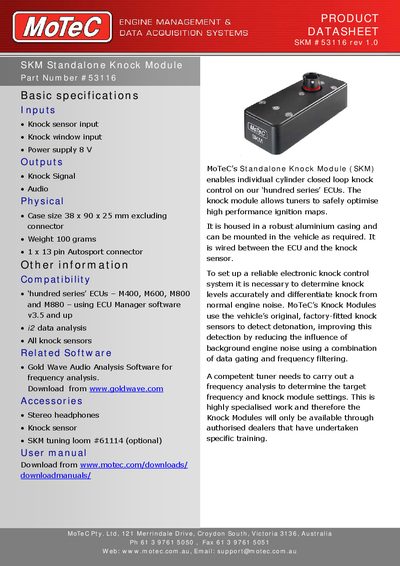
MoTeC SKM #53116 Standalone Knock Module Datasheet
The MoTeC Standalone Knock Module (SKM) enables individual‑cylinder closed‑loop knock control on MoTeC’s ‘hundred series’ ECUs, allowing tuners to optimise high‑performance ignition maps while reducing background engine noise. It is housed in a robust aluminium case and connects between the ECU and the factory‑fitted knock sensor.
Key specifications include a 38 × 90 × 25 mm case (excluding connector), weight of 100 g, an 8 V power supply, a 13‑pin Autosport connector and a 3.5 mm stereo audio connector. The module is compatible with M400, M600, M800 and M880 ECUs and includes pin‑out details for sensor, knock signal and audio connections.
Covers: Basic specifications · Inputs · Outputs · Physical dimensions · Compatibility · Connector pinout
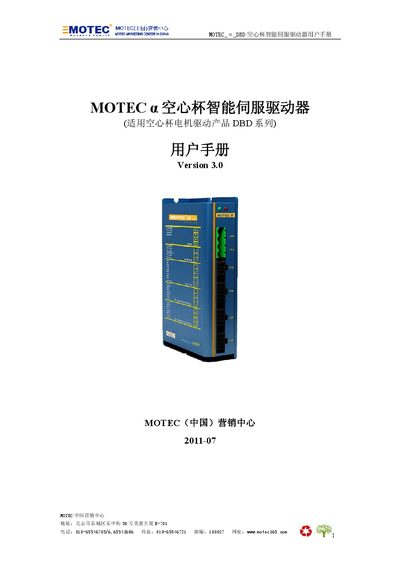
MOTEC α DBD Servo Driver User Manual
This manual covers safety precautions, installation procedures, and hardware setup for the MOTEC α DBD hollow‑cup servo driver. It explains the required environment, handling of static‑sensitive components, and steps for first power‑on.
The guide also details the various control modes (network command, pulse/direction, analog, PWM, independent), parameter configuration via MotionStudio, programming with MotionLib or command set, and provides a fault‑diagnosis table for troubleshooting. This manual is written in Chinese.
Covers: Safety Precautions · Installation · Operation Modes · Parameter Settings · Programming · Fault Diagnosis
MOTEC Servo Drive CANopen User Manual
This manual provides detailed information for MOTEC servo drives that communicate via the CANopen protocol. It covers hardware connections, CAN bus settings, object dictionary entries, and motion control features.
The document includes configuration steps for baud rates, node IDs, parameter storage, device control, and troubleshooting, along with contact information for MOTEC China. This manual is written in Chinese.
Covers: Overview · CAN hardware configuration · CANopen basic configuration · Parameter configuration · Device control · Motion control
Latest Motec manuals
MoTeC SKM #53116 Standalone Knock Module Datasheet
Datasheet 3 pages · 117 KB · ENThe MoTeC SKM #53116 datasheet provides specifications, connector pinout, dimensions and compatibility for the Standalone Knock Module.
MOTEC α DBD Servo Driver User Manual
User Manual 112 pages · 2 MB · ZHThe MOTEC α DBD servo driver user manual provides safety guidelines, installation steps, operation modes, parameter settings, programming instructions, and…
MOTEC Servo Drive CANopen User Manual
User Manual 77 pages · 1.4 MB · ZHChinese MOTEC servo drive manual describing CANopen configuration, parameters, and operation.
MOTEC α series digital alternating servo drive system Manual v1.0
This document is a user manual for the MOTEC α series all-digital AC servo drive system, including installation and wiring, input and output terminal function description, panel operation description, performance adjustment description, control mode, monitor description, servo drive working timing, communication terminal definition, wiring and communication protocol.
Which document do I need?
Datasheet
Ratings, dimensions and ordering codes, for selection and design work.
User Manual
Day-to-day operation, settings and troubleshooting. Start here if the product is already set up.
Questions answered in Motec manuals
What does the MoTeC SKM #53116 do?
It enables individual‑cylinder closed‑loop knock control on MoTeC ‘hundred series’ ECUs, allowing safe optimisation of high‑performance ignition maps.
What connectors are used on the SKM #53116?
The module uses a 13‑pin Autosport connector for ECU and sensor connections and a 3.5 mm stereo connector for audio output.
What safety warnings are given for the MOTEC α DBD driver?
The manual warns of electric shock, static‑sensitive components, overheating, moving parts, and advises only qualified personnel perform installation, debugging, and maintenance.
What communication interfaces does the driver support?
It supports RS232, RS485, and CAN bus for network command mode, allowing multiple drivers to be networked together.
What is the default node ID of the drive?
The default node ID is 1.
How can I read the digital output status?
Read object 0x608A; bits 0‑5 correspond to outputs 1‑6, with a value range of 0‑63.