
Key facts
- Manuals
- 5
- Categories
- 3
- Languages
- ZH · JA
- Last added
- 2012-03-16
Featured Microtek manuals
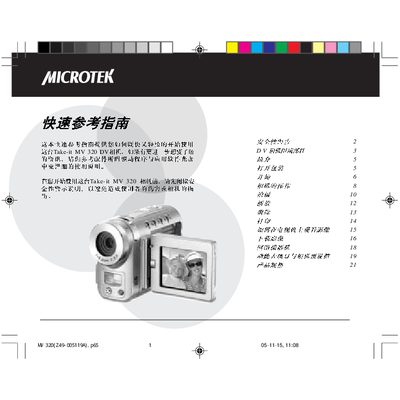
Microtek Take-it MV 320 Quick User Guide
The Quick User Guide introduces the Take‑it MV 320 DV camera, describing its main features such as the 12‑inch CMOS sensor, supported video resolutions (640×480, 320×240) and file formats (ASF, AVI, JPEG). It explains how to insert and manage SD memory cards, use the USB 1.1 interfaces, and operate the various menu functions for playback, recording and image settings.
The guide also provides basic safety and handling instructions, outlines the camera’s power requirements, and lists technical specifications including sensor size, lens focal length, storage capacity and operating temperature ranges. This manual is written in Chinese.
Covers: Introduction · Power and Battery · Menu Functions · Storage (SD Card) · Video and Image Formats · USB Interfaces
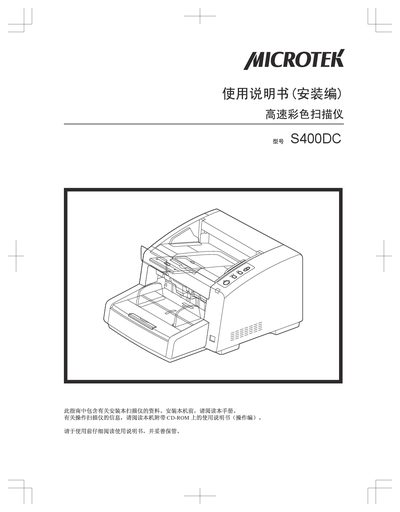
Microtek S400DC User Manual
This manual covers the installation steps for the S400DC scanner, including power connection, USB interface setup, and software installation from the supplied CD‑ROM. It also details safety precautions to prevent injury or fire hazards during use.
The guide explains how to operate the scanner in both single‑ and double‑sided modes, outlines scanning speed and resolution settings, and provides troubleshooting procedures for common errors such as power failures or USB communication problems. This manual is written in Chinese.
Covers: Installation · Safety Instructions · Operation · Scanning Specifications · Software Integration (TWAIN, DocWizard) · Troubleshooting
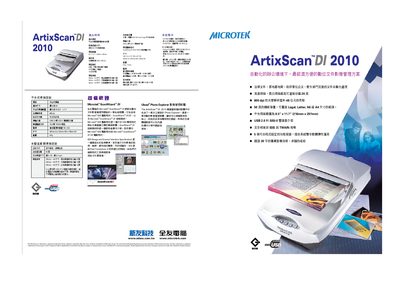
Microtek ArtixScan DI2010 User Manual
The ArtixScan DI2010 is a high‑speed document scanner with a 600 dpi optical resolution and 48‑bit color depth. It can scan black‑and‑white documents at up to 20 pages per minute (200 dpi), grayscale at 15 ppm, and color at 10 ppm.
The scanner features a 50‑sheet automatic feeder, supports USB 2.0 and SCSI interfaces, and includes Microtek’s ScanWizard and ISIS software bundles for image management and integration with TWAIN‑compatible applications. This manual is written in Japanese.
Covers: Specifications · Scanning Performance · Paper Handling · Interface Options · Power Supply · Operating Environment
Latest Microtek manuals
MICROTEK PLASMA TV MP50 plasma Television Manual
Microtek Take-it MV 320 Quick User Guide
Quick Start Guide 22 pages · 1.5 MB · ZHQuick guide for operating the Microtek Take‑it MV 320 DV camera, covering basic functions, menus and specifications.
Microtek S400DC User Manual
User Manual 20 pages · 2.1 MB · ZHThe Microtek S400DC user manual provides installation, operation, safety, and troubleshooting instructions for the high‑speed color scanner.
Microtek ArtixScan DI2010 User Manual
User Manual 2 pages · 970 KB · JAThe Microtek ArtixScan DI2010 User Manual provides setup, operation, and specifications for this high‑speed document scanner.
Microtek ScanWizard DI V 3.13 user manual
Which document do I need?
Quick Start Guide
The shortest path to a working setup, usually only a few pages.
User Manual
Day-to-day operation, settings and troubleshooting. Start here if the product is already set up.
Questions answered in Microtek manuals
How many USB ports are available on the camera?
The MV 320 provides five USB 1.1 ports for data transfer and connection to accessories.
What is the maximum resolution for still images?
Still images can be captured at up to 640 × 480 pixels.
What are the scanning speed specifications?
The scanner can process up to 100 ppm in color and 80 ppm in monochrome at 200 dpi.
What is the maximum black‑and‑white scanning speed?
The scanner can produce up to 20 pages per minute in black‑and‑white at 200 dpi.
What is the paper capacity of the automatic feeder?
The automatic feeder holds up to 50 sheets of paper.