
Key facts
- Manuals
- 2
- Languages
- EN · ZH
- Last added
- 2012-03-16
Featured MFC-J6710DW manuals
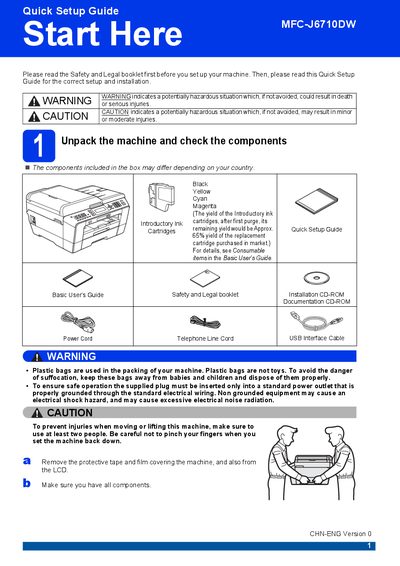
Brother MFC-J6710DW Quick Setup Guide
The Quick Setup Guide walks you through the first steps after unboxing the Brother MFC‑J6710DW. It covers safety warnings, checking that all components are present, connecting the power cord, telephone line, and optional network cable, and installing the introductory ink cartridges.
After the hardware is set up, the guide explains how to load paper, adjust paper settings, choose language and receive mode, and perform a basic print quality check. It also provides information on replacing consumables and restoring network settings to factory defaults.
Covers: Unpack the machine and check the components · Connect the power cord and telephone line · Install the ink cartridges · Load paper and set paper settings · Choose language and receive mode · Check print quality
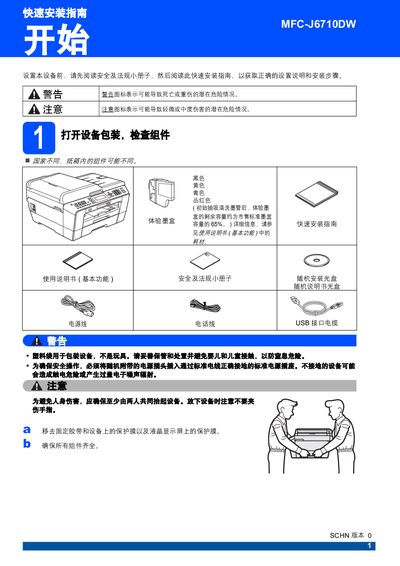
Brother MFC-J6710DW Multifunction Printer Quick Installation Guide
The guide walks you through safety precautions, unpacking the device, connecting power and telephone lines, loading paper, and installing ink cartridges. It also explains how to perform a print‑quality check, select language, and choose the desired receive mode.
Additional sections cover network reset to factory defaults, wireless network configuration, and instructions for replacing consumables such as ink cartridges. This manual is written in Chinese.
Covers: 快速安装指南 · 连接电源线和电话线 · 纸张装入与设置 · 墨盒安装与更换 · 打印质量检查 · 语言选择
Latest MFC-J6710DW manuals
Brother MFC-J6710DW Quick Setup Guide
Quick Start Guide 38 pages · 5 MB · ENStep‑by‑step instructions for unpacking, connecting power, telephone and network cables, installing ink cartridges, loading paper, and initial configuration…
Brother MFC-J6710DW Multifunction Printer Quick Installation Guide
Quick Start Guide 38 pages · 7.2 MB · ZHThis quick installation guide provides safety warnings, unpacking steps, and basic setup instructions for the Brother MFC-J6710DW multifunction printer.
Which document do I need?
Quick Start Guide
The shortest path to a working setup, usually only a few pages.
Questions answered in MFC-J6710DW manuals
How do I connect the telephone line to the printer?
Connect one end of the telephone line cord to the socket on the machine marked LINE and the other end to a telephone wall socket.
What type of network cable should I use?
Use a straight‑through Category 5 (or greater) twisted‑pair cable for 10BASE‑T or 100BASE‑TX Fast Ethernet.