
Key facts
- Manuals
- 2
- Languages
- EN
- Last added
- 2026-09-29
Featured JaCo manuals
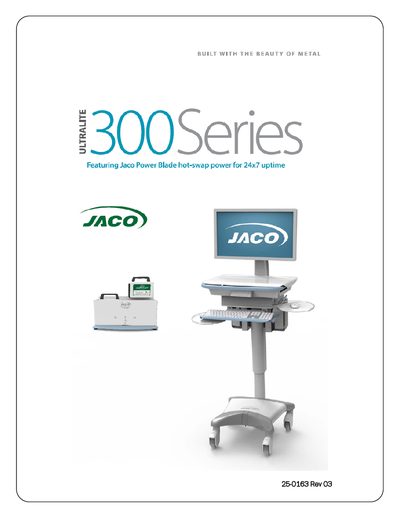
JACO 300 Series Mobile Cart User Manual
This manual covers the JACO 300 Series Mobile Cart, detailing model numbers, part numbers, labeling, general specifications, power monitoring, Wi‑Fi connectivity, safety recommendations, and proper operation. It also includes step‑by‑step instructions for unpacking, assembly, height adjustment, and installing computers, monitors, scanners, keyboards, and optional accessories.
Additional sections describe the Power Blade Battery Pack and Charger, input/output connections, agency certifications, and troubleshooting procedures. The document is intended for end users and service personnel to safely set up, use, and maintain the cart in healthcare and other professional environments.
Covers: General Specification · Power Monitoring & Control · Safety Recommendations and Warnings · Proper Operation, Care & Maintenance · Installation & Assembly · Power Blade Battery Pack & Charger
Latest JaCo manuals
JACO 300 Series Mobile Cart User Manual
User Manual 16 pages · 754 KB · ENThe JACO 300 Series Mobile Cart User Manual provides specifications, safety guidelines, assembly steps, and maintenance instructions.
JaCo ZXP Mobile CoMPuTer CarT USER GUIDE
The document introduces the features and characteristics of JACO's ZXP Mobile Computer Cart. The cart provides the perfect foundation for building a mobile wireless system, accommodating virtually any IT hardware configuration. It is loaded with ergonomic features and options for user comfort, safety, and convenience.
Which document do I need?
User Manual
Day-to-day operation, settings and troubleshooting. Start here if the product is already set up.
Questions answered in JaCo manuals
How can I reset the cart controller if the status LEDs are not working?
Insert a paper clip into the reset port at the back of the cart and press the internal button; the unit will beep to indicate a system reset.