
Key facts
- Manuals
- 3
- Languages
- ZH
- Last added
- 2026-10-03
Featured IRIS manuals
IRIS IRISPowerscan 9 (build 9.6) User Guide
This guide provides step‑by‑step instructions for installing IRISPowerscan, registering the product, and configuring the scanner hardware. It also covers the main user interface, creating projects, and using the various scanning and image‑processing features.
Later sections describe post‑scan actions such as image editing, re‑organising scanned pages, and batch output processing. References to the full‑language versions (English, French, German) are included for users needing more detailed instructions. This manual is written in Chinese.
Covers: About this Guide · Installation · Installing IRISPowerscan · Installing the Scanner · How to Get Product Support · How to Register
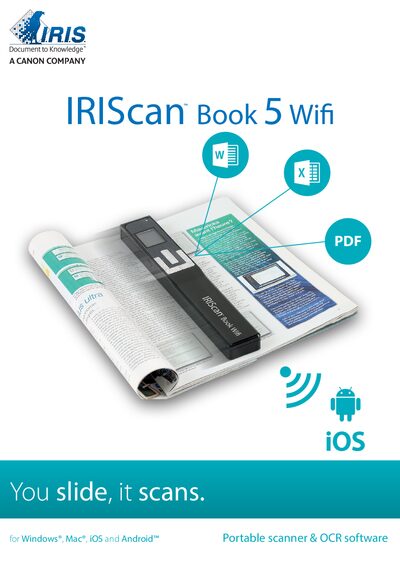
IRIS Book 5 Wifi Quick Start Guide
The IRIS Book 5 Wifi is a compact, battery‑powered scanner that stores scanned pages on a microSD card and can transfer files via USB, microSD, or Wi‑Fi. This guide helps you get the device up and running quickly.
It walks you through installing the bundled Readiris Pro and InstantResult Wifi 2 software, configuring scanner settings, performing scans, and moving documents to a computer, tablet, or mobile device. Safety and regulatory information are also included. This manual is written in Chinese.
Covers: Introduction · Software Installation · Preparing the Scanner · Buttons and Settings Overview · Selecting Scanner Settings · Scanning Documents
Latest IRIS manuals
IRIS IRISPowerscan 9 (build 9.6) User Guide
User Manual 42 pages · 1.4 MB · ZHThe IRIS IRISPowerscan 9 (build 9.6) User Guide explains installation, startup, scanning operations, and post‑scan processing for the software.
IRIS Book 5 Wifi Quick Start Guide
Quick Start Guide 32 pages · 3.3 MB · ZHThis quick start guide shows how to set up and use the IRIS Book 5 Wifi portable scanner, covering software installation, scanning, and Wi‑Fi transfer.
IRIS 3000 DIGITAL VIDEO PHONE USER MANUAL
The IRIS 3000® Digital Video Phone User Manual provides instructions for installing, using, and setting up the IRIS 3000® Digital Video Phone. It covers basic functions such as making calls, receiving calls, ending calls, and viewing status.
Which document do I need?
User Manual
Day-to-day operation, settings and troubleshooting. Start here if the product is already set up.
Quick Start Guide
The shortest path to a working setup, usually only a few pages.
Questions answered in IRIS manuals
How do I install IRISPowerscan?
Insert the CD, run the installer, follow the on‑screen prompts, select language and installation folder, choose the complete installation type, and finish the setup.
What languages are available for the full user guide?
The full user guide is provided in English, French, and German; other languages have a simplified version.
How do I install the software for the IRIS Book 5 Wifi?
Open a web browser, go to http://www.irislink.com/start, select the IRIScan Book 5 Wifi version, click “Download”, then run the installer.
How can I transfer scanned files via Wi‑Fi?
Use the InstantResult Wifi 2 app; the scanner sends scanned content over Wi‑Fi to the app on your mobile device or computer.