
Key facts
- Manuals
- 4
- Languages
- ZH
- Last added
- 2026-09-29
Featured IMB manuals
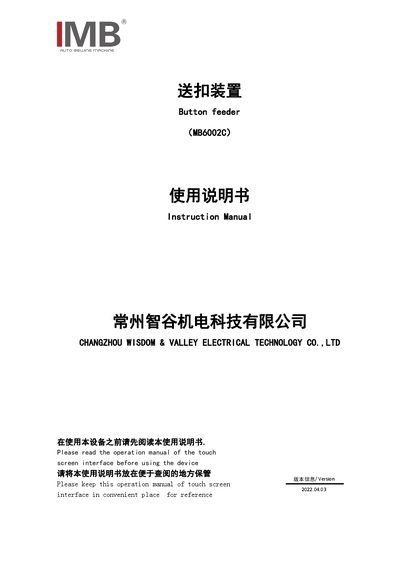
IMB MB6002C Button Feeder User Manual
The IMB MB6002C button feeder is an accessory for industrial sewing machines. This manual provides basic information, technical parameters, safety precautions, button functions, operation steps, debugging methods, electrical wiring, optional accessories, and maintenance guidelines.
Users are guided through preparation, start‑up, button feeding modes, troubleshooting common issues, and routine care to ensure reliable performance and safety while operating the device. This manual is written in Chinese.
Covers: Basic Information · Technical Parameters · Safety Precautions · Button Function Description · Operation Instructions · Debugging Methods
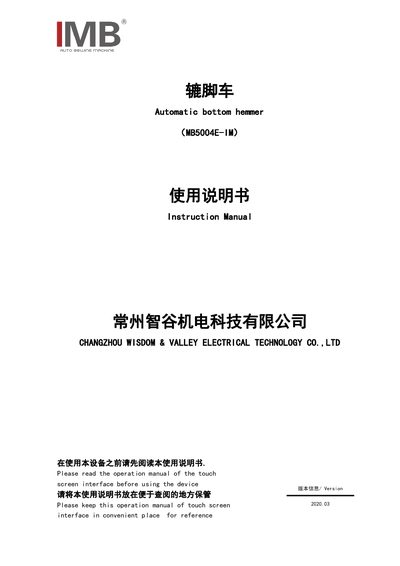
IMB MB5004E-IM Sewing Machine User Manual
This manual introduces the IMB MB5004E-IM automatic sewing machine, covering basic device information, technical parameters, and safety precautions. It explains button functions, touchscreen interface, and detailed operating procedures for preparing, sewing, and adjusting the machine.
Additional sections describe debugging methods, accessory list, common problems with solutions, daily maintenance requirements, and the product protection statement. The document is intended for trained operators and service technicians to ensure safe and efficient use of the equipment. This manual is written in Chinese.
Covers: Device Basic Information · Technical Parameters · Safety Precautions · Button Functions · Operation Instructions · Debugging Methods

IMB 7973 7974 7975 7976 System x3400 user manual
This manual covers safety information, system overview, and detailed specifications for the IBM System x3400 servers (models 7973‑7976). It includes warnings, warranty statements, and references to IBM Director and other management tools.
The document guides users through hardware installation, component connections, RAID and network configuration, and remote supervisor adapter setup. It also provides troubleshooting tips, part numbers, and procedures for updating firmware and system settings. This manual is written in Chinese.
Covers: Safety Information · System Overview · Model Specifications · Installation Procedures · Component Descriptions · Configuration Utilities
7i24 IMB System 3.6 User Manual
IMB System 3.6 is an Information Monitor and Block solution designed for virtual‑host, space, and ICP content providers to prevent illegal or destabilizing content and to automatically monitor and recover server status.
The manual covers system requirements, step‑by‑step installation, IIS Guard configuration, licensing procedures, usage of the central control website, performance reporting, case studies, and technical support information. This manual is written in Chinese.
Covers: Overview · Installation · IIS Guard · Chief File Inspector and IIS Health Checker · Patriot Smart COM Component · Central Control Website Usage
Latest IMB manuals
IMB MB6002C Button Feeder User Manual
User Manual 21 pages · 2 MB · ZHInstruction manual for the IMB MB6002C button feeder, covering setup, operation, safety, wiring and maintenance.
IMB MB5004E-IM Sewing Machine User Manual
User Manual 40 pages · 2 MB · ZHThe IMB MB5004E-IM industrial sewing machine user manual provides safety guidelines, operation steps, adjustments, maintenance, and troubleshooting.
IMB 7973 7974 7975 7976 System x3400 user manual
User Manual 124 pages · 11.7 MB · ZHThe IBM System x3400 user manual provides installation, configuration, and service instructions for models 7973‑7976.
7i24 IMB System 3.6 User Manual
User Manual 43 pages · 3.3 MB · ZHThe 7i24 IMB System 3.6 User Manual explains installation, configuration, and operation of the Windows‑based Information Monitor and Block system for…
Which document do I need?
User Manual
Day-to-day operation, settings and troubleshooting. Start here if the product is already set up.
Questions answered in IMB manuals
Why does the feeder jam or the button not feed correctly?
Check and adjust the measuring plate height, channel width, and the angle of the blowing plate to ensure proper material flow.
What should be done if the feeder claw does not grip the button properly?
Inspect the hose connection and claw position, adjust hose length and ensure the claw is not deformed or rusty.
How do I reset the machine after an emergency stop?
Press the emergency stop button to stop the machine, then rotate the button to release it and click the "Reset" button on the touchscreen.
Which models are covered by this manual?
The manual applies to System x3400 models 7973, 7974, 7975, and 7976.
What should be read before installing the System x3400?
Read the Safety Information section before installing the product.
Which operating systems are supported by IMB System 3.6?
The software can be installed on Windows NT 4.0, Windows 2000 Server, Windows 2000 Advanced Server, Windows Data Center, and Windows 2003 (both 32‑bit and 64‑bit).