
Key facts
- Manuals
- 3
- Languages
- ZH · EN
- Last added
- 2026-10-03
Featured Hexagon manuals
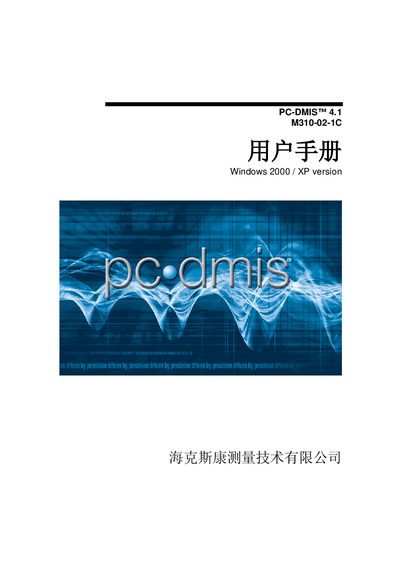
Hexagon M310-02-1C User Manual
This manual covers the PC‑DMIS 4.1 software used with the Hexagon M310-02-1C coordinate measuring machine. It provides an overview of the CMM, details on software configuration, CAD linking, and the user interface, as well as step‑by‑step measurement procedures.
Additional sections describe probe and head setup, automatic feature creation, report generation, import/export of CAD files, and error handling. The document also includes guidance on customizing the interface, changing screen colors, and using various communication interfaces for different probe systems. This manual is written in Chinese.
Covers: Coordinate Measuring Machine Overview · Software Configuration · CAD Linking · User Interface Navigation · Measurement Procedures · Probe and Head Setup
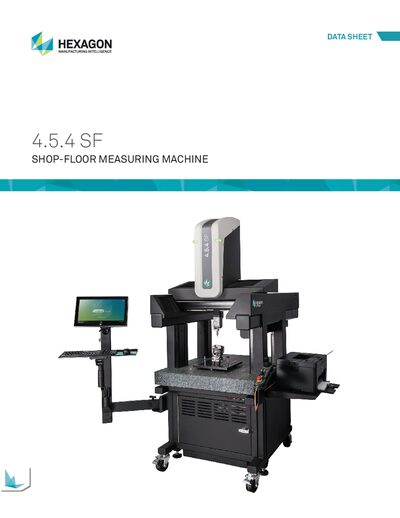
Hexagon SF Shop-Floor Measuring Machine Data Sheet
The SF Shop-Floor Measuring Machine from Hexagon Manufacturing Intelligence is a high‑precision coordinate measuring machine designed for shop‑floor use. It is offered in configurations with and without a touchscreen, each providing a large measuring envelope and robust work capacity.
The data sheet lists key technical specifications such as overall dimensions, weight, maximum 3D speed and acceleration, and detailed accuracy performance according to ISO 10360‑2 and ASME B89.4.1b‑2001. Installation requirements include strict vibration limits to ensure the stated performance levels.
Covers: Strokes, Dimensions, and Weights · Performance Specifications · Dynamics · Dimensional Data – Detail · Dimensional Data – Views (With Touchscreen) · Installation Requirements
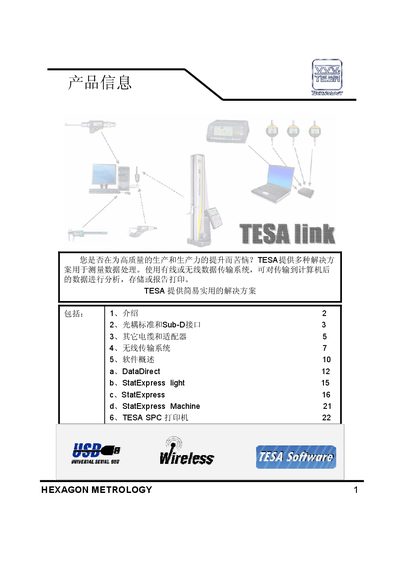
Hexagon Metrology TESA Data Transfer Solution User Manual
This manual describes the TESA data transfer solution offered by Hexagon Metrology. It covers the purpose of the solution, the supported hardware (TESA SPC printers, StatExpress devices, DataDirect), and the overall workflow for acquiring measurement data, transferring it to a computer, and generating reports.
The document is organized into sections on software (compatible with MS Excel, Open Calc, Notepad, etc.), cables and interfaces (Sub‑D, USB, RS‑232), printer configuration, wireless transmission (up to 150 m), and template customization for reports. Technical parameters such as interface types, tolerance settings, and measurement statistics are also provided. This manual is written in Chinese.
Covers: Introduction · Software · Cables · Printer · Wireless · Data Transfer Templates
Latest Hexagon manuals
Hexagon M310-02-1C User Manual
User Manual 1683 pages · 14.2 MB · ZHThe Hexagon M310-02-1C user manual explains how to operate, configure, and troubleshoot the PC‑DMIS software on this coordinate measuring machine.
Hexagon SF Shop-Floor Measuring Machine Data Sheet
Datasheet 5 pages · 1.7 MB · ENThe Hexagon SF Shop-Floor Measuring Machine data sheet provides dimensions, weights, performance specs, and installation requirements.
Hexagon Metrology TESA Data Transfer Solution User Manual
User Manual 6 pages · 787 KB · ZHThe Hexagon Metrology TESA Data Transfer Solution User Manual explains how to connect, configure, and use TESA devices for data transfer, printing, and…
Which document do I need?
User Manual
Day-to-day operation, settings and troubleshooting. Start here if the product is already set up.
Datasheet
Ratings, dimensions and ordering codes, for selection and design work.
Questions answered in Hexagon manuals
How do I import a CAD file into PC‑DMIS?
Select the Import CAD option, choose the file type (e.g., IGES, DXF, STEP) and follow the dialog prompts to load the geometry.
How can I change the screen colors in the graphics window?
Open the Screen Color dialog from the View menu and adjust the color settings as needed.
What vibration limits are required for installing the SF machine?
Installation site vibration must be less than 2 µm maximum horizontal and vertical amplitude over the frequency range 5‑50 Hz.
What is the maximum wireless transmission distance supported by the solution?
The wireless transmission range can reach up to 150 meters.
From: Hexagon Metrology TESA Data Transfer Solution User Manual
Which software applications are compatible with the TESA Data Transfer Solution?
The solution works with MS Excel, Open Calc, Notepad, and other standard PC applications.
From: Hexagon Metrology TESA Data Transfer Solution User Manual