
Key facts
- Manuals
- 2
- Languages
- EN · ZH
- Last added
- 2012-02-02
Featured HDS手持数字示波器 manuals
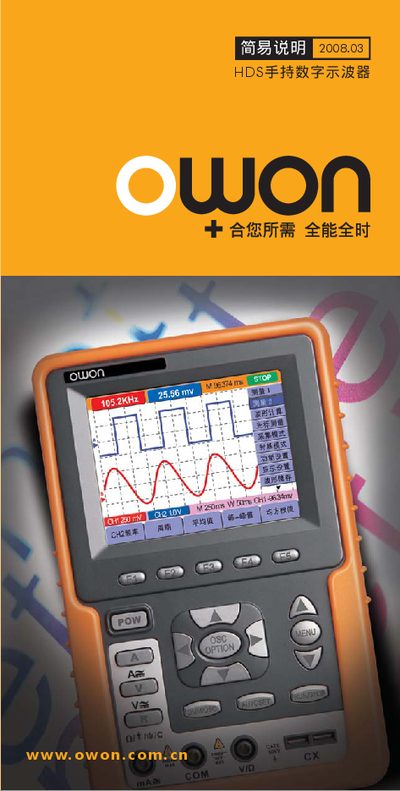
Owon HDS Hand‑held Digital Oscilloscope User Manual
This manual provides an overview of the Owon HDS hand‑held digital oscilloscope, describing its front‑panel controls, menu structure, and measurement options. It explains how to navigate the various OSC OPTION menus, configure channels, and select voltage and time‑base ranges.
The document also lists the input voltage ranges for each channel, typical trigger settings, and safety precautions. Users can refer to the menu tables to set up measurements such as AUTOSET, voltage scaling, and waveform capture.
Covers: Introduction · Menu Navigation · Channel Configuration · Voltage Range Settings · Time‑Base Settings · Trigger Options
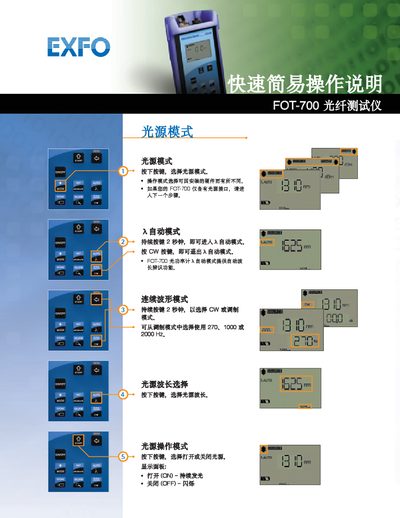
FOT-700 Fiber Optic Tester Quick Start Guide
This guide provides brief instructions for operating the FOT-700 fiber optic tester. It covers how to select light‑source modes, choose operating modes, and use the automatic and continuous‑wave functions.
Key functions include selecting the light‑source wavelength, turning the light source on or off, and interpreting the display panel indicators. The steps are designed for fast setup and easy use in field measurements. This manual is written in Chinese.
Covers: Light Source Mode · Operation Mode Selection · Automatic Mode · Continuous Wave Mode · Wavelength Selection · Light Source On/Off
Latest HDS手持数字示波器 manuals
Owon HDS Hand‑held Digital Oscilloscope User Manual
User Manual 6 pages · 255 KB · ENUser manual for the Owon HDS hand‑held digital oscilloscope, covering operation, settings, and specifications.
FOT-700 Fiber Optic Tester Quick Start Guide
Quick Start Guide 2 pages · 1.4 MB · ZHQuick start guide for the FOT-700 fiber optic tester, showing basic operation modes and settings.
Which document do I need?
User Manual
Day-to-day operation, settings and troubleshooting. Start here if the product is already set up.
Quick Start Guide
The shortest path to a working setup, usually only a few pages.
Questions answered in HDS手持数字示波器 manuals
How do I access the OSC OPTION menus?
Press the MENU key and select the desired OSC OPTION entry from the list.
What is the maximum voltage the scope can measure on CH1?
The maximum measurable voltage on CH1 is 1.500 V.
How do I enter automatic mode?
Press and hold the CW button for 2 seconds to enter automatic mode.
How do I exit automatic mode?
Press the CW button to exit automatic mode.