
Key facts
- Manuals
- 1
- Categories
- 1
- Languages
- ZH
- Last added
- 2012-03-12
Featured FDC01 manuals
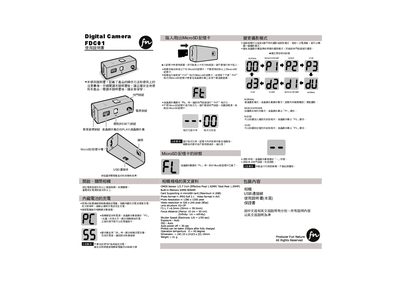
Fun Nature FDC01 Digital Camera User Manual
This manual explains how to operate the FDC01 digital camera, including power on/off, button functions, charging the built‑in battery via USB, and inserting a MicroSD card. It also describes the various shooting modes such as Normal, Monochrome, Noise, and Vivid, and how to select them using the mode button.
Technical details are listed, covering the CMOS sensor, lens specifications, memory capacity, supported file formats, and physical dimensions. Safety precautions and proper handling instructions are included to ensure reliable use of the camera. This manual is written in Chinese.
Covers: Shutter Button · Reset Button · Depth of Field Selection · LCD Display · USB Connection · Power On/Off
Latest FDC01 manuals
Fun Nature FDC01 Digital Camera User Manual
User Manual 1 pages · 981 KB · ZHThe Fun Nature FDC01 digital camera user manual provides operating instructions, safety notes, and specifications.
Which document do I need?
User Manual
Day-to-day operation, settings and troubleshooting. Start here if the product is already set up.
Questions answered in FDC01 manuals
How do I turn the camera on and off?
Press and hold the power button for more than five seconds to turn the camera on; repeat the same action to turn it off.
What type of memory card does the camera support?
The camera supports MicroSD cards up to 2 GB formatted with FAT; cards larger than 2 GB are not supported.