
Key facts
- Manuals
- 3
- Languages
- ZH
- Last added
- 2026-09-28
Featured EBSCO manuals
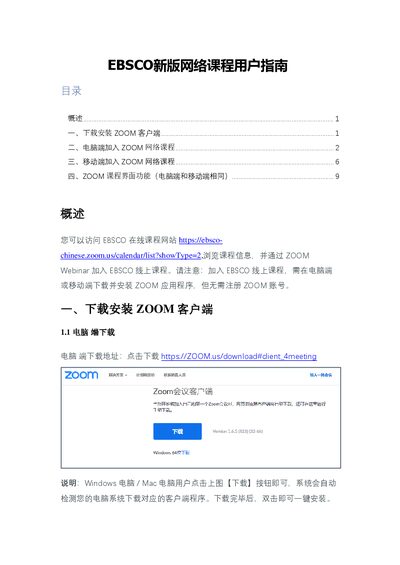
EBSCO ZOOM Webinar User Guide
The guide provides step‑by‑step instructions for installing the Zoom client on Windows, macOS, iOS, and Android, and shows how to join an EBSCO Zoom Webinar from a computer or mobile device. It also describes the Zoom interface functions such as audio settings, chat, hand‑raising, Q&A, and leaving the meeting.
Users are instructed to download the client from the official Zoom website, enter the meeting ID and password (often 123456), and provide a valid email address for the host. The guide notes that no Zoom account registration is required and highlights common troubleshooting tips, such as allowing network access during installation. This manual is written in Chinese.
Covers: Overview · Installing Zoom Client · Joining a Course on Computer · Joining a Course on Mobile · Zoom Interface Functions
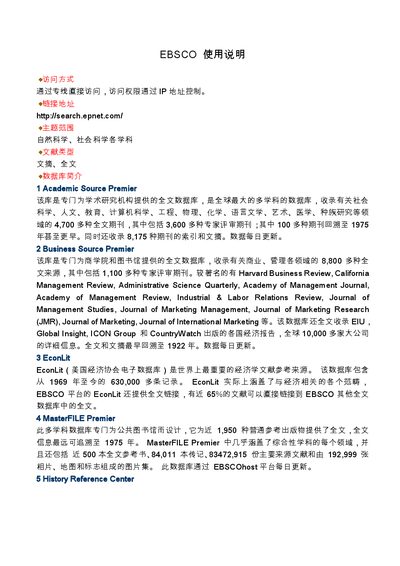
EBSCO User Manual
This manual explains how to connect to EBSCO databases, including access methods, login URLs, and the range of subjects covered. It describes the major databases available, such as Academic Source Premier, Business Source Premier, EconLit, and others.
The guide also details search techniques, result handling, saving, printing, and emailing records, as well as how to exit the system. Step‑by‑step instructions are provided for basic and advanced searches, visual navigation, and auxiliary retrieval options. This manual is written in Chinese.
Covers: Access Methods · Database Overview · Search Techniques · Result Handling · Saving and Printing · Exiting the System
EBSCO AtoZ Reader User Manual
This manual provides step‑by‑step instructions for navigating the EBSCO AtoZ Reader website, including how to locate journals, view full‑text links, and manage personal settings. It describes the overall structure of the site, the index of electronic journals, and the subject‑based classification.
The guide also covers the search functions—quick search, advanced search, and browsing by subject—as well as help resources, contact information, and tips for refining queries. Users can learn how to use exact‑match, phrase, and truncation options to improve results. This manual is written in Chinese.
Covers: Index · Search · Advanced Search · Quick Search · Browse · Help
Latest EBSCO manuals
EBSCO ZOOM Webinar User Guide
User Manual 11 pages · 1.1 MB · ZHThis guide explains how to download, install, and join EBSCO online courses using the Zoom client on computer and mobile devices.
EBSCO User Manual
User Manual 6 pages · 251 KB · ZHInstructions for accessing, searching, and managing results in the EBSCO database platform.
EBSCO AtoZ Reader User Manual
User Manual 10 pages · 1 MB · ZHThe EBSCO AtoZ Reader User Manual explains how to search, browse, and use the EBSCO AtoZ electronic journal integration system.
Which document do I need?
User Manual
Day-to-day operation, settings and troubleshooting. Start here if the product is already set up.
Questions answered in EBSCO manuals
How do I install the Zoom client on Windows?
Download the installer from https://zoom.us/download#client_4meeting and run it; the system will detect your OS and install the appropriate client.
Do I need a Zoom account to join an EBSCO online course?
No, you can join the Zoom Webinar without registering a Zoom account.
How do I access the EBSCO databases?
Connect via the direct link http://search.epnet.com/ and use IP‑based access control.
From: EBSCO User Manual
What search techniques are supported?
The manual lists Boolean logic, truncation, proximity operators (W, N), phrase searching, and stop‑word handling.
From: EBSCO User Manual
How do I perform a quick search?
Enter keywords in the "Search For" field and click the Search button.
How can I use advanced search?
Select "Advanced search" and fill fields such as Author, Title, or Keywords to refine results.