
Key facts
- Manuals
- 2
- Languages
- EN
- Last added
- 2012-02-04
Featured DVI manuals
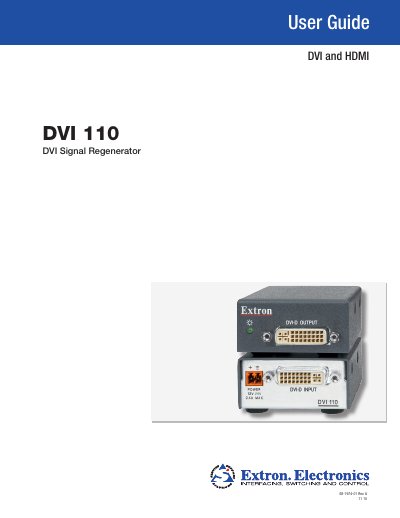
Extron DVI 110 Signal Regenerator User Guide
The Extron DVI 110 Signal Regenerator restores degraded DVI/HDMI video signals to full‑HD quality. This guide explains the device’s features, how to connect it, and how to interpret the LED status indicators.
Installation instructions cover front‑ and rear‑panel connections, power requirements, and mounting options such as rack, furniture, or tabletop use. Reference sections provide detailed specifications, part numbers, optional accessories, and safety information.
Covers: Introduction · Features · Application Diagrams · Installation · Front and Rear Panel Features and Connections · Connecting the DVI 110
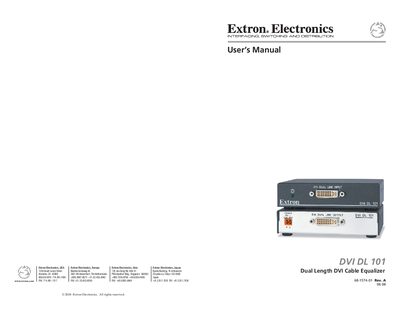
Extron DVI DL 101 Dual Length DVI Cable Equalizer User Manual
The Extron DVI DL 101 is a dual‑link cable equalizer that extends DVI signals beyond the standard 15' (5 m) limit. It can be placed at the end of a cable run up to 275' (84 m) for dual link or 200' (61 m) for single link, automatically equalizing and driving the signal to maintain image quality. The unit supports all dual‑link DVI signals up to 330 MHz and single‑link rates up to 165 MHz, passes EDID and HDCP data, and can work with HDMI adapters.
Installation is flexible: the DVI DL 101 can be mounted on a rack shelf, under or through furniture, attached to a projector pole, or used on a tabletop with four rubber feet. Safety warnings, power‑status LEDs, and optional DDC/HDCP buffering are described in the manual.
Covers: Introduction · Features · Application Diagrams · Installation and Operation · Mounting Options · Front and Back Panel Features
Latest DVI manuals
Extron DVI 110 Signal Regenerator User Guide
User Manual 19 pages · 2 MB · ENUser guide for the Extron DVI 110 signal regenerator covering installation, operation, specifications and mounting options.
Extron DVI DL 101 Dual Length DVI Cable Equalizer User Manual
User Manual 18 pages · 2.2 MB · ENThe Extron DVI DL 101 User Manual provides installation, operation, specifications, and accessory information for the dual‑link DVI cable equalizer.
Which document do I need?
User Manual
Day-to-day operation, settings and troubleshooting. Start here if the product is already set up.
Questions answered in DVI manuals
How is the DVI 110 powered?
It requires an external 12 VDC, 0.4 A power supply and cannot draw power from the input device.
What LED indicators does the DVI 110 have?
A bicolored LED shows amber when power is present and green when a valid DVI/HDMI signal is detected.
What is the maximum input cable length for the DVI DL 101?
The DVI DL 101 can accept input cables up to 200 ft (50.8 m) for the highest dual‑link rates.
From: Extron DVI DL 101 Dual Length DVI Cable Equalizer User Manual
How can the DVI DL 101 be mounted?
It can be mounted on a rack shelf, under or through furniture, attached to a projector pole, or placed on a tabletop using the included rubber feet.
From: Extron DVI DL 101 Dual Length DVI Cable Equalizer User Manual