
Key facts
- Manuals
- 1
- Categories
- 1
- Languages
- ZH
- Last added
- 2012-03-09
Featured DS-101 manuals
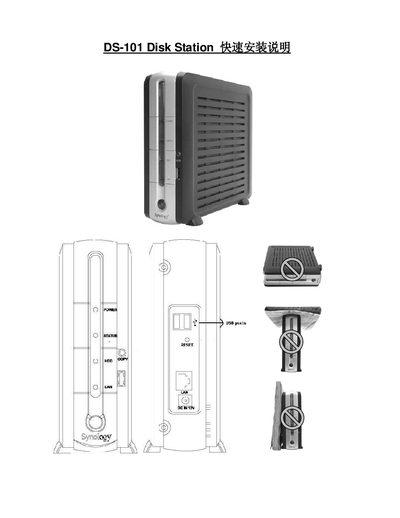
DS-101 Disk Station Quick Installation Manual
The guide provides step‑by‑step instructions for installing the DS-101 Disk Station, attaching the IDE hard drive, and securing the mounting brackets. It also explains how to connect USB printers and disks, and how to perform the initial format and reset procedures.
Additional sections cover supported hardware (hard‑drive models, USB printers, and cameras), limitations of USB hub usage, and how to access the web‑based management interface using Internet Explorer on Windows or Mac. This manual is written in Chinese.
Covers: Attention · Installation Steps · Supported Hard Drives · Supported USB Printers · USB Copy Function · Network Management
Latest DS-101 manuals
DS-101 Disk Station Quick Installation Manual
Quick Start Guide 26 pages · 2.2 MB · ZHThis quick installation guide shows how to set up the DS-101 Disk Station, connect USB devices, and configure network settings.
Which document do I need?
Quick Start Guide
The shortest path to a working setup, usually only a few pages.
Questions answered in DS-101 manuals
How many USB disks can the DS-101 support?
The DS-101 can support up to three USB disks, but it does not work through a USB hub.
Can the DS-101 connect more than one USB printer?
No, the DS-101 supports only one USB printer and does not work through a USB hub.