
Key facts
- Manuals
- 1
- Categories
- 1
- Languages
- ZH
- Last added
- 2012-03-16
Featured DocuWide manuals
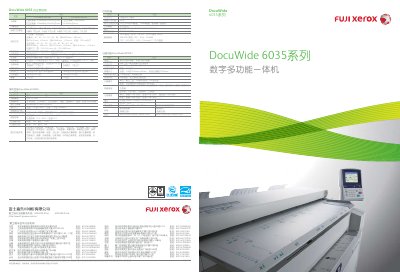
DocuWide 6035MF/6035EP digital multi-function all-in-one User Guide
The DocuWide 6035 series is a large‑format digital multifunction device offering high‑speed printing, copying, and scanning for engineering and office environments. It supports 600 × 600 dpi resolution, up to 5 A0 pages per minute, and flexible paper handling with two rolls and manual feed.
This user guide details the device’s performance, security features such as confidential printing and watermarking, optional accessories, network interfaces, and environmental compliance. It also lists technical specifications, setup procedures, and maintenance information to help users operate the machine efficiently. This manual is written in Chinese.
Covers: Overall Performance · Scanning Features · Printing and Copying · Security Functions · Environmental and Compliance · Technical Specifications
Latest DocuWide manuals
DocuWide 6035MF/6035EP digital multi-function all-in-one User Guide
User Manual 8 pages · 1.5 MB · ZHThe guide provides specifications, operation, and service information for the Fujifilm Xerox DocuWide 6035 multifunction device.
Which document do I need?
User Manual
Day-to-day operation, settings and troubleshooting. Start here if the product is already set up.
Questions answered in DocuWide manuals
What is the scanning resolution of the DocuWide 6035?
The scanner provides a resolution of 600 × 600 dpi.
From: DocuWide 6035MF/6035EP digital multi-function all-in-one User Guide
How fast can the device print A0 pages?
It can output up to five A0 pages per minute.
From: DocuWide 6035MF/6035EP digital multi-function all-in-one User Guide