
Key facts
- Manuals
- 2
- Languages
- ZH
- Last added
- 2011-11-03
Featured Cyber manuals
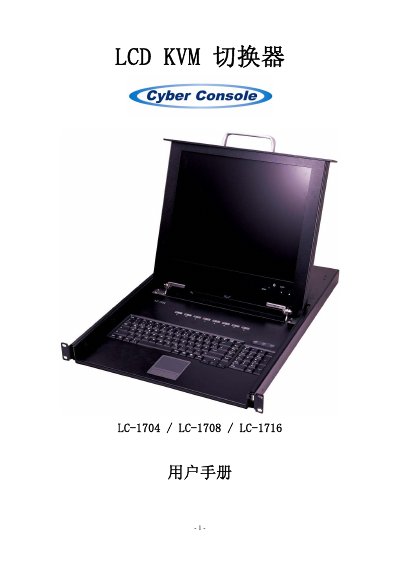
LC-1704 / LC-1708 / LC-1716 KVM Switch User Manual
The LCD KVM switcher allows one keyboard, mouse and 17‑inch monitor to control up to 256 hosts without additional interface cards or software. It features an on‑screen display (OSD) for easy host selection, automatic scanning, and hot‑key or mouse switching.
The manual provides detailed LCD display specifications, OSD control functions, hardware requirements, wiring diagrams, installation steps for both single‑unit and cascaded configurations, system settings, firmware update procedures, and troubleshooting tips. This manual is written in Chinese.
Covers: LCD Display Specifications · OSD Control Functions · Features · Hardware Requirements · Specifications · Installation
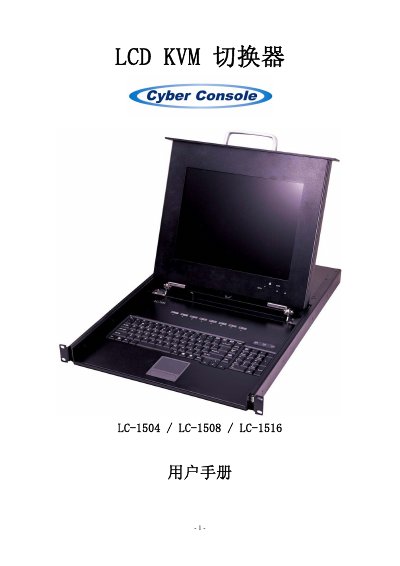
LCD LC-1504/LC-1508/LC-1516 LCD KVM Switch User Manual
The LCD LC-1504/LC-1508/LC-1516 is a 15‑inch LCD KVM switch that lets one keyboard, mouse and monitor control up to 256 hosts without extra cards or software. It features an on‑screen display (OSD) for easy host selection, hot‑key and mouse control, and supports resolutions up to 1024×768 @ 75 Hz.
The manual provides detailed hardware specifications, wiring diagrams, step‑by‑step installation for single and cascaded configurations, system settings, firmware update procedures, and a troubleshooting guide for common issues such as unresponsive keyboard or mouse. This manual is written in Chinese.
Covers: LCD Display Specifications · OSD Control Functions · Product Overview · Features · Technical Specifications · Installation
Latest Cyber manuals
LC-1704 / LC-1708 / LC-1716 KVM Switch User Manual
User Manual 17 pages · 621 KB · ZHUser manual for the LCD KVM switcher series LC-1704, LC-1708 and LC-1716, covering specifications, installation and operation.
LCD LC-1504/LC-1508/LC-1516 LCD KVM Switch User Manual
User Manual 17 pages · ZHUser manual for the LCD LC-1504/LC-1508/LC-1516 KVM switch, covering specifications, installation, operation, and troubleshooting.
Which document do I need?
User Manual
Day-to-day operation, settings and troubleshooting. Start here if the product is already set up.
Questions answered in Cyber manuals
What should I do if the keyboard does not respond?
Restart the host computer, or press [Esc] to exit Auto Scan mode.
How can I resolve a mouse that does not respond?
Restart the host computer, or press [Esc] to exit Auto Scan mode.
Why is the keyboard not responding?
Restart the host computer; if the KVM is in Auto Scan mode, press [Esc] to exit.
From: LCD LC-1504/LC-1508/LC-1516 LCD KVM Switch User Manual
Why is the mouse not responding?
Restart the host computer; if the KVM is in Auto Scan mode, press [Esc] to exit.
From: LCD LC-1504/LC-1508/LC-1516 LCD KVM Switch User Manual