
Key facts
- Manuals
- 8
- Languages
- JA · EN
- Last added
- 2011-12-22
Featured Clarion manuals
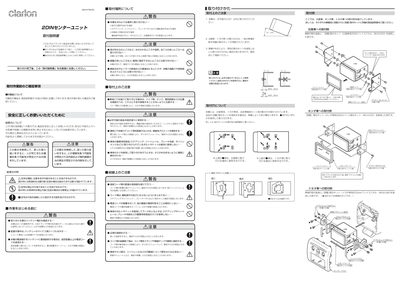
Clarion 2DIN Installation Guide
This guide provides safety warnings and general precautions for installing the Clarion 2DIN unit. It explains the meaning of the warning symbols, the importance of using only the supplied accessories, and the need to keep the manual for future reference.\n\nDetailed instructions cover mounting locations, required clearances, wiring procedures, cable selection, fuse replacement, and connection of external devices such as antennas and power amplifiers. Installation kits specific to Nissan, Toyota, Honda and other vehicles are described, along with recommended fasteners and cable lengths. This manual is written in Japanese.
Covers: Safety warnings and symbols · Pre‑installation checks · Mounting location and mounting kits · Wiring and cable routing · CeNET and RCA cable connections · Fuse replacement
Clarion CZ109 Manual
This manual explains safe usage, installation, and operation of the Clarion CZ/709 car audio receiver. It includes warnings, handling of the DCP unit, and instructions for CD, MP3, and WMA playback, as well as Bluetooth and AUX input usage.
Additional sections cover display settings, error messages, maintenance, and warranty information, with detailed technical specifications such as frequency response, power output, and dimensions. This manual is written in Japanese.
Covers: Safety Information · Installation and Mounting · Operation Controls · CD/MP3/WMA Playback · Bluetooth and AUX Input · Display Settings
Clarion DXZ276MP/DXZ376MP CD/MP3/WMA Receiver Owner's Manual
This owner’s manual provides complete operating instructions for the Clarion DXZ276MP and DXZ376MP CD/MP3/WMA receivers. It includes procedures for the iPod® interface, CD/DVD changer, and TV tuner that connect via the CeNET cable, as well as safety and warranty information.
The manual details the front‑panel controls, rear connector layout, electrical specifications, and recommended installation locations such as the glove compartment. Technical data such as frequency ranges, power output, dimensions, and supply voltages are listed for reference.
Covers: Owner’s Manual · Controls · Bottom View of Source Unit · Specifications · Warranty and Safety
Clarion DXZ776USB Receiver Owner's Manual
This manual provides operating instructions for the Clarion DXZ776USB receiver, covering basic controls, CD/USB playback, iPod interface, and CeNET‑linked auxiliary devices. It includes safety precautions, button functions, display information, and guidance for using the detachable control panel (DCP).
The document also contains technical specifications, power requirements, and dimensions, as well as warnings about condensation, vibration, and proper handling of discs. Users are advised to read the entire manual before installation and to keep it accessible in the vehicle.
Covers: Controls · Precautions Before Use · Automatic Panel · Using CD · Button Names and Functions · Display Items
Latest Clarion manuals
Clarion 2DIN Installation Guide
Installation Guide 2 pages · 352 KB · JAInstallation guide for the Clarion 2DIN car stereo, covering safety warnings, mounting, wiring and connection steps.
Clarion CZ109 Manual
User Manual 32 pages · 814 KB · JAThe Clarion CZ/709 car CD/MP3/WMA receiver user manual provides safety instructions, operation guides, and technical specifications.
Clarion DB565USB Manual
Clarion MAX685/685DT Manual
Clarion DXZ276MP/DXZ376MP CD/MP3/WMA Receiver Owner's Manual
User Manual 34 pages · 1.4 MB · ENOwner's manual for Clarion DXZ276MP and DXZ376MP CD/MP3/WMA receivers with CeNET control, covering operation, controls, and specifications.
clarion dub385mp Manual
clarion DXZ385USB Manual
Clarion DXZ776USB Receiver Owner's Manual
User Manual 44 pages · 1.5 MB · ENOwner's manual for the Clarion DXZ776USB CD/USB/MP3/AAC receiver with CeNET control.
Which document do I need?
Installation Guide
Mounting, wiring and first power-up. Read it before the hardware goes in.
User Manual
Day-to-day operation, settings and troubleshooting. Start here if the product is already set up.
Questions answered in Clarion manuals
How long can a CeNET cable be run?
The maximum length for a CeNET cable, including any branch cable, is 20 meters.
How do I safely remove a CD from the device?
Press the center of the CD case, hold the edge of the disc, and gently pull it out.
How can I lock or unlock the CeNET control panel?
Press and hold the RELEASE key to unlock the CCP; pressing it again locks the panel.