
Key facts
- Manuals
- 3
- Categories
- 1
- Languages
- EN · ZH
- Last added
- 2026-09-28
Featured BBE manuals
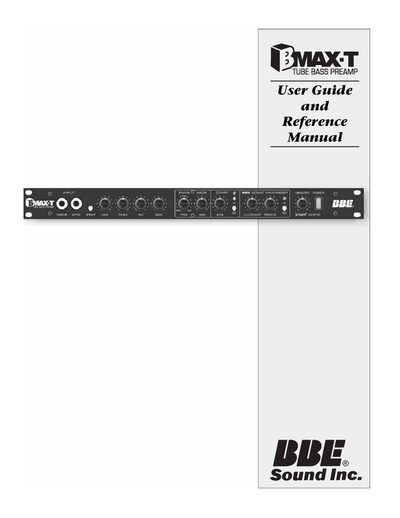
BBE BMAX-T Bass Guitar Pre-amp User Guide and Reference Manual
This guide explains the features, connections, and operation of the BBE BMAX-T tube bass pre‑amp, a high‑quality unit for studio and live use. It includes safety precautions, a description of the interactive three‑band EQ, the BBE Sonic Maximizer process, and the optional footswitch functions.
The manual also lists detailed technical specifications, wiring diagrams, service and warranty information, and recommended maintenance procedures to keep the unit performing reliably.
Covers: Precautions · Product Description · Features · Controls / Connections · Specifications · General Operation / Applications
BBE 1002 User Manual
This manual begins with important safety safeguards, warning about electric shock, proper ventilation, and correct power‑cord handling. It also outlines service recommendations and advises when to contact qualified service personnel.
The installation section explains how to connect the BBE 1002 in a tape‑monitor loop, pre‑amp loop, or as a single‑source processor, and describes additional wiring for tape decks and other processors. Operational details cover the front‑panel controls, LED indicators, and the three frequency‑band processing paths, while the tape‑dubbing and compatibility chapters explain how the unit works with other audio equipment.
Covers: Important Safeguards · Installation · Use · Service · Product Description · Installation and Set‑Up
iAUDIO 5 MP3 Player User Manual
This manual introduces the iAUDIO 5 MP3 player, covering its hardware layout, battery installation, USB connection, and LCD display functions. It explains basic operation, mode selection, menu navigation, button usage, and provides a full list of menu items.
Additional sections describe JetShell and JetAudio software, firmware upgrade procedures, troubleshooting tips, and warranty information. The guide also includes specifications, terminology, and safety notices for proper use of the device. This manual is written in Chinese.
Covers: What is iAUDIO? · Product Specifications · Battery Installation · USB Connection · LCD Display Explanation · Basic Operation
Latest BBE manuals
BBE BMAX-T Bass Guitar Pre-amp User Guide and Reference Manual
User Manual 12 pages · 309 KB · ENThe BBE BMAX-T Bass Guitar Pre-amp User Guide provides setup, controls, specifications, and maintenance instructions.
BBE 1002 User Manual
User Manual 15 pages · 937 KB · ENThe BBE 1002 User Manual provides safety instructions, installation steps, and operating guidance for the BBE 1002 Sonic Maximizer audio processor.
iAUDIO 5 MP3 Player User Manual
User Manual 39 pages · 6.5 MB · ZHThe iAUDIO 5 MP3 player user manual provides setup, operation, battery, USB, menu navigation, and firmware upgrade instructions.
Which document do I need?
User Manual
Day-to-day operation, settings and troubleshooting. Start here if the product is already set up.
Questions answered in BBE manuals
What does the Ground Lift switch do?
It disables the ground pin of the XLR connector to eliminate ground‑loop hum.
From: BBE BMAX-T Bass Guitar Pre-amp User Guide and Reference Manual
How is the BBE Process engaged?
Turn the PROCESS knob clockwise; the green LED lights to show the process is active.
From: BBE BMAX-T Bass Guitar Pre-amp User Guide and Reference Manual
Can the BBE 1002 be installed in a tape‑monitor loop?
Yes. The manual states the BBE 1002 is designed to interface easily and may be installed in a tape‑monitor loop.
From: BBE 1002 User Manual
What delay is applied to the low‑frequency group?
The low‑frequency group is delayed by about 2.5 ms.
From: BBE 1002 User Manual
How do I install the battery?
Open the battery cover on the lower end of the device, insert the 3A battery with the correct polarity, and close the cover securely.
How do I connect the iAUDIO to a PC via USB?
Insert the USB cable into the USB port on the iAUDIO, paying attention to the connector direction, then connect the other end to the computer.