
Key facts
- Manuals
- 3
- Categories
- 1
- Languages
- ZH
- Last added
- 2012-03-16
Featured ApeosPort-IV manuals
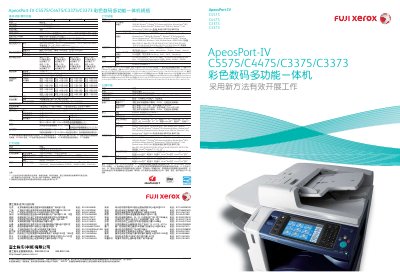
Fuji Xerox ApeosPort-IV C5575/C4475/C3375/C3373 Multi-Function Printer Manual
This document describes the hardware specifications, environmental features, and core functions of the ApeosPort‑IV C5575/C4475/C3375/C3373 series. It covers memory, storage, print and scan resolutions, paper handling, power consumption, and the new Smart WelcomEyes technology that reduces wake‑up time.
The guide also explains advanced workflow capabilities such as email scanning, network folder export, document security, and management tools like CentreWare Internet Services. Compatibility with various operating systems and driver options is listed, along with optional accessories such as high‑capacity trays and binding units. This manual is written in Chinese.
Covers: Specifications · Printing Features · Scanning Features · Advanced Functions · Environmental Performance · Management Tools
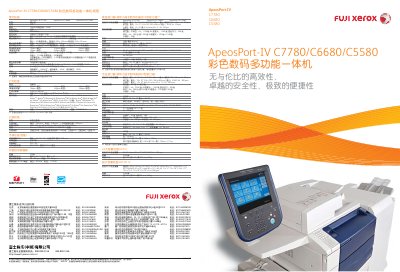
Fujifilm ApeosPort-IV C7780/C6680/C5580 User Manual
The ApeosPort‑IV C7780/C6680/C5580 series is a high‑performance colour digital multi‑function device designed for document‑intensive office environments. It offers fast printing, copying, scanning and faxing, with advanced energy‑saving and security features.
The manual covers hardware specifications, paper handling options, network and management functions, as well as detailed operating procedures for each function, helping users configure and maintain the device efficiently. This manual is written in Chinese.
Covers: 规格参数 · 打印功能 · 复印功能 · 扫描功能 · 传真功能 · 装订功能
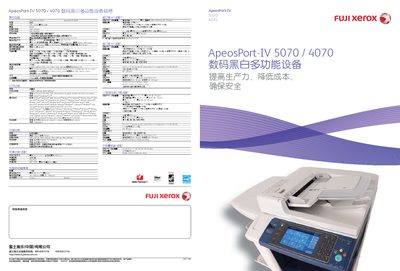
Fuji Xerox ApeosPort‑IV 5070/4070 User Manual
The ApeosPort‑IV 5070/4070 is a digital black‑white multifunction device designed to improve office productivity while reducing costs and energy consumption. It offers high‑speed printing, copying, scanning, and optional fax functions, all accessible through an 8.5‑inch color touchscreen.
The manual covers hardware specifications, network connectivity (Ethernet, optional 1000BASE‑T, USB2.0), security features such as secure print, image overwrite, and hard‑disk encryption, as well as management tools like CentreWare Internet Services and cost‑control reporting. Environmental sustainability and energy‑saving technologies are also described. This manual is written in Chinese.
Covers: 规格 · 打印功能 · 扫描功能 · 传真功能 · 安全功能 · 报告和管理工具
Latest ApeosPort-IV manuals
Fuji Xerox ApeosPort-IV C5575/C4475/C3375/C3373 Multi-Function Printer Manual
User Manual 12 pages · 9.5 MB · ZHThe manual provides specifications, operation instructions, and advanced features for the Fuji Xerox ApeosPort‑IV C5575/C4475/C3375/C3373 all‑in‑one colour…
Fujifilm ApeosPort-IV C7780/C6680/C5580 User Manual
User Manual 6 pages · 1.3 MB · ZHThis manual provides specifications, features and operating instructions for the Fujifilm ApeosPort‑IV C7780/C6680/C5580 color digital multi‑function…
Fuji Xerox ApeosPort‑IV 5070/4070 User Manual
User Manual 4 pages · 1.7 MB · ZHThe Fuji Xerox ApeosPort‑IV 5070/4070 user manual provides specifications, setup, operation, and maintenance details for the black‑white multifunction device.
Which document do I need?
User Manual
Day-to-day operation, settings and troubleshooting. Start here if the product is already set up.
Questions answered in ApeosPort-IV manuals
What is the warm‑up time for the printer?
The device warms up in less than 28 seconds, or less than 24 seconds when the main power is already on.
From: Fuji Xerox ApeosPort-IV C5575/C4475/C3375/C3373 Multi-Function Printer Manual
How many black‑and‑white pages can it print per minute?
It can print 55 black‑and‑white pages per minute in A4 landscape mode.
From: Fuji Xerox ApeosPort-IV C5575/C4475/C3375/C3373 Multi-Function Printer Manual
What is the warm‑up time of the device?
The device warms up in 90 seconds or less at a room temperature of 20 °C.
How many sheets can the automatic document feeder hold?
The ADF can hold up to 250 sheets and scan at a speed of 200 pages per minute (both sides).
What is the maximum print speed of the ApeosPort‑IV 5070/4070?
The device can print and copy up to 45 pages per minute in black and 55 pages per minute in color.
Which network interfaces are supported?
Standard Ethernet 100BASE‑TX/10BASE‑T is included, with optional 1000BASE‑T, USB 2.0, and IEEE1284‑B parallel port.