
Key facts
- Manuals
- 3
- Categories
- 3
- Languages
- ZH
- Last added
- 2012-03-12
Featured Aolynk manuals
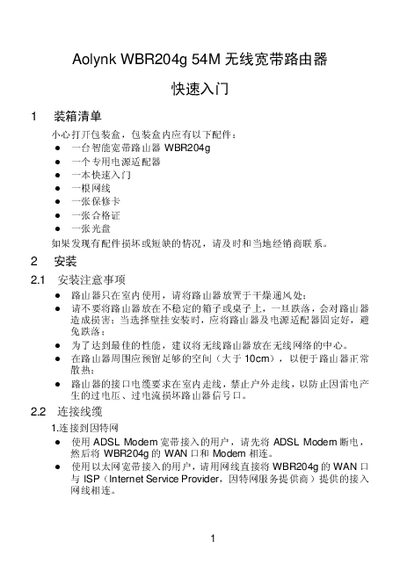
Aolynk WBR204g Wireless Broadband Router Quick Start Guide
This QuickStart Guide walks you through unpacking the Aolynk WBR204g router, connecting power, WAN and LAN cables, and accessing the web‑based management interface. It includes step‑by‑step instructions for both ADSL and Ethernet broadband connections, as well as initial wireless configuration.
The guide also provides troubleshooting tips for common issues such as login problems, internet connectivity, and wireless client failures, and lists the router’s technical specifications and support contact information. This manual is written in Chinese.
Covers: Package Contents · Installation and Power · Connecting to PC and Modem · Web Interface Login · Setup Wizard (WAN, LAN, DHCP) · Troubleshooting
Aolynk WCB600g 125M Cardbus Wireless Network Card User Manual
The Aolynk WCB600g 125M Cardbus wireless network card provides 802.11g/b connectivity at up to 125 Mbit/s. It includes a built‑in antenna, supports WPA/WPA2 security and offers easy configuration through the SES (Secure Easy Setup) feature.
The manual details product features, required system specifications, step‑by‑step installation, driver setup, configuration tools, indicator‑light meanings, and includes appendices with FAQs, technical specifications and basic WLAN concepts. This manual is written in Chinese.
Covers: Product Introduction · Installation · Configuration · Frequently Asked Questions · Technical Specifications · Wireless Network Basics
Aolynk BR104 Broadband Router User Manual
The Aolynk BR104 is a broadband router designed for small‑office/home use. It includes one WAN port for Internet access and four Ethernet LAN ports for connecting computers or switches, supporting VPN, firewall, UPnP, DHCP, DNS, DDNS and other networking functions.
The document guides users through unpacking, safety precautions, hardware connections, web‑based configuration, advanced settings, network applications, troubleshooting, technical specifications and TCP/IP installation. It also includes a glossary of networking terms. This manual is written in Chinese.
Covers: Product Introduction · Getting Started · Web Setup Introduction · Web Settings · Network Applications · Troubleshooting
Latest Aolynk manuals
Aolynk WBR204g Wireless Broadband Router Quick Start Guide
Quick Start Guide 7 pages · 230 KB · ZHQuickStart guide for the Aolynk WBR204g router covering setup, connection, configuration, troubleshooting and specs.
Aolynk WCB600g 125M Cardbus Wireless Network Card User Manual
User Manual 33 pages · 1.2 MB · ZHUser manual for the Aolynk WCB600g 125M Cardbus wireless network card, covering features, installation, configuration and technical specifications.
Aolynk BR104 Broadband Router User Manual
User Manual 55 pages · 2 MB · ZHThe manual provides product overview, setup steps, web configuration, advanced features and troubleshooting for the Aolynk BR104 broadband router.
Which document do I need?
Quick Start Guide
The shortest path to a working setup, usually only a few pages.
User Manual
Day-to-day operation, settings and troubleshooting. Start here if the product is already set up.
Questions answered in Aolynk manuals
What do the indicator lights on the WCB600g card mean?
A steady light indicates the card is powered; a flashing light shows the card is scanning or transmitting; a steady LINK light means the channel is locked and the connection is established; no light means the card is idle.
From: Aolynk WCB600g 125M Cardbus Wireless Network Card User Manual
Can the WCB600g card be hot‑plugged?
Yes, the card supports hot‑plugging; it can be inserted or removed while the laptop is powered on, but the user should stop using the card before removal.
From: Aolynk WCB600g 125M Cardbus Wireless Network Card User Manual
What is the default LAN IP address of the BR104 router?
The default LAN IP address is 192.168.1.1 with a subnet mask of 255.255.255.0.
How many LAN ports does the BR104 have?
The router provides four Ethernet LAN ports.