
Key facts
- Manuals
- 2
- Categories
- 1
- Languages
- ZH
- Last added
- 2011-11-02
Featured 3Jtech manuals
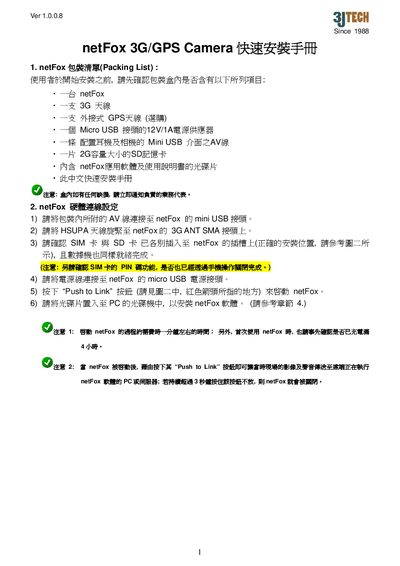
3JTECH netFox 3G/GPS Camera quick Installation Guide
The guide provides step‑by‑step instructions for installing the netFox 3G/GPS Camera. It starts with a packing list, shows how to connect the AV cable, 3G antenna, optional GPS antenna, SIM card, and power adapter, and then walks through the software installation on a PC.
It also describes the meaning of the various LED indicators (Recording, 3G Modem, Cellular Signal, SD Card, GPS) and explains basic operation such as using the Push‑to‑Link button to start video transmission and enabling GPS positioning. This manual is written in Chinese.
Covers: Packing List · Hardware Connection Settings · SIM Card Preparation · Power Supply Connection · LED Indicator Functions · Software Installation
3JTech eCAMit3 IP Camera User Manual
This manual covers the eCAMit3 network/IP camera from product overview, hardware description, and installation to detailed configuration using the eCAMit_Setup and eCAMit_AP software. It includes wiring diagrams, power connections, and troubleshooting tips for common issues.
The document also lists the camera's technical specifications, such as power consumption, network interfaces, image resolution, and environmental limits, helping users understand performance capabilities and how to integrate the camera into security systems. This manual is written in Chinese.
Covers: Product Overview · Physical Appearance · Installation and Wiring · Quick Setup and Configuration · eCAMit Application Software · eCAMit AP Interface
Latest 3Jtech manuals
3JTECH netFox 3G/GPS Camera quick Installation Guide
Installation Guide 3 pages · 194 KB · ZHThis quick installation guide explains how to set up the JITECH netFox 3G/GPS Camera, covering hardware connections, SIM setup, LED indicators, and software…
3JTech eCAMit3 IP Camera User Manual
User Manual 56 pages · 2.2 MB · ZHThe 3JTech eCAMit3 IP Camera User Manual provides setup, installation, operation instructions and technical specifications.
Which document do I need?
Installation Guide
Mounting, wiring and first power-up. Read it before the hardware goes in.
User Manual
Day-to-day operation, settings and troubleshooting. Start here if the product is already set up.
Questions answered in 3Jtech manuals
How do I connect the netFox to the power source?
Connect the supplied power adapter to the netFox’s micro USB power port.
What type of network connector does the eCAMit3 use?
The camera uses an RJ45 connector for Ethernet 10BaseT connections.
How much power does the eCAMit3 consume?
It consumes 300 mA from a single‑voltage DC supply.